150
Address book
Creating an entry
X In the Address Book main menu,
select the
1HZHQWU\WH[WRQO\ entry.
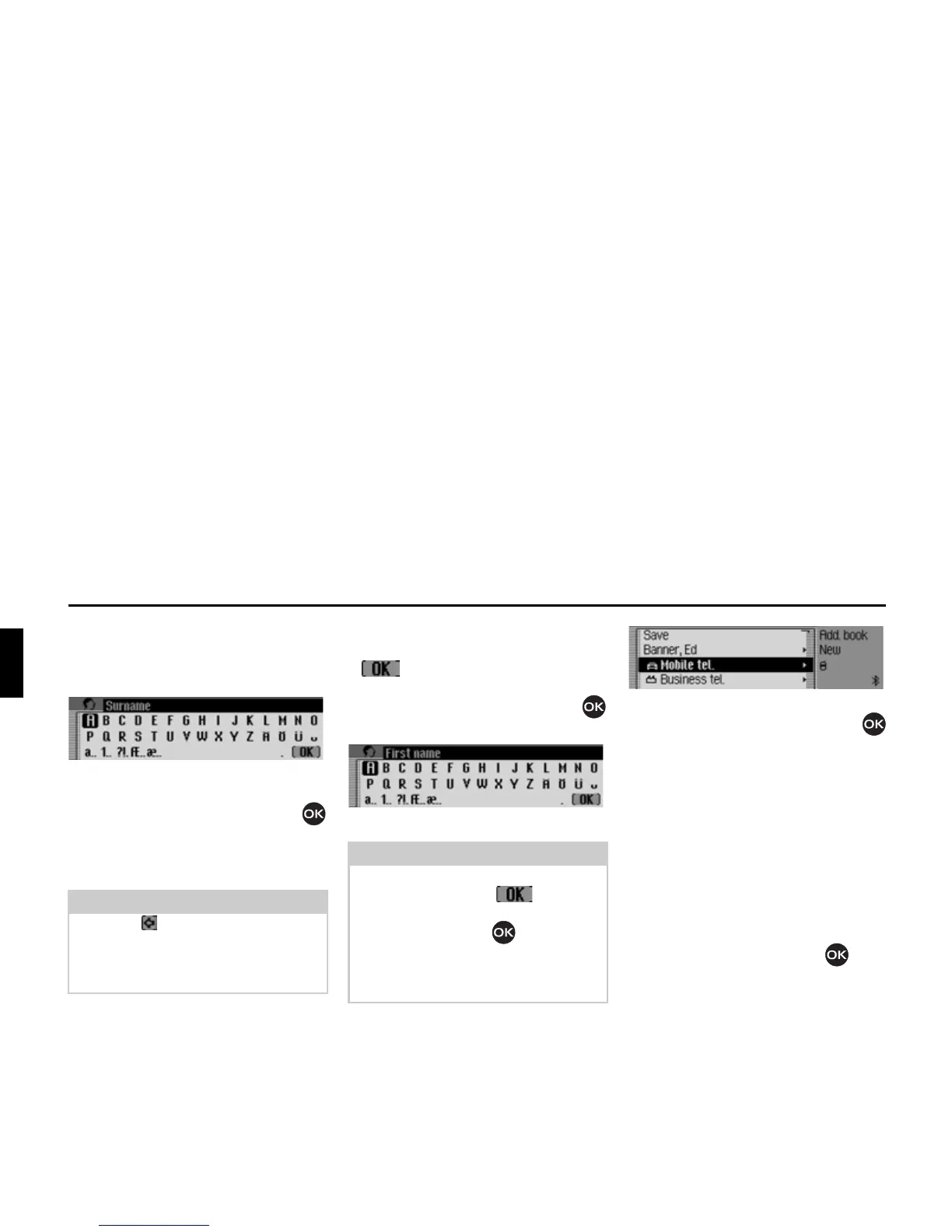
You are prompted to enter a surname.
X Turn the rotary control/push button
and then press the rotary control/push
button to select each letter one after the
other.
Accept entry:
X In the data entry menu, select the
symbol.
or
X Press the rotary control/push button
and hold it down for at least 2 seconds.
You are prompted to enter a first name.
X Enter a first name in the same way as
a surname.
You can now enter additional data:
X Turn the rotary control/push button
to select one of the following options:
0RELOHWHO,
%XVLQHVVWHO,
3ULYDWHWHO,
6WUHHWKRXVHQXPEHU,
3RVWFRGHWRZQ,
&RXQWU\,
%XVLQHVVHPDLO,
3ULYDWHHPDLO and
:::ZDS
X Confirm your selection by pressing the
rotary control/push button . The
appropriate data entry menu appears.
X Enter the required information.
Note:
Select the symbol to delete the last
character in the entry.
Please also refer to the description in
“Data entry menus” on page 13.
Note:
If you do not wish to enter a surname or
first name, select the symbol in
the data entry menu or press the rotary
control/push button and hold it
down for at least 2 seconds.
However, a name must be stored with
the entry (first name or surname).
6004
6005














 To Next Page