182
Settings
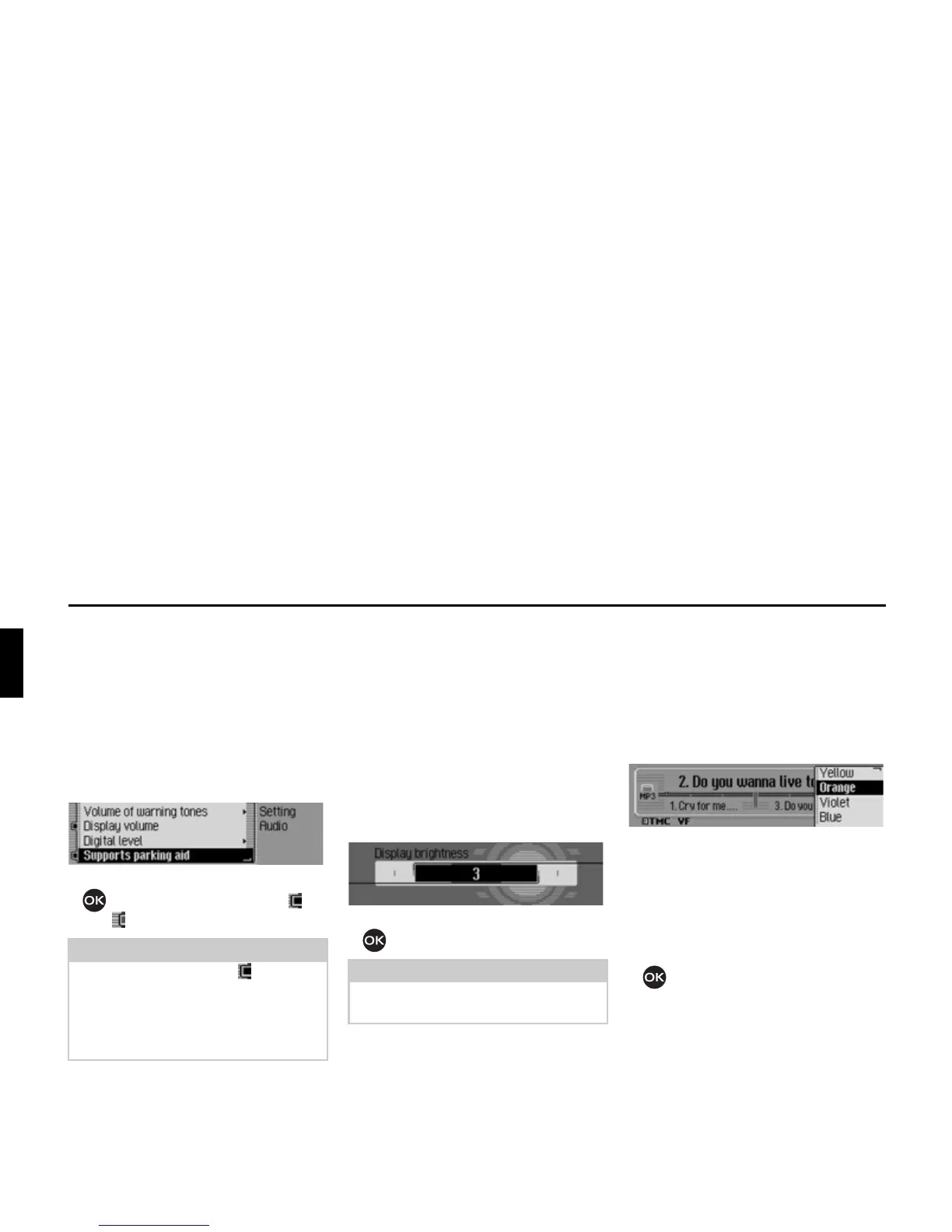
Supporting the parking aid
You can select whether the audio vol-
ume is to be lowered when the reverse
gear is engaged. If a parking aid is in-
stalled, you will then be able to hear it
more easily.
X Select $XGLR in the system settings.
X Select 6XSSRUWVSDUNLQJDLG.
X Press the rotary control/ push button
to switch the function on ( ) or
off ( ).
Display
The Display section includes system set-
tings for the display.
Display brightness
You can use this function to set the dis-
play brightness to meet your require-
ments.
X Select 'LVSOD\ in the system settings.
X Select 'LVSOD\EULJKWQHVV.
X Turn the rotary control/ push button
to select the required value.
Display colour
You can use this function to set the dis-
play colour using predefined colour pal-
ettes.
X Select 'LVSOD\ in the system settings.
X Select &RORXUV.
The colour schemes available for selec-
tion are given in the right-hand part of
the display. A fixed navigation display is
given as an example in the left-hand part
of the display.
X Turn the rotary control/push button
to select the required colour
scheme.
The colour scheme is modified during
the selection.
Note:
When the function is on ( ), the audio
volume will be lowered when the re-
verse gear is engaged.
This function can only be used if your
Mexico has this information.














 To Next Page