146
Internet (WAP) function
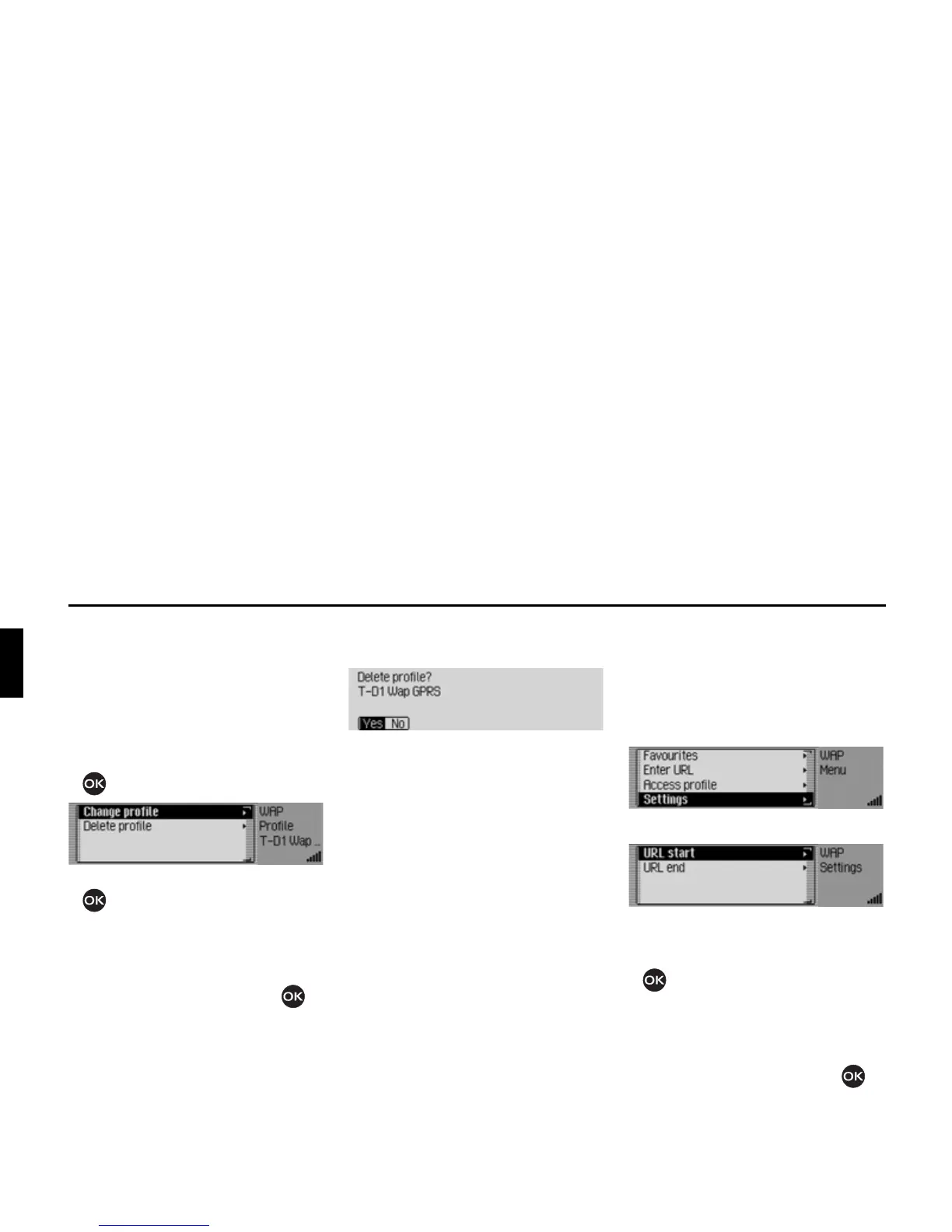
Changing/deleting an access profile
You can change or delete an existing ac-
cess profile.
X Open the list of access profiles.
X Select the access profile to be modi-
fied or deleted.
X Press the rotary control/ push button
until a menu appears.
X Turn the rotary control/push button
to select one of the following op-
tions:
&KDQJHSURILOH or
'HOHWHSURILOH.
X Confirm your selection by pressing
the rotary control/ push button .
If you select
&KDQJHSURILOH you can adapt
the profile entries as described in “Cre-
ating access profile” on page 143.
Select the
'HOHWHSURILOH entry to delete the
profile.
X When the prompt appears, select <HV
to delete the access profile or 1R to
cancel the procedure.
If you select
<HV, the access profile will
be deleted.
Settings
In the Settings you can specify the URL
beginning and the URL ending that is to
be suggested by Mexico.
X Open the WAP main menu.
X Select the 6HWWLQJ entry.
The Settings menu appears.
X Turn the rotary control/push button
to select one of the following op-
tions:
85/VWDUW or
85/HQG.
X Confirm your selection by pressing
the rotary control/ push button .














 To Next Page