159
Address book
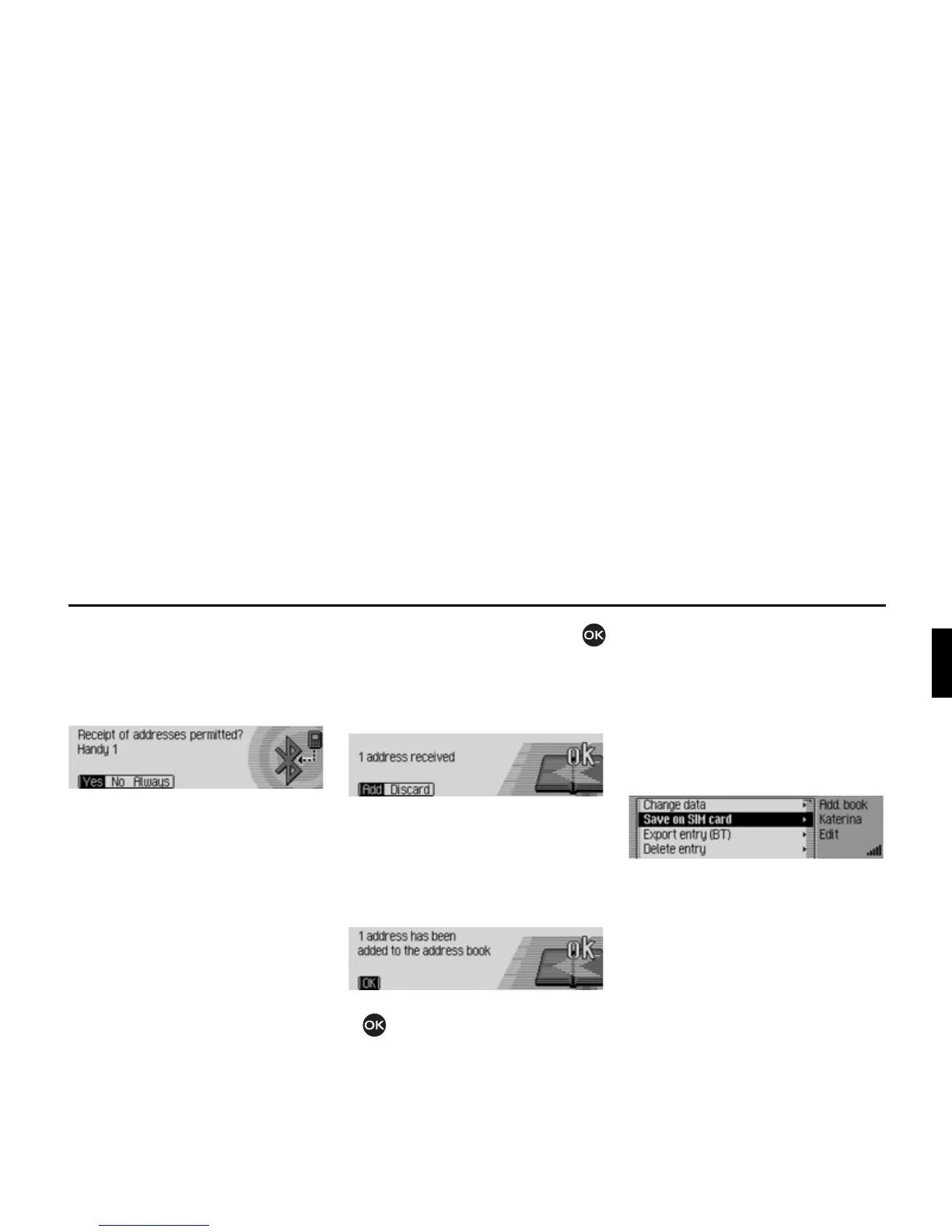
Then, depending on the settings in
“Always allow connection” on
page 166, the following query is sent or,
if the function is active, this step will be
skipped.
X Select between<HV, 1R and $OZD\V.
•
<HV
Connection of the external device is
allowed.
•
1R
Connection of the external device is
rejected.
• $OZD\V
Connection to the external device is
allowed. The function described in
“Always allow connection” on
page 166 will also be activated. Fur-
ther connection requests will be
accepted without a query.
If you have allowed the connection by
means of
<HV or $OZD\V, the address data
will be sent.
Press the rotary control/push button
to abort the transfer. No data will be
transferred.
The following information will be dis-
played if the transfer was successful.
X Select between $GG (addresses will be
saved in address book) and
'LVFDUG
(transferred addresses will not be
saved).
The following information will be
displayed if
$GG was selected.
X Press the rotary control/push button
.
Saving address book entry to
SIM card
You can save an address book entry with
a phone number to the SIM card.
X Search for the address book entry that
you wish to save to the SIM card.
X Select the (GLW entry.
X Select the 6DYHRQ6,0FDUG entry.
If more than one phone number is saved
for the selected address book entry, a se-
lection menu appears in which you can
select the required number.
You will receive a short message regard-
ing the name under which the address
book entry is to be saved on the SIM
card.














 To Next Page