129
Mail messages
Mail settings
The settings necessary for the SMS
function are grouped together in the
Mail settings.
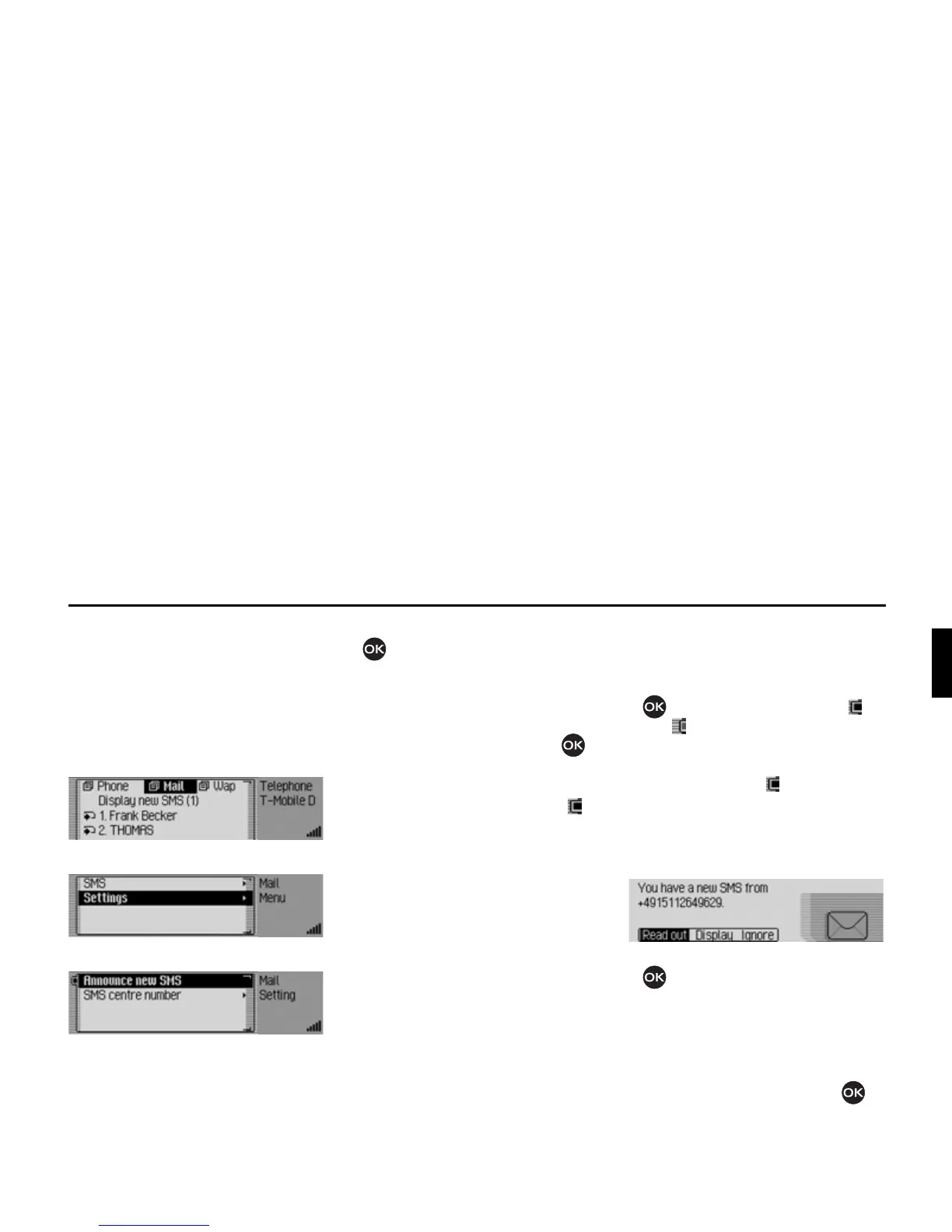
Opening Mail settings
X Start the telephone mode.
X Select the 0DLO entry.
X Select the 6HWWLQJ entry.
X Turn the rotary control/push button
to select one of the following op-
tions:
$QQRXQFHQHZ606 or
606FHQWUHQXPEHU.
X Confirm your selection by pressing
the rotary control/ push button .
•
$QQRXQFHQHZ606
When the function is active ( ), a
voice mode dialogue to open and read
out the new SMS will automatically
be activated when an SMS is received.
•
606FHQWUHQXPEHU
Here you can enter or change the
phone number for the SMS centre.
Announcing new SMS
X Select the $QQRXQFH QHZ 606 entry in
the Mail settings.
X Press the rotary control/ push button
to switch the function on ( ) or
off ( ).
If you receive a new SMS when the
function is active ( ), an automatic
voice mode dialogue will start, enabling
you to have the SMS read out.
You will also be shown the following
message.
X Turn the rotary control/push button
to select one of the following op-
tions:
5HDGRXW,
'LVSOD\ or
,JQRUH.
X Confirm your selection by pressing
the rotary control/ push button .














 To Next Page