122
Mail messages
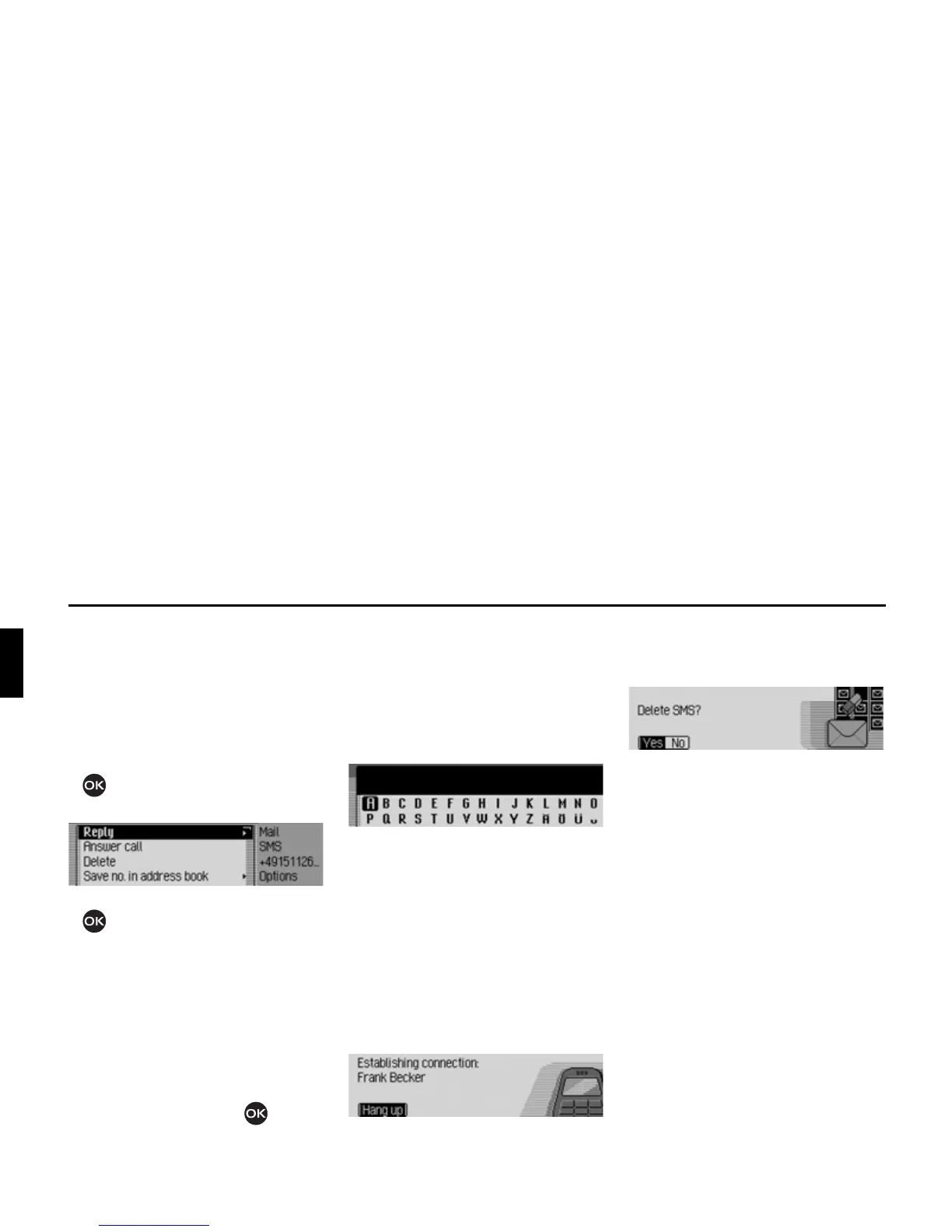
Options for SMS read aloud
X In one of the SMS messages that has
been opened for reading, select the
2S
WLRQV
entry.
or
X Select the SMS in the SMS fast access
list.
X Press the rotary control/ push button
and hold until the SMS Options
menu appears.
X Turn the rotary control/push button
to select one of the following op-
tions:
5HSO\,
$QVZHUFDOO,
'HOHWH,
6DYHQRLQDGGUHVVERRN,
6DYHQRRQ6,0FDUG,
(GLW or
'HOHWHDOO606.
Confirm your selection by pressing the
rotary control/ push button .
Replying
You can immediately write a reply to the
SMS received and send this back to the
sender.
X In the SMS Options menu, select the
5HSO\ entry.
X You can then enter and send the mes-
sage as described below. However, the
phone number is not requested when
you send the message.
Returning call
You can establish a telephone connec-
tion to the sender’s phone number.
X In the SMS Options menu, select the
$QVZHUFDOO entry.
Proceed as described in the Telephone
section.
Deleting
X In the SMS Options menu, select the
'HOHWH entry.
X When the prompt appears, select <HV
to delete the SMS or 1R to retain it.
Storing number in address book
You can save the sender’s phone number
in the address book.
X In the SMS Options menu, select the
6DYHQRLQDGGUHVVERRN entry.
Proceed as described in “Saving a number
in the address book” on page 117.














 To Next Page