134
Internet (WAP) function
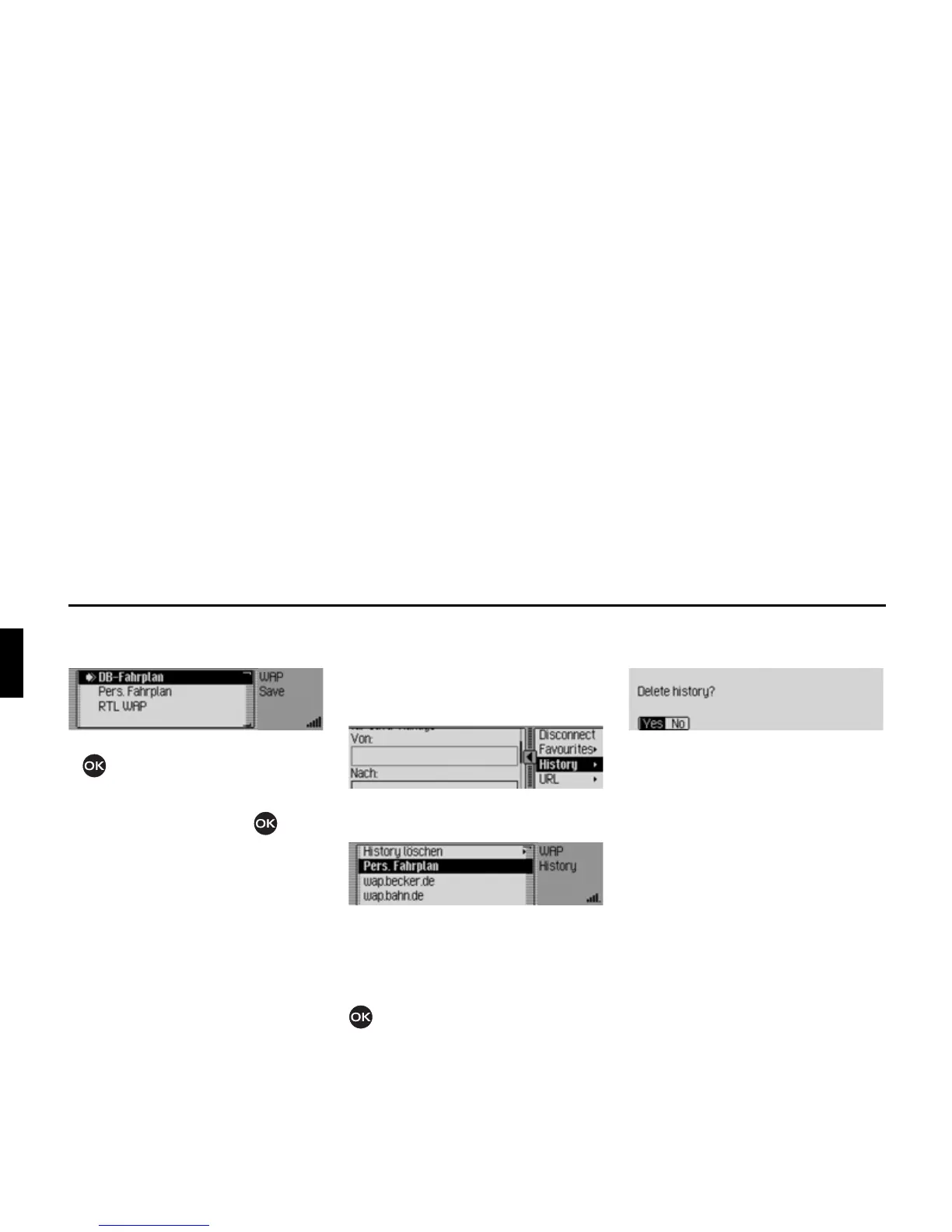
Saving current page to Favourites
X Select the 6DYHDVIDYRXULWH entry.
X Turn the rotary control/push button
to select the position of the new
entry in the Favourites list.
X Confirm the position by pressing the
rotary control/push button .
Pages visited
Using this function you can display the
pages opened most recently. However,
pages that you opened via a link on an-
other page are not displayed.
X In the Browser menu, select the +LVWRU\
entry.
The History list is displayed.
You can then select one of the entries in
the History list by turning and then
pressing the rotary control/push button
. The system then immediately at-
tempts to open the corresponding WAP
page.
Deleting list of pages visited
X Select the 'HOHWHKLVWRU\ entry.
X When the prompt appears, select <HV
to delete the list or 1R to retain it.
If you select
<HV the list will be deleted
in the fast access function.
Entering URL for WAP page
X In the Browser menu, select the 85/
entry.
Enter the URL as described in “Entering
a URL” on page 142.














 To Next Page