59
Navigation mode
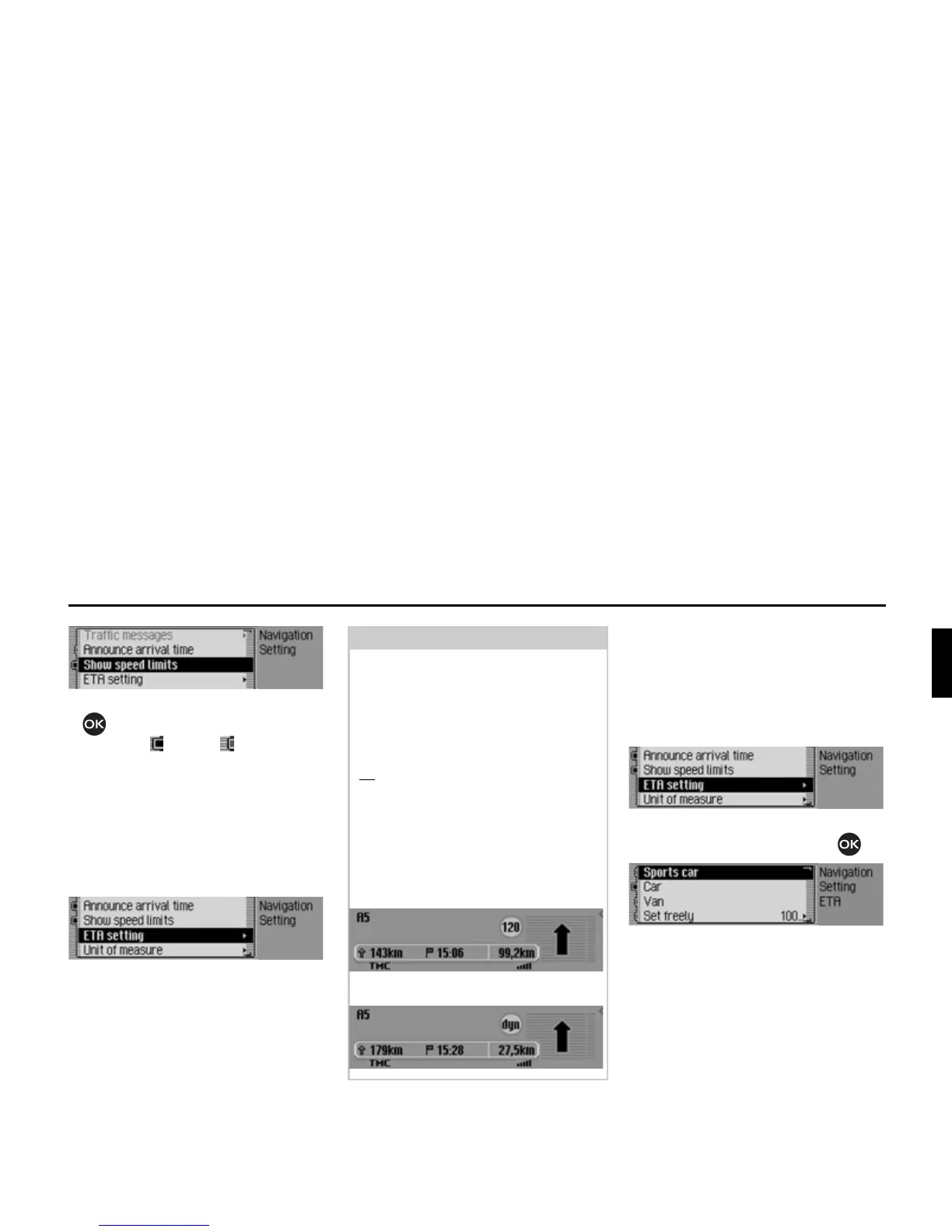
X Press the rotary control/push button
to switch the display of the speed
limits on ( ) or off ( ).
If, when the speed limit display is ON,
you travel along a route with a speed
limit and this speed limit is stored in the
navigation data, the corresponding sym-
bol will appear on the display indicating
the speed limit.
ETA setting
You can configure the calculation of the
ETA. ETA stands for Estimated Time
of Arrival.
X In the Settings menu, select the (7$
VHWWLQJ
entry.
X Confirm your selection by pressing
the rotary control/push button .
X You may now select 6SRUWV FDU, &DU,
9DQ or 6HWIUHHO\.
•
6SRUWVFDU
This setting indicates to the Mexico
that you tend to drive rather quickly.
An earlier ETA is calculated.
Note:
On routes with variable speed limits,
a symbol with the text
G\Q draws the
driver's attention to this speed limit.
For limits that are dependent on, for ex-
ample, the weather or time of day, the
speed limit with underlining (e.g.:
“80
”) draws the driver's attention to this
speed limit.
As temporary speed limits (e.g. due to
road works) are usually short-lived,
these have not been stored in the navi-
gation data.
Example of a speed limit:
Example of a dynamic speed limit:
2110
2111
2091
2092














 To Next Page