95
Telephone mode
Dialling number
Use this function to enter a telephone
number and to call this number.
X In the Telephone main menu, select
the entry
'LDOQXPEHU.
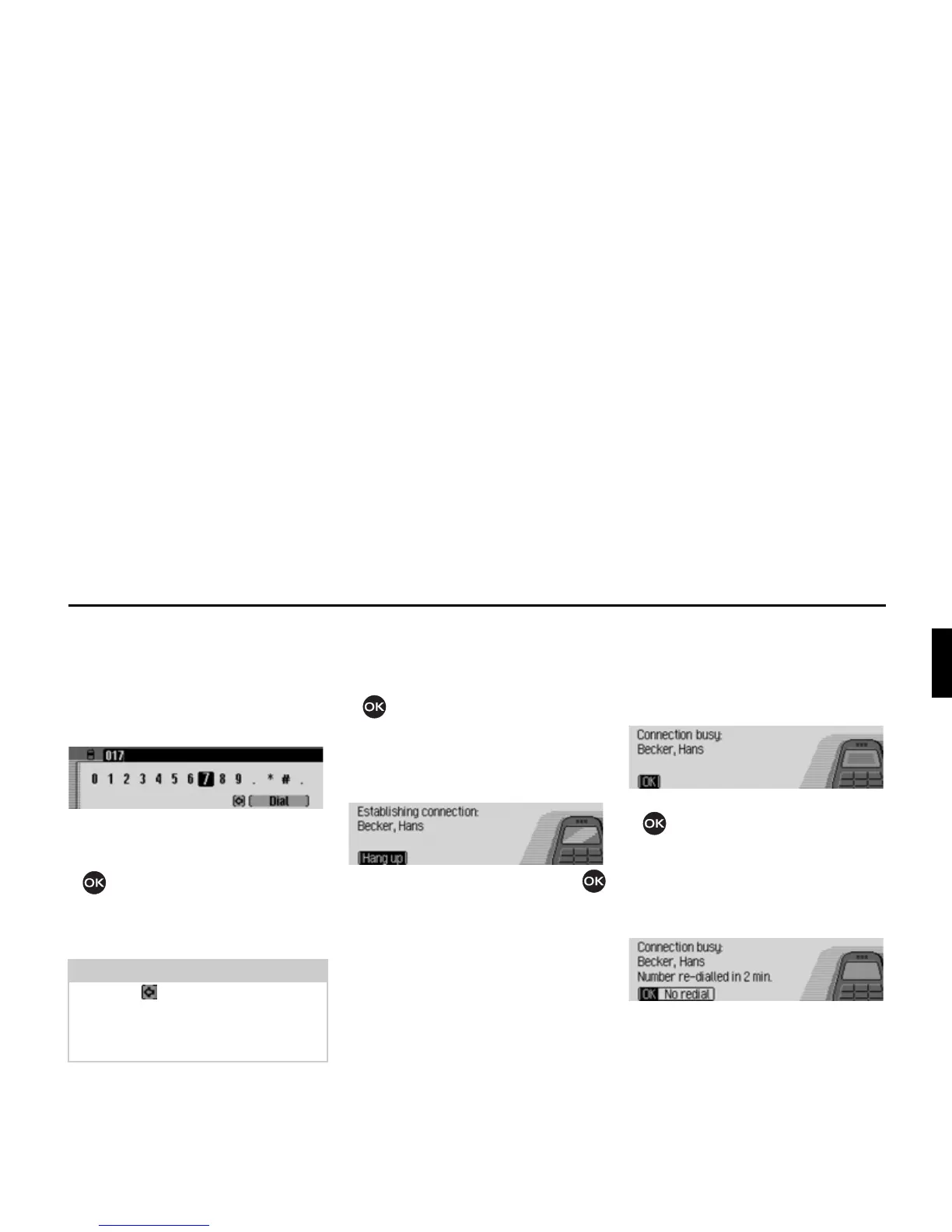
The input menu for the telephone
number appears.
X Turn the rotary control/ push button
and then press the rotary control/
push button to select the digits in the
desired telephone number, one after
the other.
Establishing a connection:
X In the input menu, select the 'LDO entry.
or
X Press the rotary control/ push button
and hold for at least 2 seconds.
The Mexico indicates that a connection
is being established by displaying the
following message.
Press the rotary control/ push button
to abort the call.
If the person called answers the tele-
phone the Mexico switches to the status
display for active telephone calls.
Number is busy
If the number called is busy, the follow-
ing message is displayed (internal
phone and SIM-Access only) and the
busy tone sounds:
X Press the rotary control/ push button
.
If you have activated the automatic redi-
al function as described in “Call set-
tings” on page 102, the following mes-
sage is displayed:
You can then switch off the redial func-
tion for this call by selecting
NHLQH:LHG
HUKROXQJ
.
Note
Select the symbol to delete the last
character in the entry.
Please also refer to the description in
“Data entry menus” on page 13.














 To Next Page