109
Telephone mode
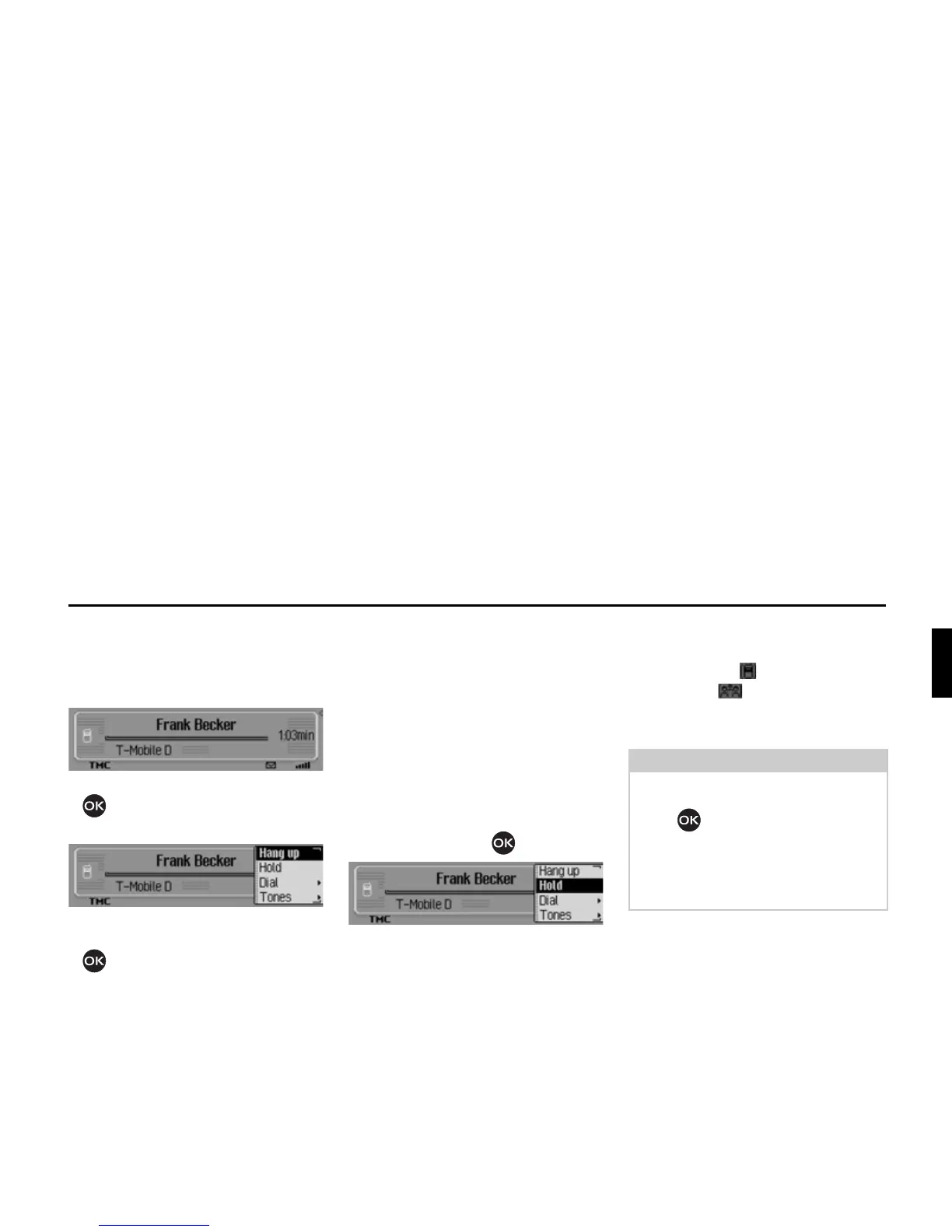
Ending a call
Active calls/calls on hold can be termi-
nated. For this purpose, the status dis-
play must be first be accessed.
X Press the rotary control/ push button
.
The Options menu appears.
X Select the +DQJXS entry.
X Press the rotary control/ push button
.
The call is terminated.
Holding
(internal phone and SIM-Access only)
With the Hold function you can place an
active call or an active conference call
into a “queue”. You can then make an-
other call or have a conversation in your
vehicle without the other party hearing.
You are currently conducting a call (or
a conference call).
X In the status display, press the rotary
control/push button .
The Options menu appears.
X Then select either 6WRS or 'LDO.
When selecting
6WRS, the active call or
the current conference call is placed in
the “queue”. The symbol for a call on
hold and the symbol for a confer-
ence call on hold is displayed in the sta-
tus display.
When selecting
'LDO, the active call or the
current conference call is placed in the
“queue”.
Then the following menu appears.
5078
Note:
To reactivate the call or conference call
on hold, press the rotary control/push
button in the status display again.
Then in the Options menu, select
$FWL
YDWH
.
The call or conference call is then active
again.














 To Next Page