165
Settings
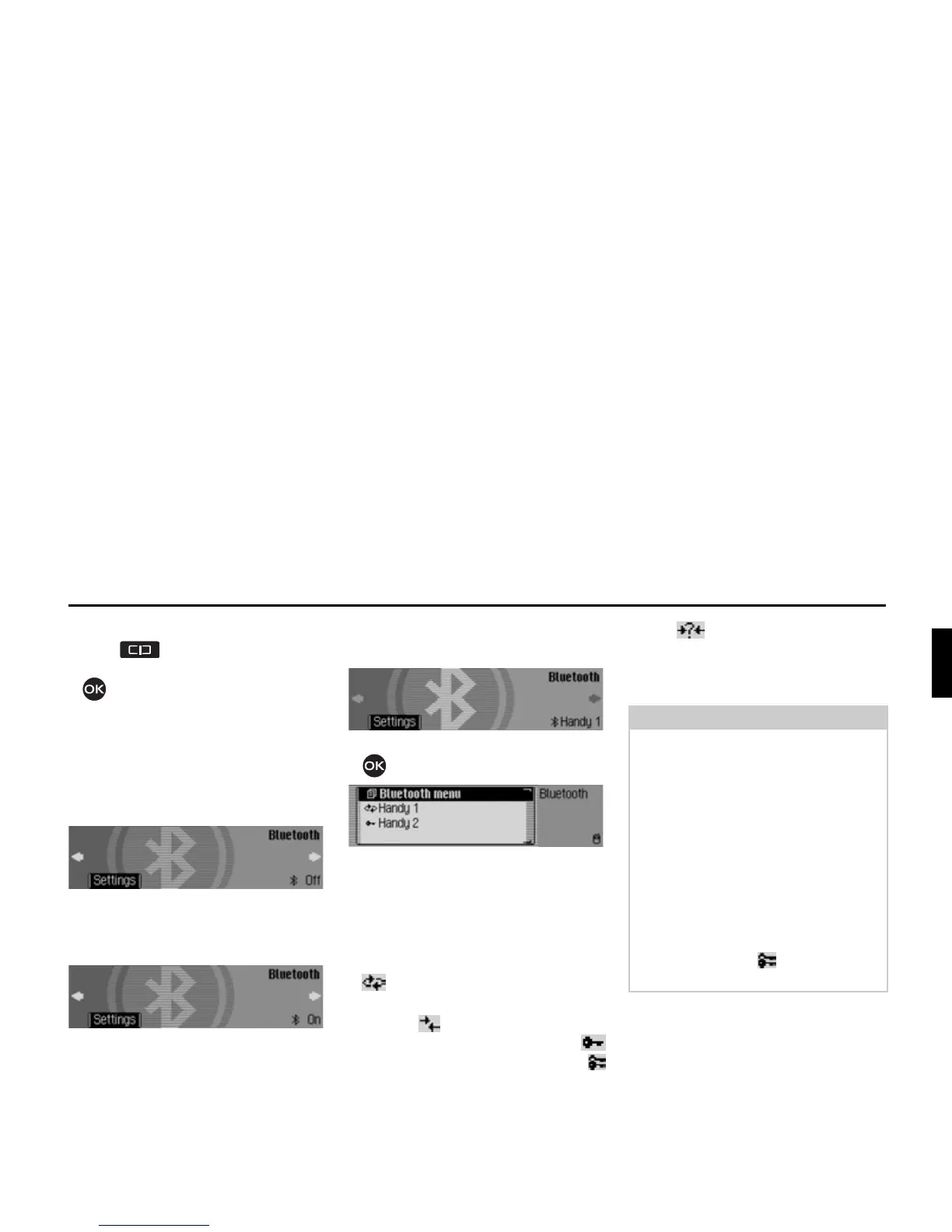
Opening the device list
X Press .
X Turn the rotary control/push button
anti-clockwise until
%OXHWRRWK
appears at the top right of the display.
Three different displays could be shown,
depending on the current status of the
Bluetooth function.
• Bluetooth is switched off.
• Bluetooth is switched on but a
telephone is not connected to the
Mexico.
• Bluetooth is switched on and a
telephone is connected to the Mexico.
X Press the rotary control/push button
.
The Bluetooth device list is displayed.
The devices recognised by the Mexico are
displayed in this list. The current status is
indicated by means of a symbol in front of
the name of the devices.
• Connected device (marked with the
symbol)
• Devices with Standard status (marked
with the symbol)
Coupled devices (indicated by the
symbol for hands-free and by the
symbol for SIM-Access)
• The symbol is shown on the
display if an error occurred in
establishing a connection. It is then
only possible to disconnect the device.
7030
7031
Notes:
• The device which was stored in the
device list last will be shown at the
end of the list.
• Devices stored in the list are retained
until the entry is deleted.
• If no devices have yet been stored in
the device list,
1R %7 GHYLFHV will be
displayed. You can then start a search
for Bluetooth devices in “Searching
for Bluetooth devices” auf Seite 173.
• A hands-free connection to a device
labelled with the symbol can also
be established.














 To Next Page