23
Navigation mode
cal situation, due to permanent changes to
road systems and their traffic regulations.
Inserting memory card
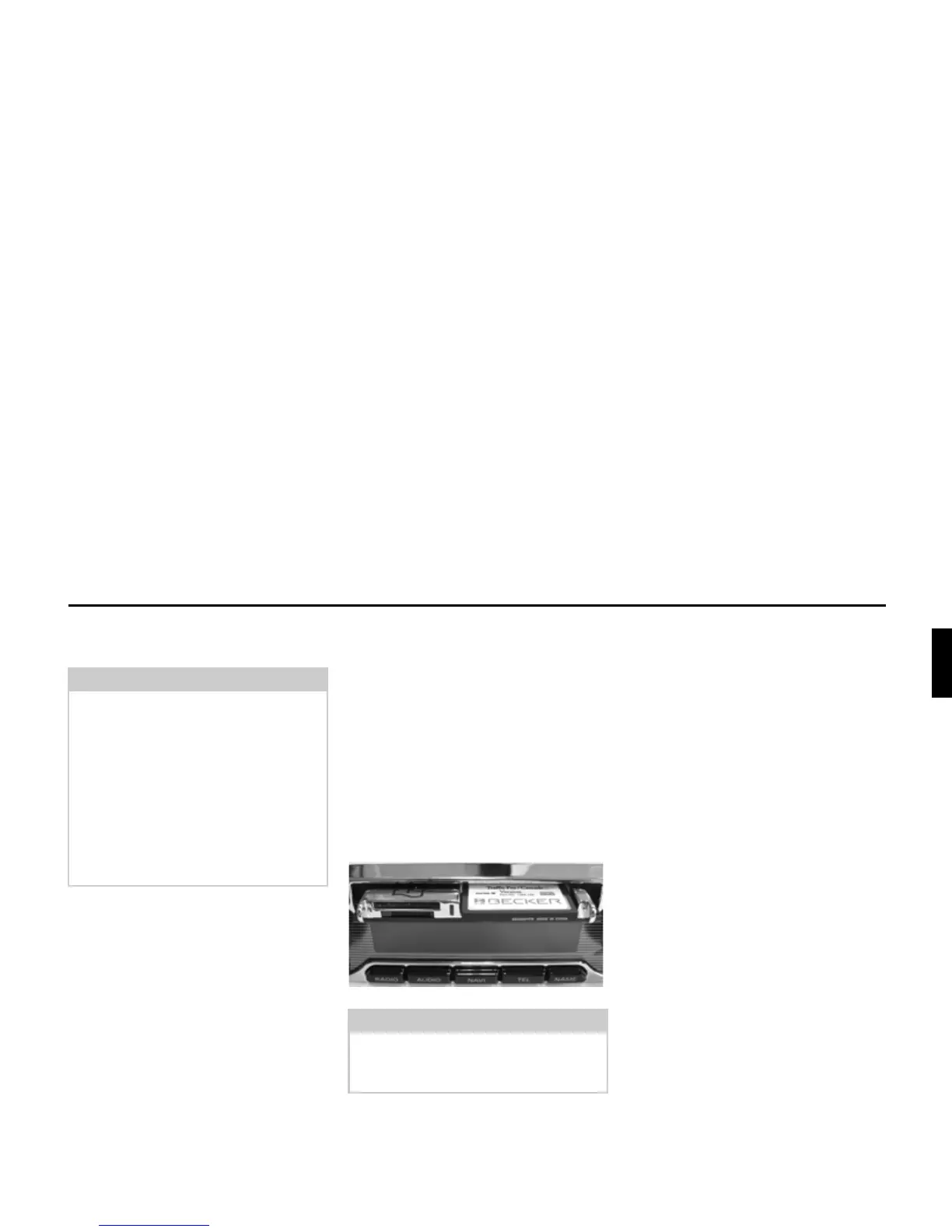
The slot for inserting the memory card
containing the navigation data is located
in the media slot.
X Open the media slot as described in
“Opening media slot” on page 15.
X Take the memory card containing the
navigation data out of its protective
sleeve.
X Place the memory card into the visible
slot on the right-hand side.
X Push the memory card carefully into
the slot.
The memory card must then be firmly
anchored in the slot.
X Close the media slot as described in
“Closing media slot” on page 15.
or
X Wait until the media slot closes
automatically.
The memory card containing the naviga-
tion data is now ready for use and the sys-
tem is able to access the navigation data.
Note:
For Norway, Sweden, Finland, Den-
mark, Spain and Italy, non-verified data
has been used to achieve a high depth of
digitisation; i.e. with this data, the nav-
igation system cannot refer to informa-
tion such as motorway, trunk road, 30
zone, one-way street or other traffic
regulations, as this is not recorded.
All roads can be used, but optimum
route guidance cannot be guaranteed.
Notes:
The memory card can only be inserted
in one direction. The reverse of the
memory card points downwards.














 To Next Page