125
Mail messages
You can then decide whether you want
to send the message now or just save it
for the time being.
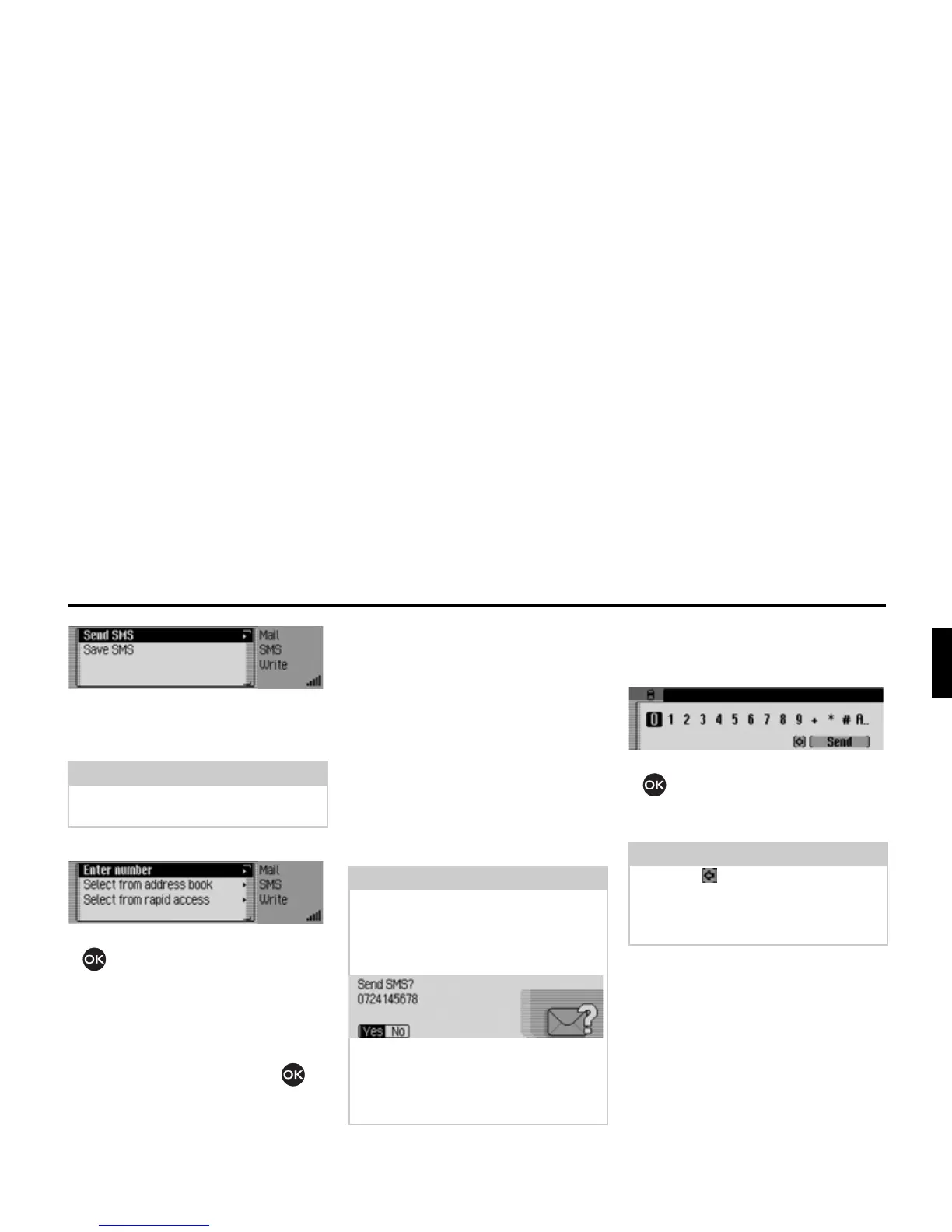
X Select 6HQG606.
X Turn the rotary control/push button
to select one of the following op-
tions:
(QWHUQXPEHU,
&DOOIURPDGGUHVVERRN or
6HOHFWIURPUDSLGDFFHVV.
X Confirm your selection by pressing
the rotary control/ push button .
•
(QWHUQXPEHU
You can directly enter the desired
number to which the message is to be
sent.
•
&DOOIURPDGGUHVVERRN
You can select a telephone number
from the address book and send the
SMS to this number.
•
6HOHFWIURPUDSLGDFFHVV
You can select a telephone number
from the telephone fast access list and
send the SMS to this number.
After selecting
(QWHU QXPEHU, the input
menu for the telephone number is dis-
played.
X Turn the rotary control/push button
and then press the rotary control/
push button to select the digits in the
desired number, one after the other.
Note:
After opting to save the SMS, the mes-
sage is stored in the saved SMS list.
Note:
After selecting a phone number from
the address book or from the phone’s
fast access list, you will receive another
prompt before the SMS is sent.
X When the prompt appears, select <HV
to send the SMS or 1R if you do not
want to send it.
If you select
<HV, the SMS will be sent.
5118
Note
Select the symbol to delete the last
character in the entry.
Please also refer to the description in
“Data entry menus” on page 13.
5119














 To Next Page