2 - 23
Buttonhole and Pattern selecting mechanism
Basic of Disassembly
Basic
Basic
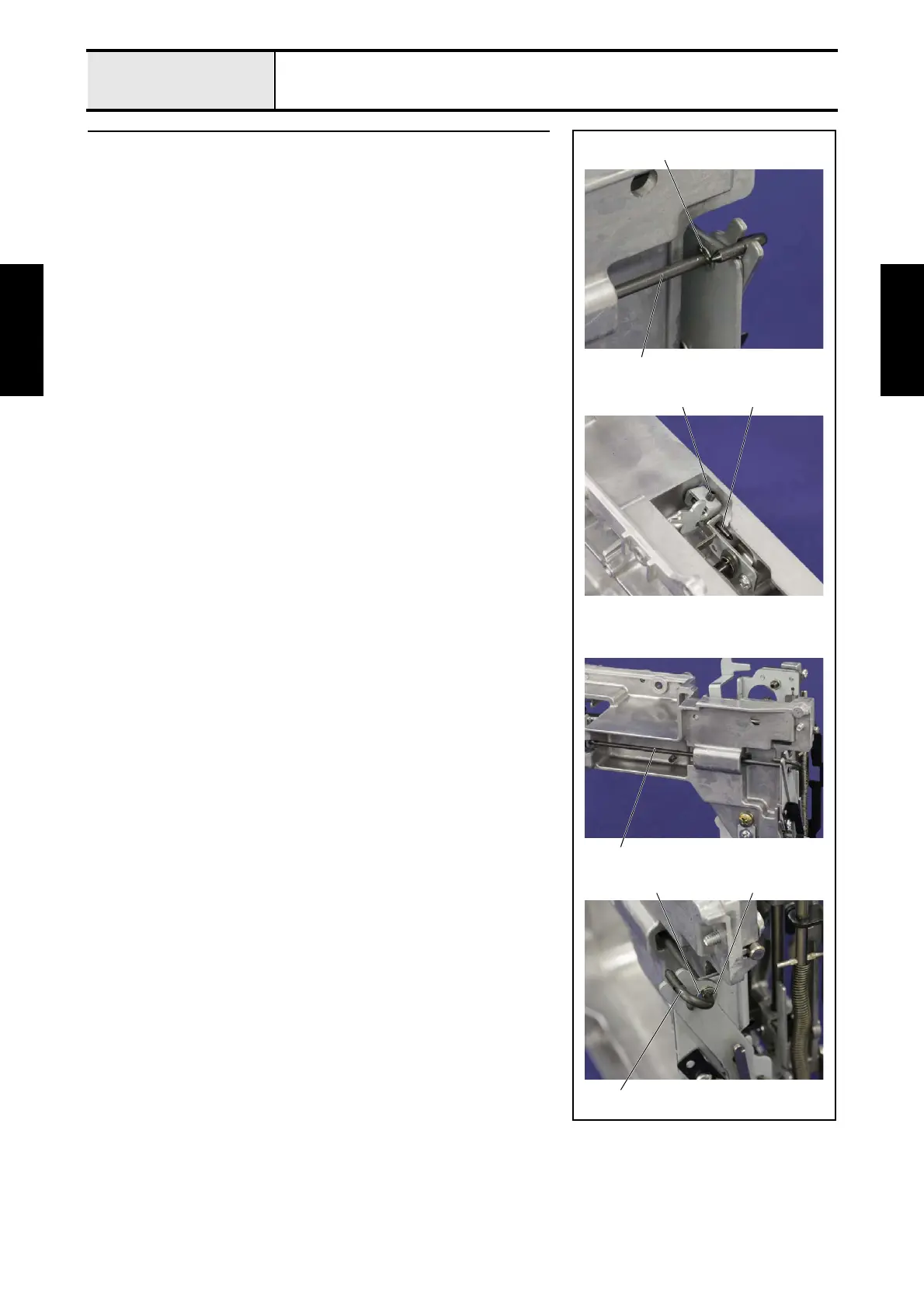
2 Removal of BH connecting shaft
1. Remove the retaining ring E2.5 1 from the BH connecting shaft 2.
*Key point
• There is a model without the retaining ring.
2. Remove the screw 1, and then pull out the BH connecting shaft 2.
3. Remove the retaining ring E2.5 3 and the washer plain M3.5 4 from the
BH connecting shaft 2.
*Key point
• There is a model without the retaining ring.
1
1 2
2
2
4 3
2



 To Next Page
 Loading...