3 - 17
Feed unit
Application of Disassembly
Application
Application
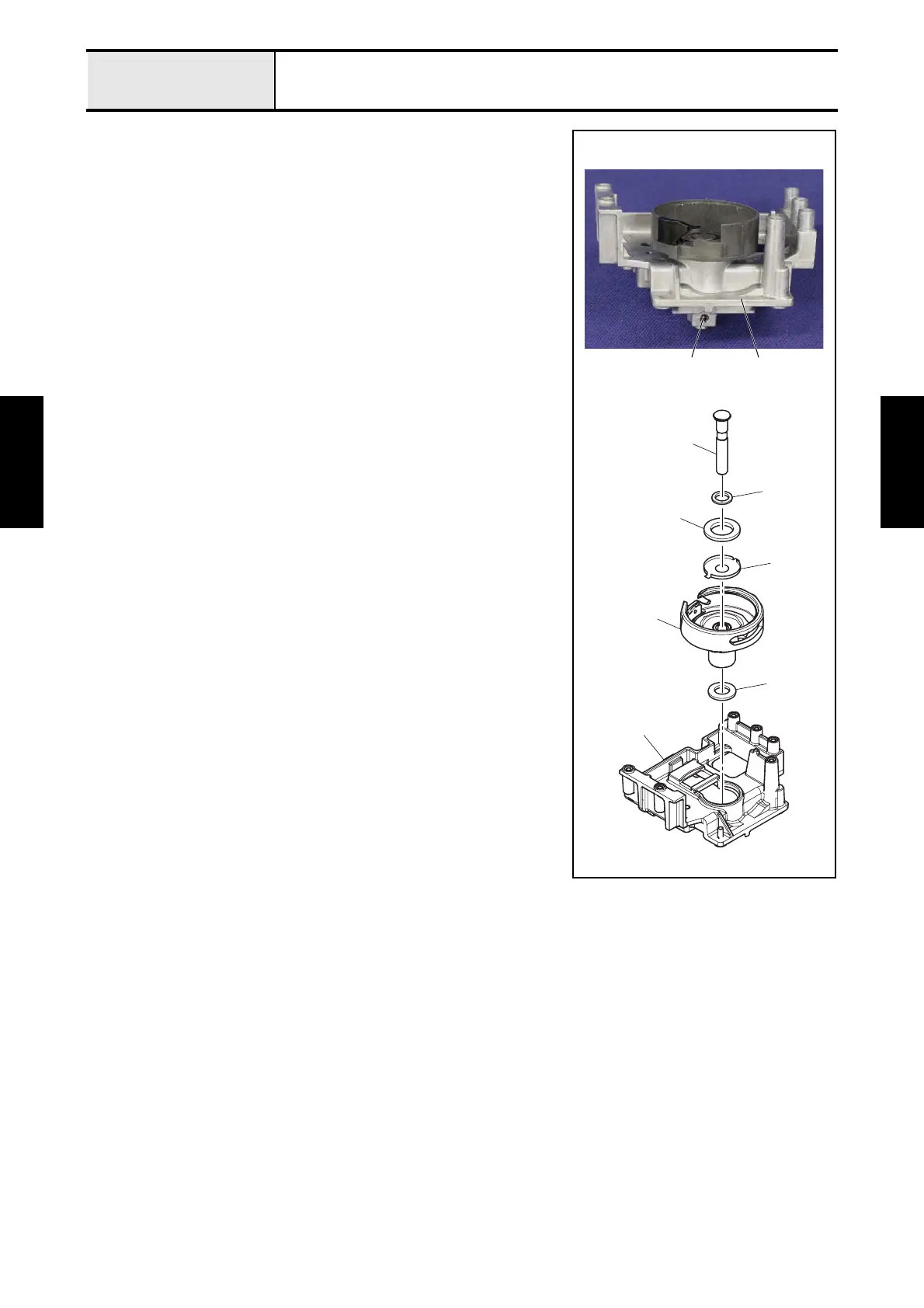
2-15 Removal of Outer rotary hook assy
Plastic model
1. Remove the screw 1 from the feed holder 1.
2. Pull out the outer rotary hook shaft 2 to remove the washer 3, the magnet
4, the washer 5, the outer rotary hook assy 6 and the washer thrust 7
from the feed holder 1.
<In case of metal model, refer to next page.>
2
3
4
6
1
5
7
11



 To Next Page
 Loading...