2-62
CHAPTER 2 NEW FUNCTIONS
COPYRIGHT
©
2001 CANON INC. 2000 2000 2000 2000 CANON CLC5000 REV.0 JAN. 2001
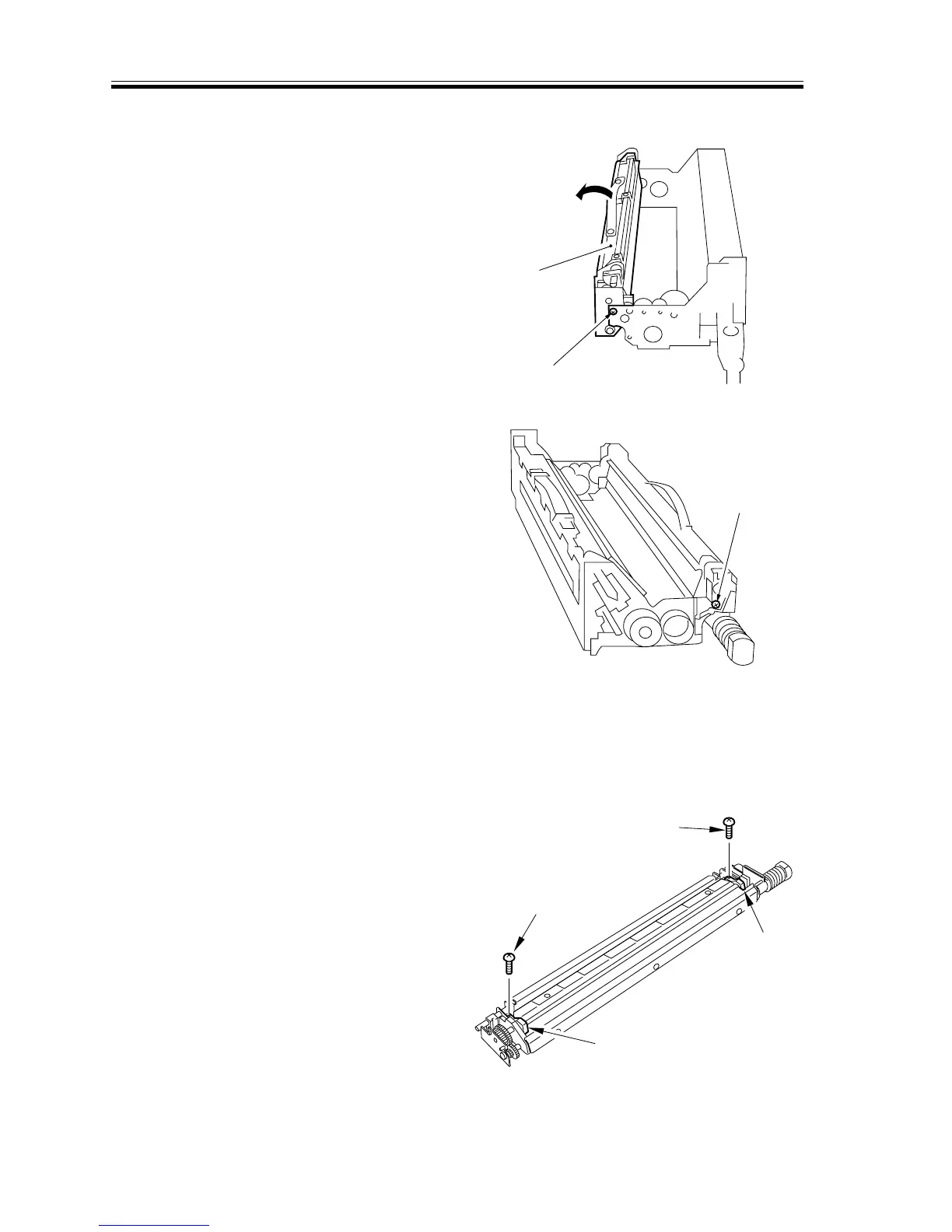
d.Separating the Developing Assembly and the Drum Cleaner Unit
1) Remove the screw [1] from the front/
rear side plate of the process unit; then,
shift the drum cleaner unit [2] to the
rear, and turn it counterclockwise to de-
tach.
[1]
[2]
F02-405-26
[1]
F02-405-27
e.Removing the Cleaning Blade Seal
1) Remove the process unit from the
copier. (See the instructions on how to
remove the process unit.)
2) Remove the screw [1], and remove the
cleaning blade seal [2].
[1]
[1]
[2]
[2]
F02-405-28














 To Next Page