2-254
COPYRIGHT
©
2001 CANON INC. 2000 2000 2000 2000 CANON CLC5000 REV.0 JAN. 2001
CHAPTER 2 NEW FUNCTIONS
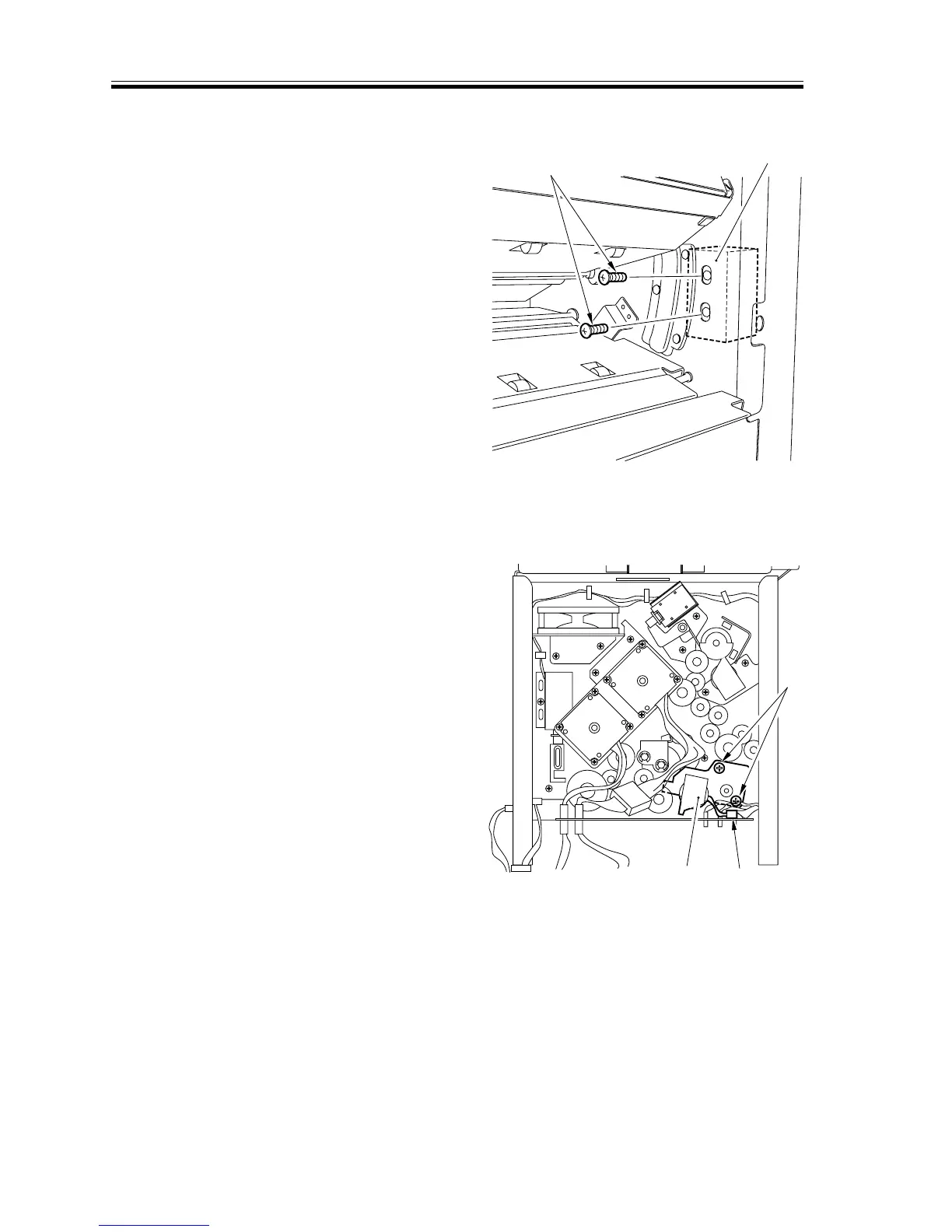
4) Remove the two screws [3] from the in-
side of the rear side plate, and detach
the flapper solenoid [4].
F02-907-48
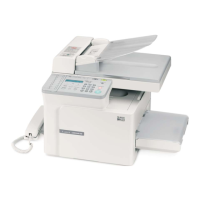
b.Removing the Downward Curl Removing Solenoid 1 (SL3)
1) Remove the rear cover.
2) Remove the two screws [1], and discon-
nect the connector [2]; then, detach the
solenoid mounting base [3].
F02-907-49
[3]
[4]
[1]
[3]
[2]




 To Next Page