2-253
CHAPTER 2 NEW FUNCTIONS
COPYRIGHT
©
2001 CANON INC. 2000 2000 2000 2000 CANON CLC5000 REV.0 JAN. 2001
9.7.6 Solenoids
a.Removing the Flapper Solenoid (SL1)
1) Remove the rear cover.
2) Remove the buffer pass motor. (See
F02-907-21.)
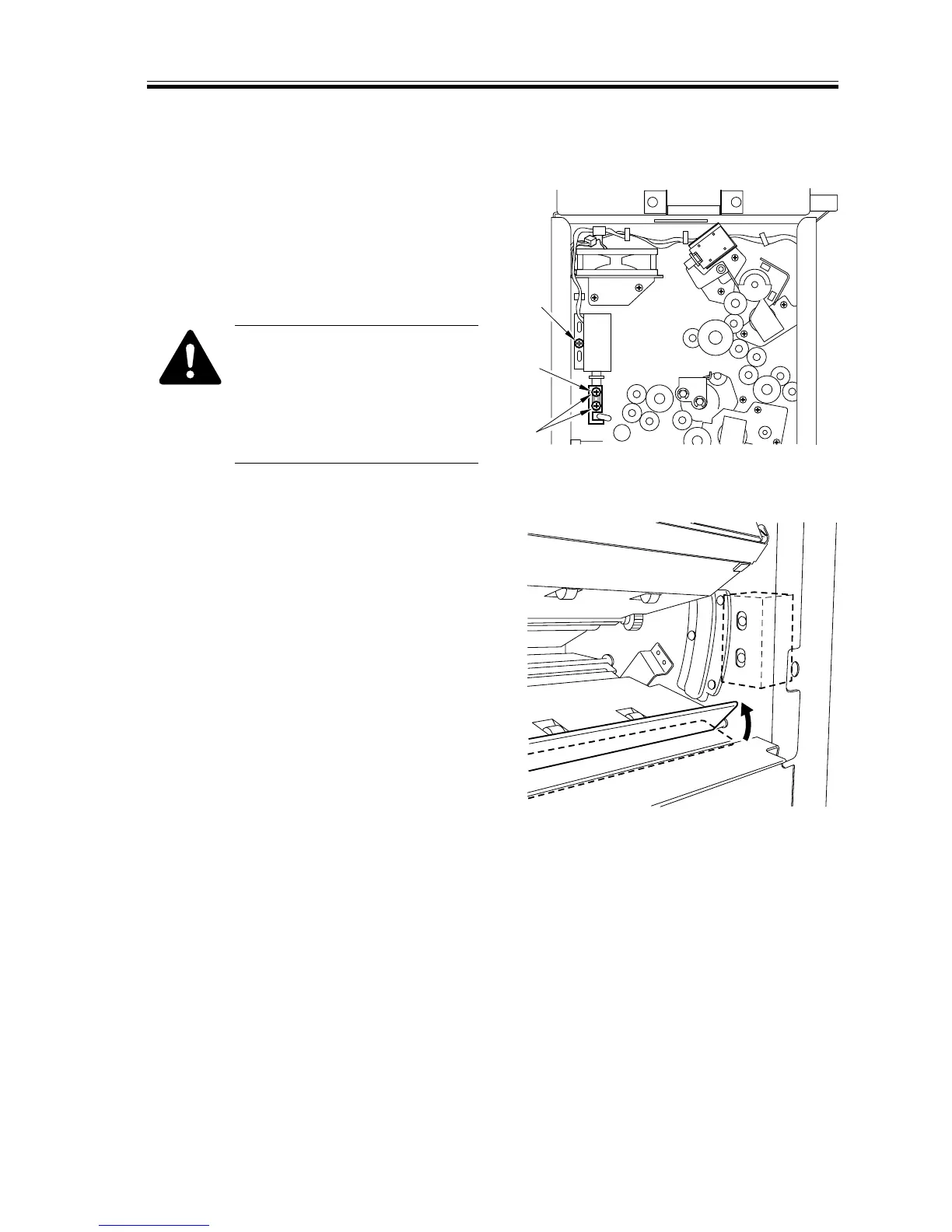
3) Remove the two screws [1], and pull out
the arm [2] of the flapper solenoid to-
gether with the core shaft.
If you happen to have removed
the screw [A] indicated in the
figure, make adjustments so that
the flapper is positioned at F02-
907-47a when the solenoid has
turned on.
F02-907-47
F02-907-47a
[1]
[A]
[2]




 To Next Page