2-252
COPYRIGHT
©
2001 CANON INC. 2000 2000 2000 2000 CANON CLC5000 REV.0 JAN. 2001
CHAPTER 2 NEW FUNCTIONS
f. Removing the Inlet Sensor (PS8)
1) Open the front cover.
2) Remove the retaining handle. (See F02-
907-02.)
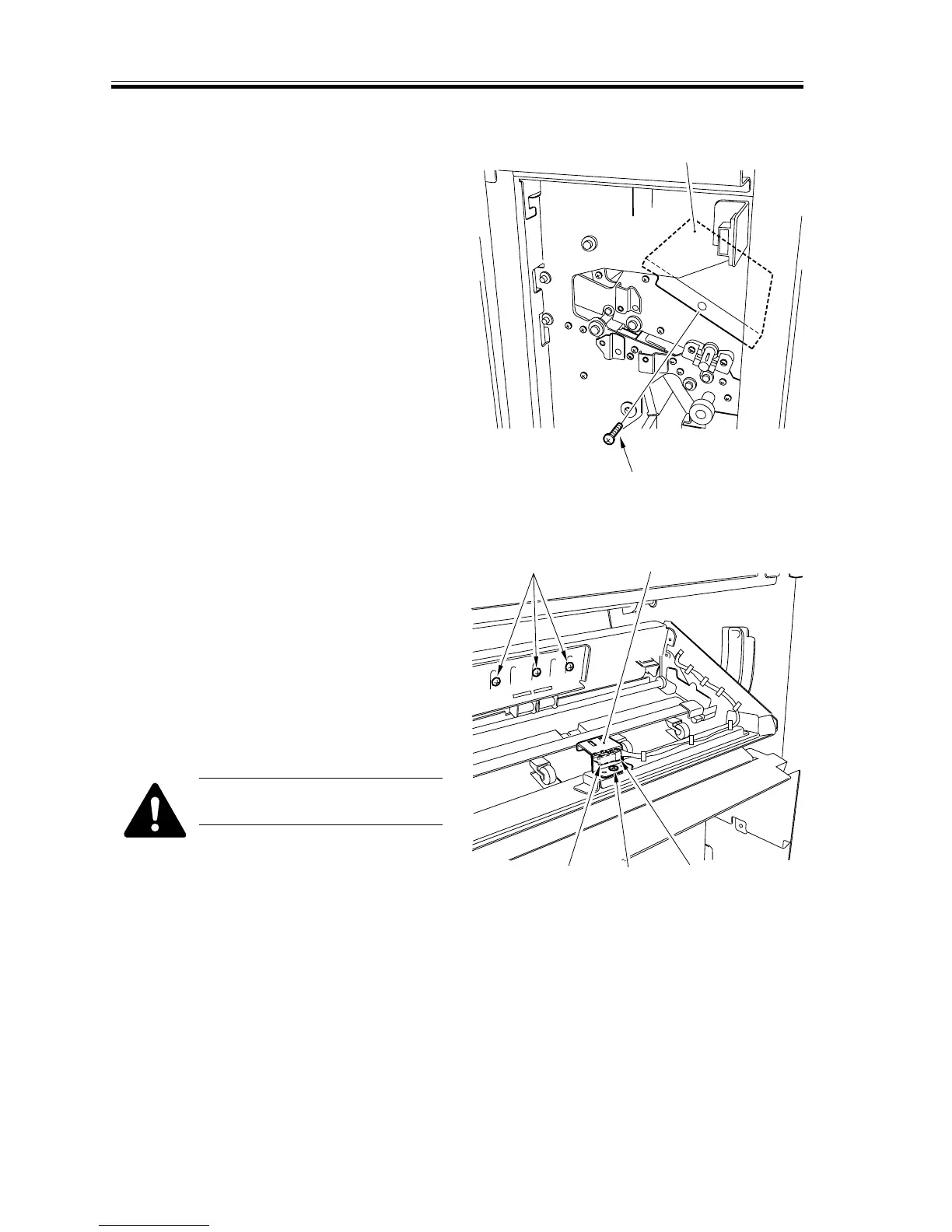
3) Remove the screw [1], and detach the
retaining guide bar [2].
F02-907-45
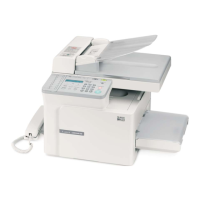
4) Remove the screw [3], and detach the
inlet sensor base [4]; then, disconnect
the connector [5], and detach the inlet
sensor [6].
Do not remove the screw [A]
indicated in the figure.
F02-907-46
[1]
[2]
[3]
[6]
[5]
[4][A]




 To Next Page