2-258
COPYRIGHT
©
2001 CANON INC. 2000 2000 2000 2000 CANON CLC5000 REV.0 JAN. 2001
CHAPTER 2 NEW FUNCTIONS
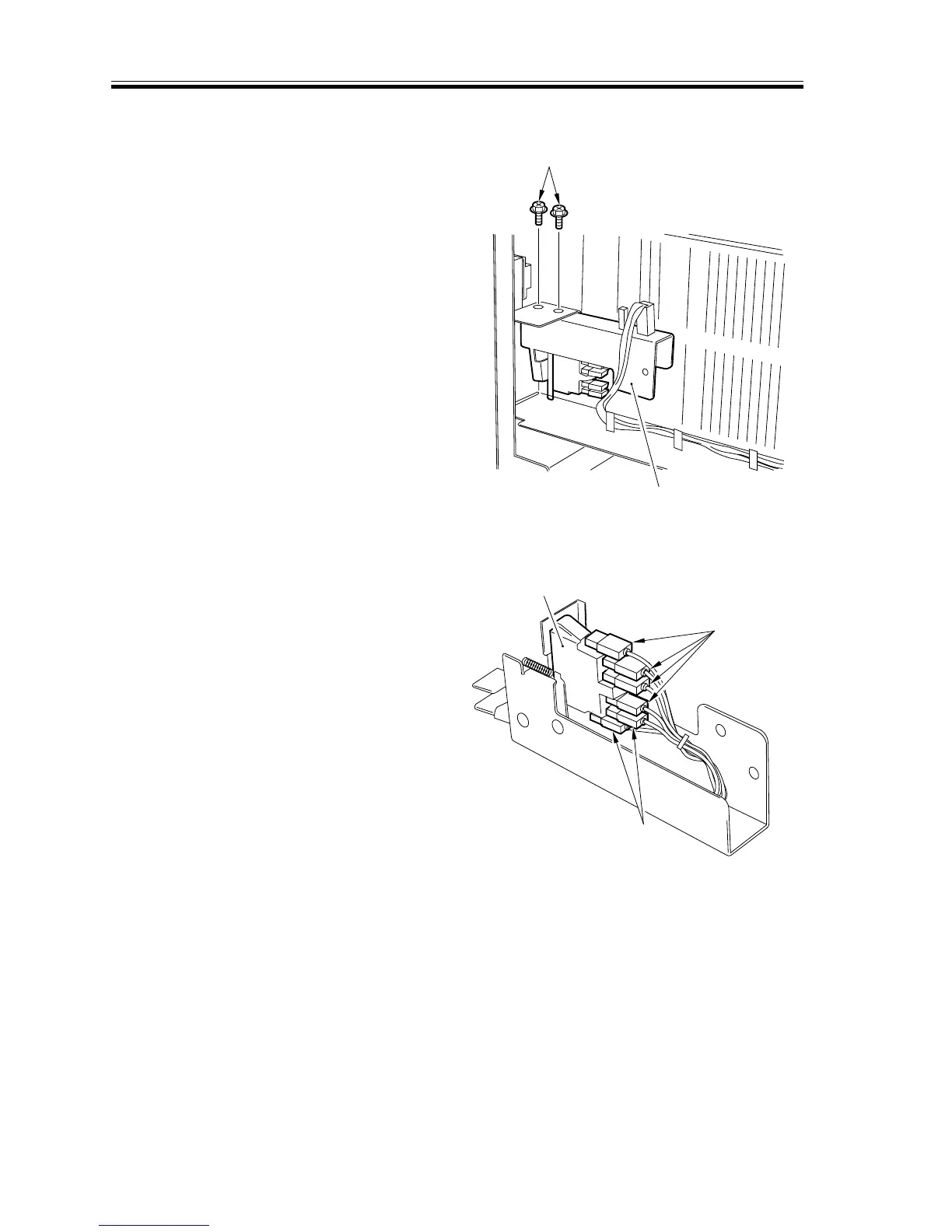
f. Removing the Cover Switch
1) Remove the two screws [1] behind the
buffer pass front side plate, and detach
the cover switch mounting base [2].
F02-907-57
2) Remove the six terminals [3], and de-
tach the cover switchs [4]. (The cover
switch is snapped in place.)
F02-907-58
[1]
[2]
[3]
[3]
[4]




 To Next Page