COPYRIGHT
©
2001 CANON INC.
2000 2000 2000 2000
CANON CLC5000 REV.0 JAN. 2001
CHAPTER 3 INSTALLATION
3-12
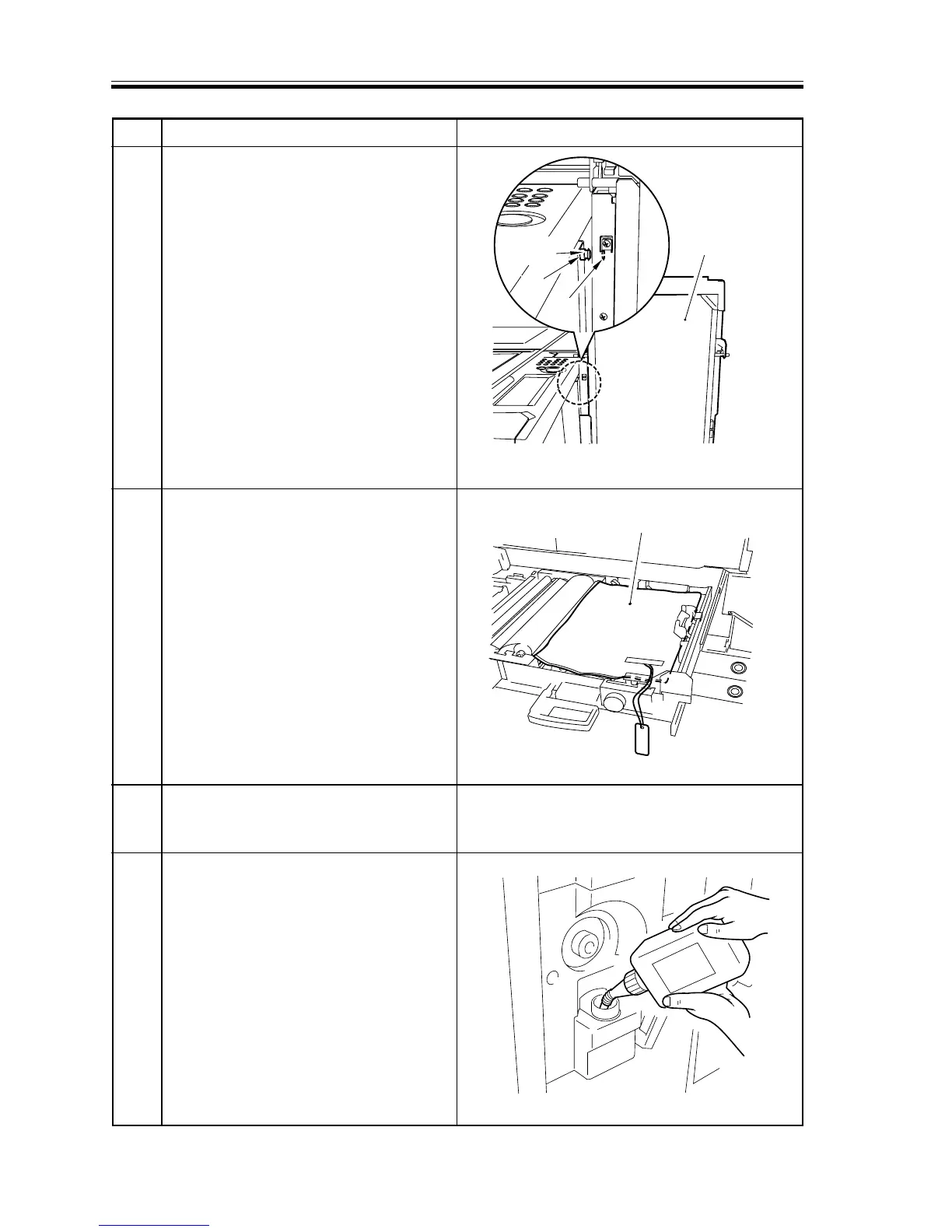
Transfer belt
assembly
Transfer
unit fixing
Hole
Pin
inside cushioning
material
Step Work Remarks
16 As if to slightly lift the transfer belt
assembly, hook the hole of the transfer
belt assembly on the pin of the transfer
unit fixing. At this time, be sure to
engage the hole of the transfer belt
assembly with the groove of the pin.
17
Remove the inside cushioning material (w/
tag) from the bottom of thetransfer belt.
18
Reverse steps 8) through 16) to assemble
the transfer unit. Then, mount the transfer
front cover, and lock the lever in place.
19 Remove the cap from the fixing oil tank,
and pour two bottles of fixing oil (2l).
Then, close the cap.
F03-302-14
F03-302-15
F03-302-16



 To Next Page