COPYRIGHT
©
2001 CANON INC. 2000 2000 2000 2000 CANON CLC5000 REV.0 JAN. 2001
CHAPTER 5 TROUBLESHOOTING IMAGE FAULTS/MALFUNCTIONS
5-19
7) Remove the screw [3] used in step 5.
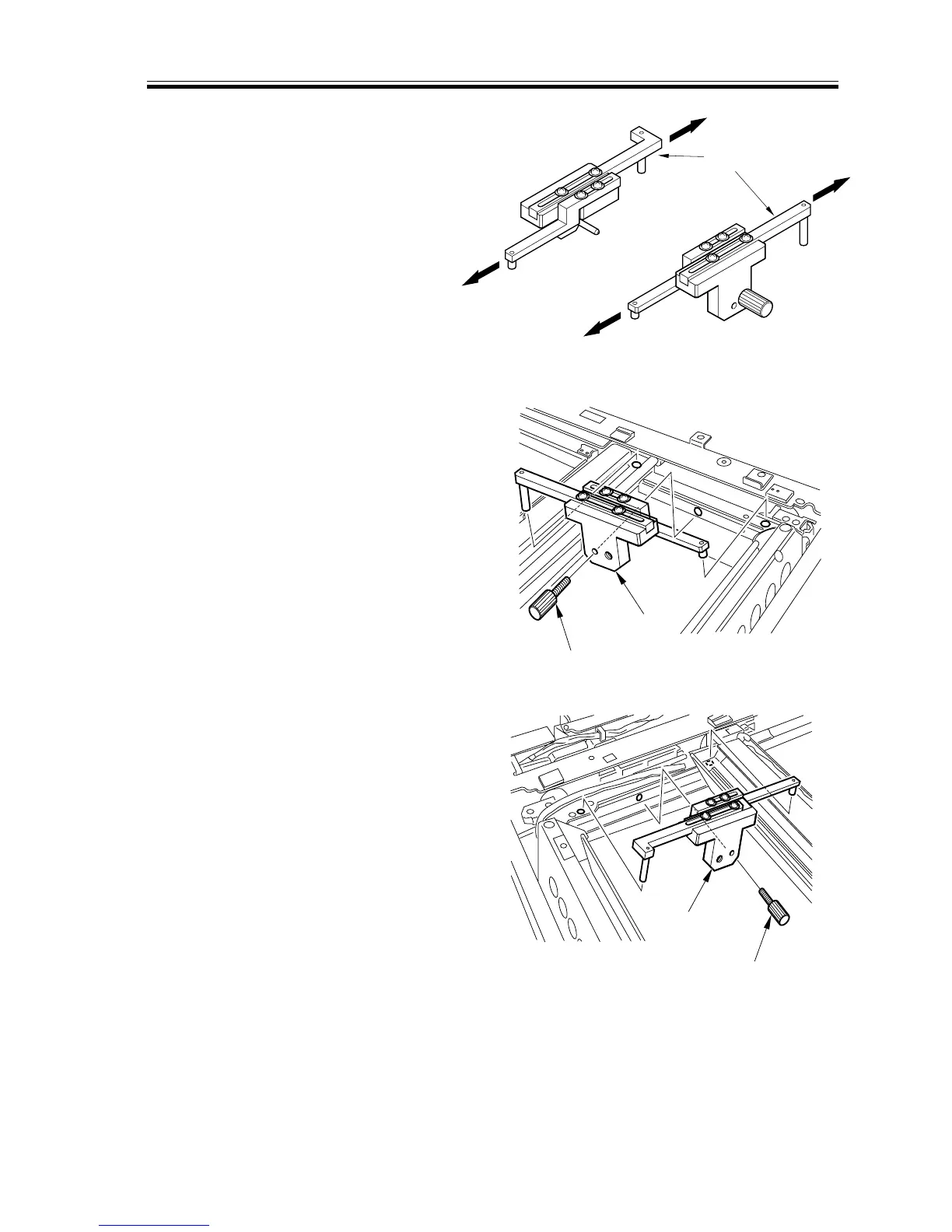
8) Loosen the screw on the mirror posi-
tioning tool (FY9-3040-000), and ex-
tend the arm [7] fully.
F05-202-05
9) Set the mirror positioning tool [8] be-
tween the No. 1 mirror mount and the
No. 2 mirror mount; then, insert the pin
[9] that comes with the mirror position-
ing tool.
F05-202-06
F05-202-07


 To Next Page
 Loading...









