COPYRIGHT
©
2001 CANON INC. 2000 2000 2000 2000 CANON CLC5000 REV.0 JAN. 2001
CHAPTER 5 TROUBLESHOOTING IMAGE FAULTS/MALFUNCTIONS
5-25
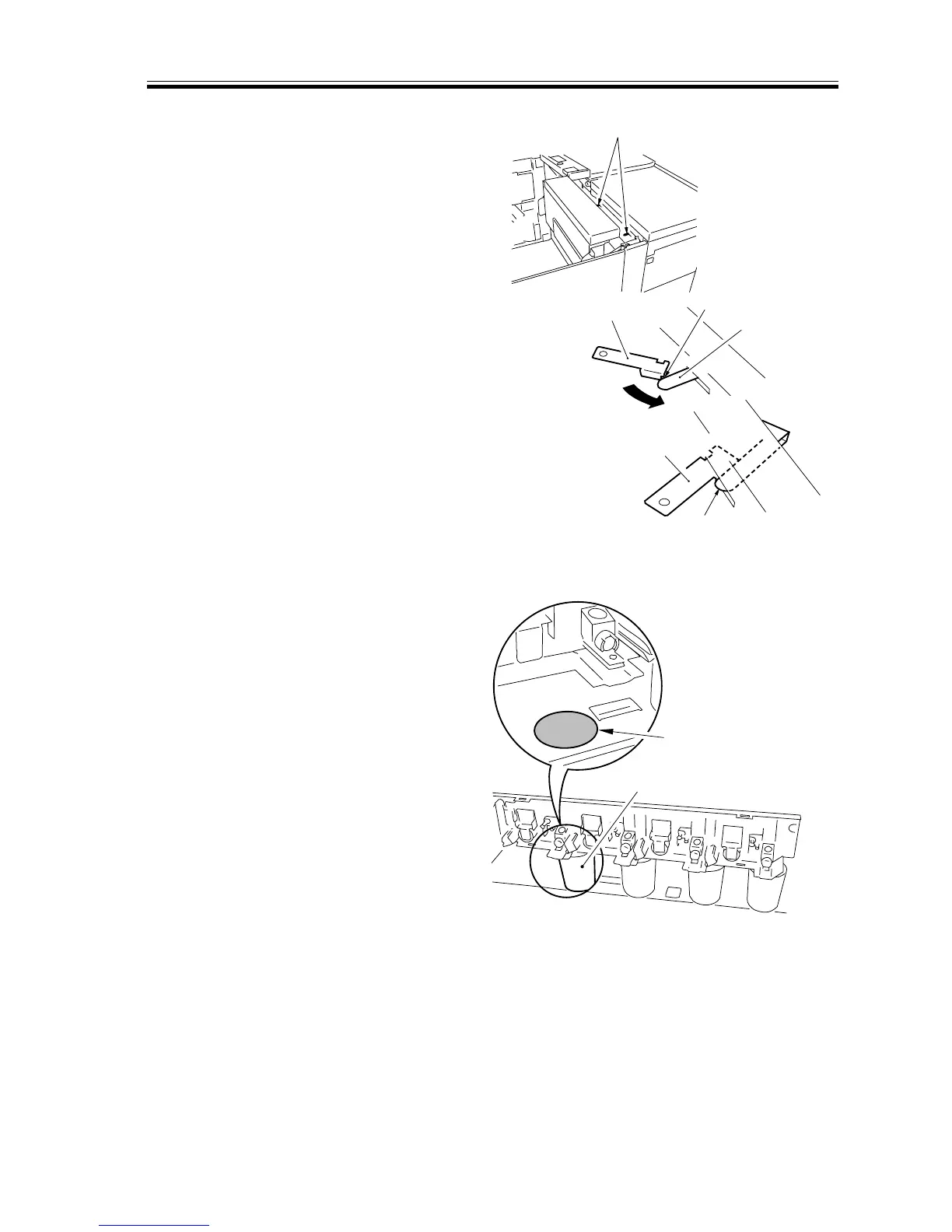
10) Install the laser shutter opening tool.
F05-205-02
11) Raise the hopper assembly as far as it
moves, and operate the locking mecha-
nism by hand; then, remove the hopper
metal fixings (left, right).
12) Slide out the transfer assembly.
13) Place the collecting container as shown.
F05-205-03
Laser shutter
Laser shutter
Shutter
pushing member
Groove
Laser shutter pushing
member
Laser shutter
Location indicating
mark
Collecting container














 To Next Page