COPYRIGHT
©
2001 CANON INC. 2000 2000 2000 2000 CANON CLC5000 REV.0 JAN. 2001
CHAPTER 5 TROUBLESHOOTING IMAGE FAULTS/MALFUNCTIONS
5-26
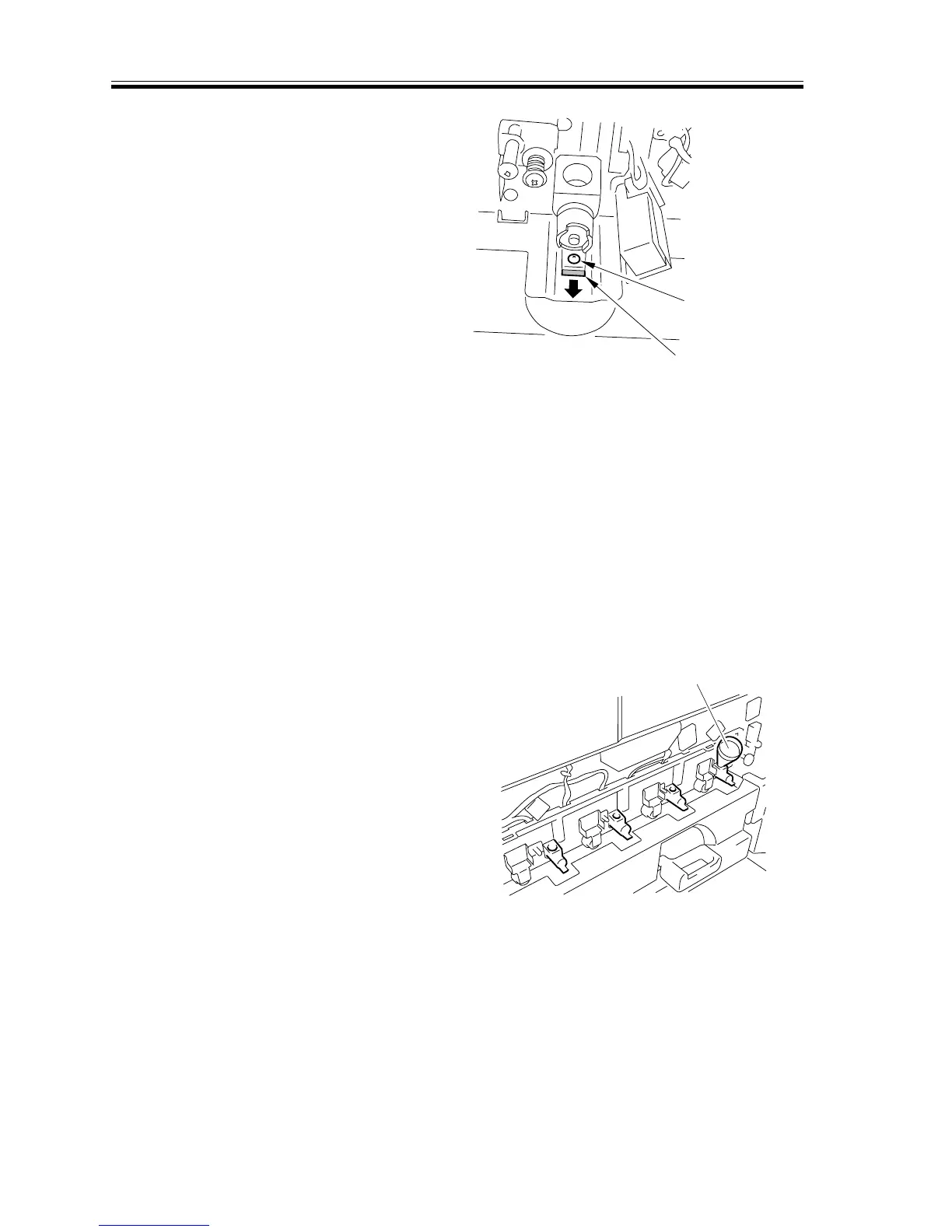
14) Remove the screw, and pull out the col-
lecting container shutter.
(At this time, check to make sure that
the collecting container opening is
open.)
F05-205-04
15) Select the 2nd screen of ‘FUNC > IN-
STALL’ in service mode.
16) To collect all four developers, press
‘RECV-4’; for each, press ‘RECV-C, -
M, -Y, -K’.
(The developer will be discharged into
the collecting container; the operation
will stop in about 2 min.)
17) When done, close the collecting con-
tainer shutter, and fit and tighten the
screw.
18) Remove the collecting container.
19) Close the transfer unit.
20) Press ‘SPLY-C, -M, -Y, -K’ as appropri-
ate for the color to replace on the ser-
vice mode screen [1].
21) Check to make sure that the screw in-
side the developing assembly has
started to rotate.
22) Fit the funnel that comes with the
starter in the supply mouth of the devel-
oping assembly.
F05-205-05
Fixing screw
Collecting container shutter
Funnel



 To Next Page