2-22
CHAPTER 2 NEW FUNCTIONS
COPYRIGHT
©
2001 CANON INC. 2000 2000 2000 2000 CANON CLC5000 REV.0 JAN. 2001
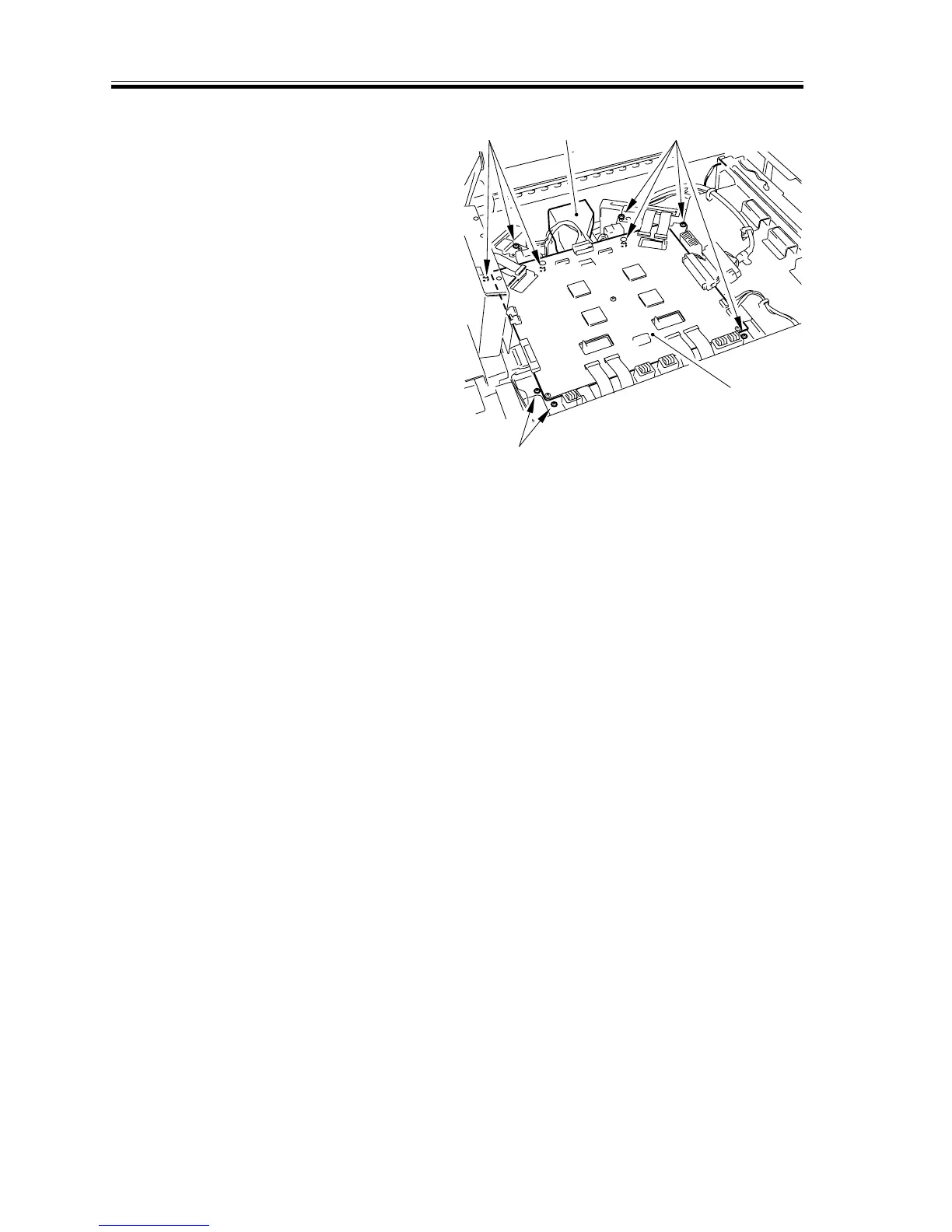
5) Remove the duct [9]; then, disconnect
the connector from the video controller
PCB [10], and remove the 9 screws
[11]. Detach the video controller PCB
together with its support plate.
[10]
[9]
[11] [11]
[11]
F02-305-06














 To Next Page