2-59
CHAPTER 2 NEW FUNCTIONS
COPYRIGHT
©
2001 CANON INC. 2000 2000 2000 2000 CANON CLC5000 REV.0 JAN. 2001
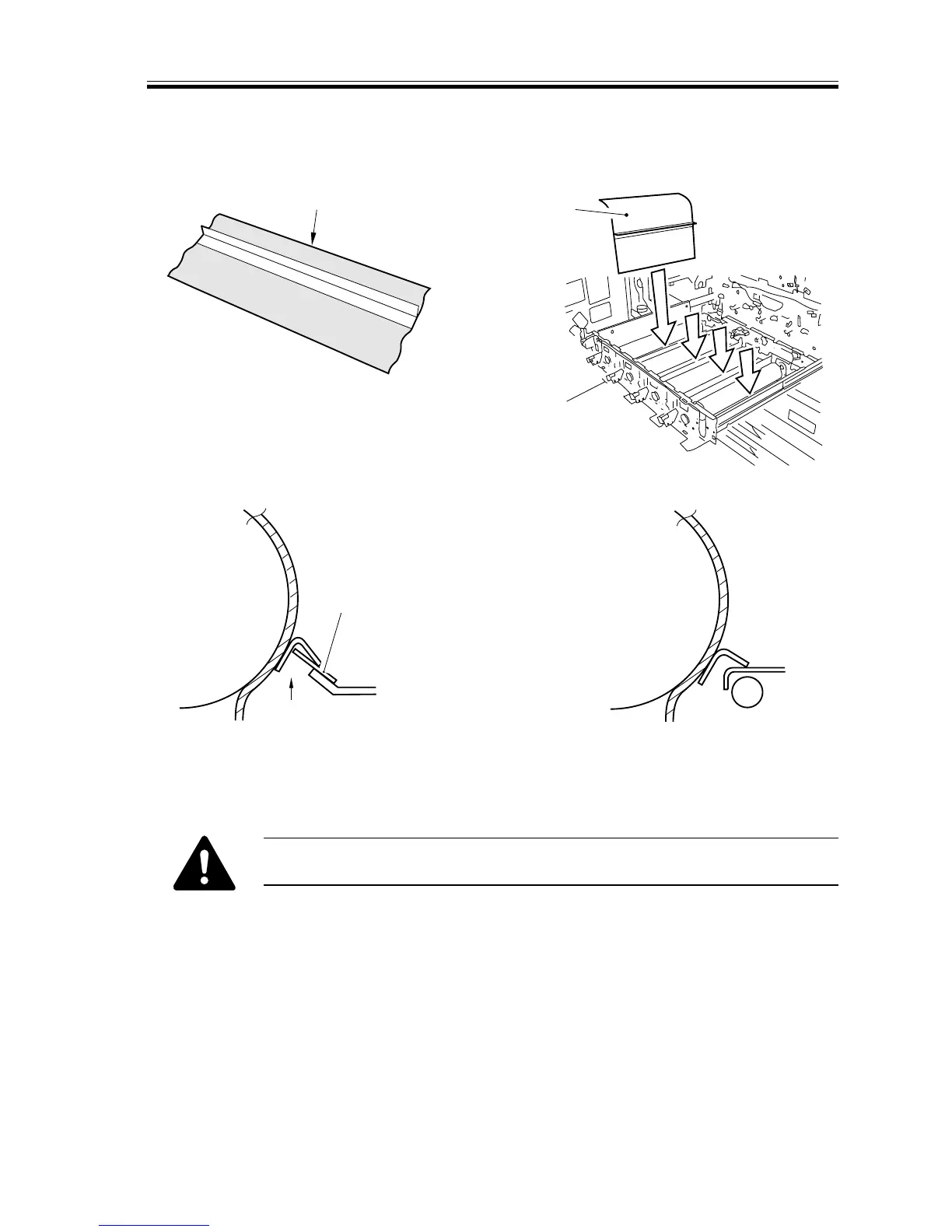
c.Mounting the Process Unit
1) Remove all developing assemblies, and attach the drum protection sheet [1] to each pho-
tosensitive drum.
Photosensitive
drum for M/Y/Bk
Check to make sure that
the edge of the white paper
is found as shown by the
naked eye.
Plastic sheet
Photosensitive
drum for C
[1]
[1]
F02-405-22
■ Do not touch the area where contact will be made with the drum.
■ Before putting it to use, be sure to dry wipe it with lint-free paper.














 To Next Page