2-60
CHAPTER 2 NEW FUNCTIONS
COPYRIGHT
©
2001 CANON INC. 2000 2000 2000 2000 CANON CLC5000 REV.0 JAN. 2001
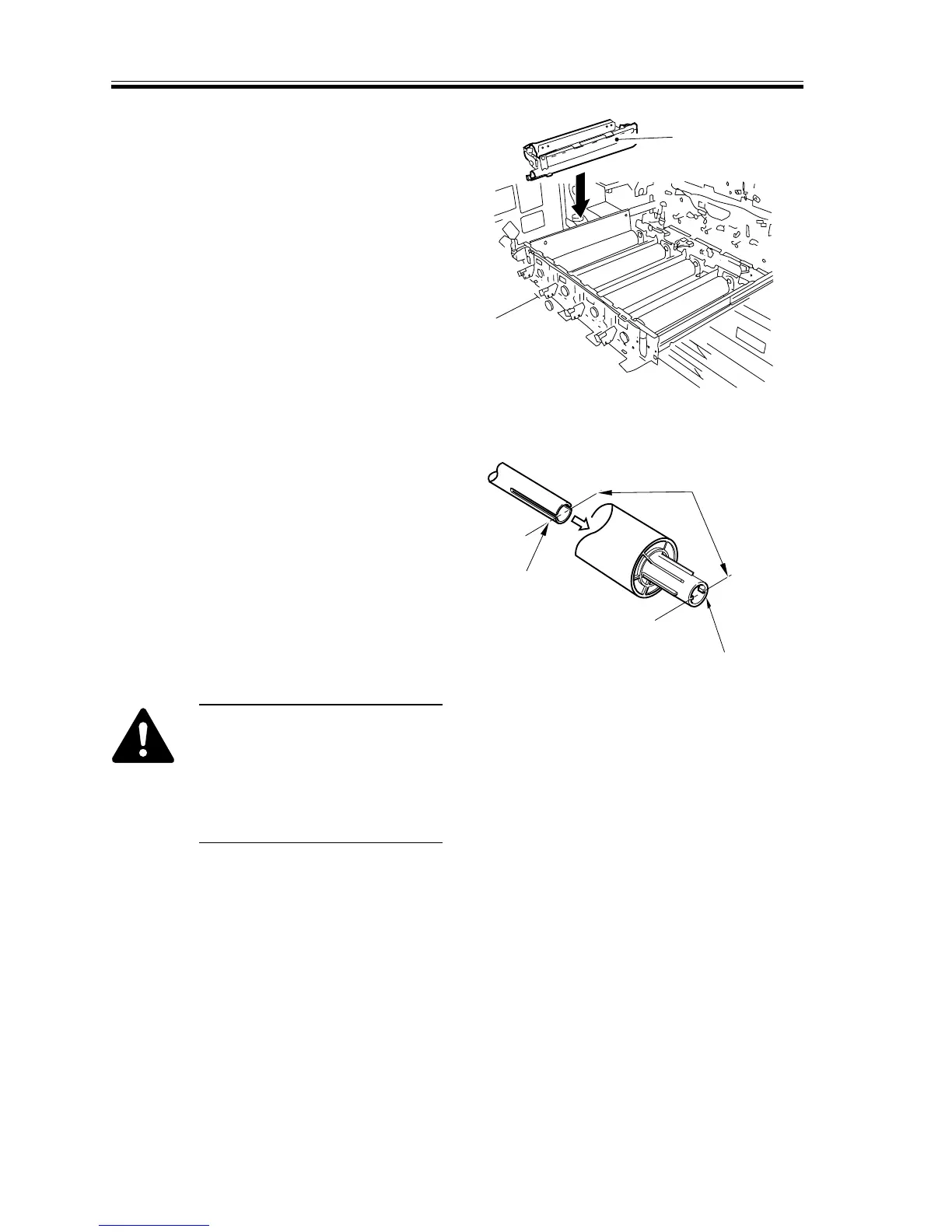
2) Set the process unit [2] to the process
unit case.
[2]
F02-405-23
3) Shift the pressure releasing point of the
cleaning blade back to its initial posi-
tion.
4) Orient the two protrusions inside the
flange shaft of the photosensitive drum
to match the groove [4] of the drum
shaft on the machine side.
Match the positions
for the protrusions
and the groove.
[3]
[4]
F02-405-24
When rotating the photosensi-
tive drum, pull out the process
unit, and lift the developing as-
sembly so that it is away from
the drum (to prevent damage to
the drum).














 To Next Page