● Front Side
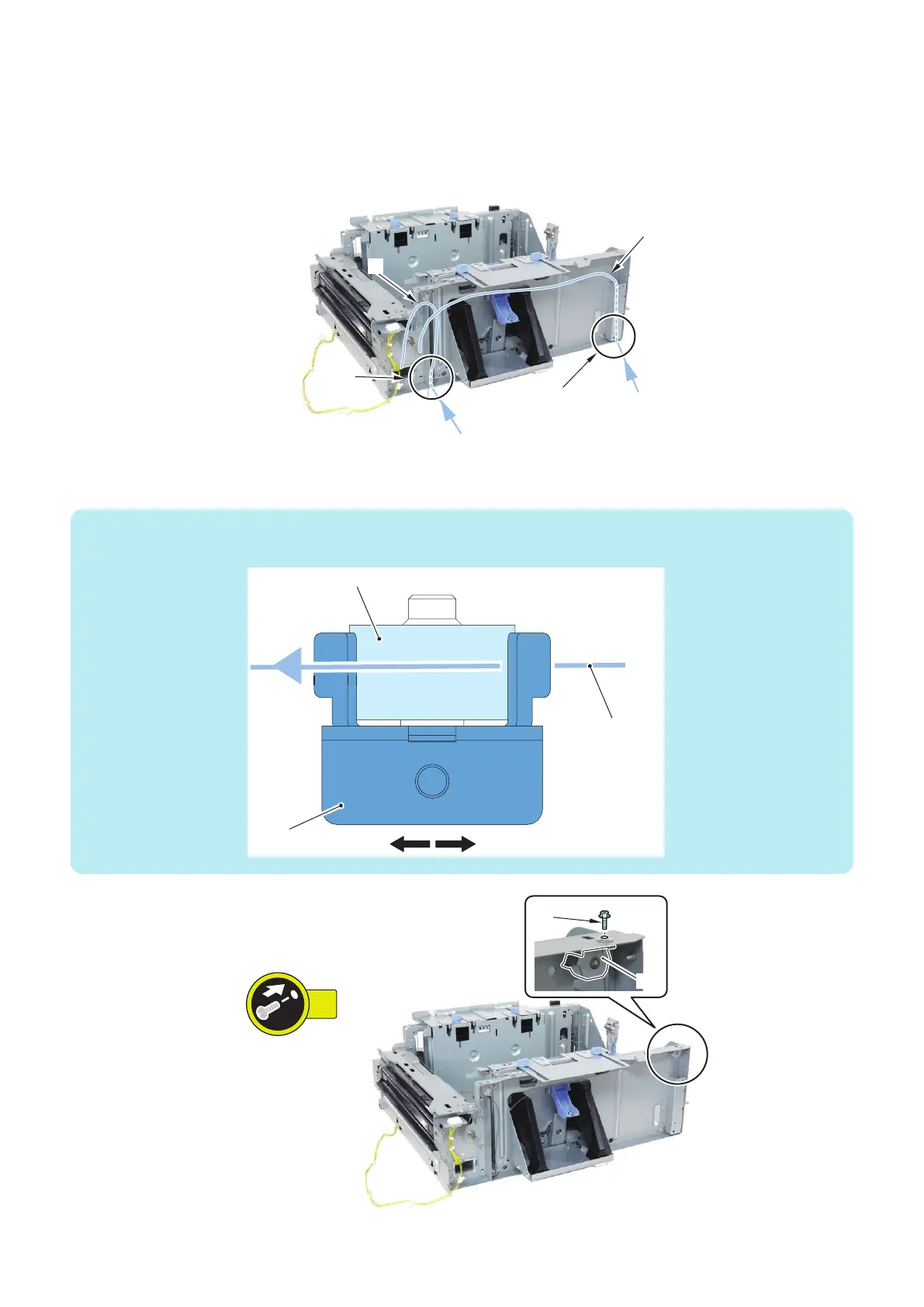
1. Put the Lifter Wires through the holes on the Lifter Plate.
• Long Lifter Wire [1] : Put it through the hole [A] on the plate.
• Short Lifter Wire [2] : Put it through the hole [B] on the plate.
2. Put the Long Lifter Wire through the Pulley [1] and then fix it.
• 1 Screw [2]
NOTE:
Put the Lifter Wire between the roller and the fixing plate from the right side as shown in the figure.
Long Lifter Wire
Roller
Fixing Plate
RightLeft
4. Parts Replacement and Cleaning
159













 To Next Page