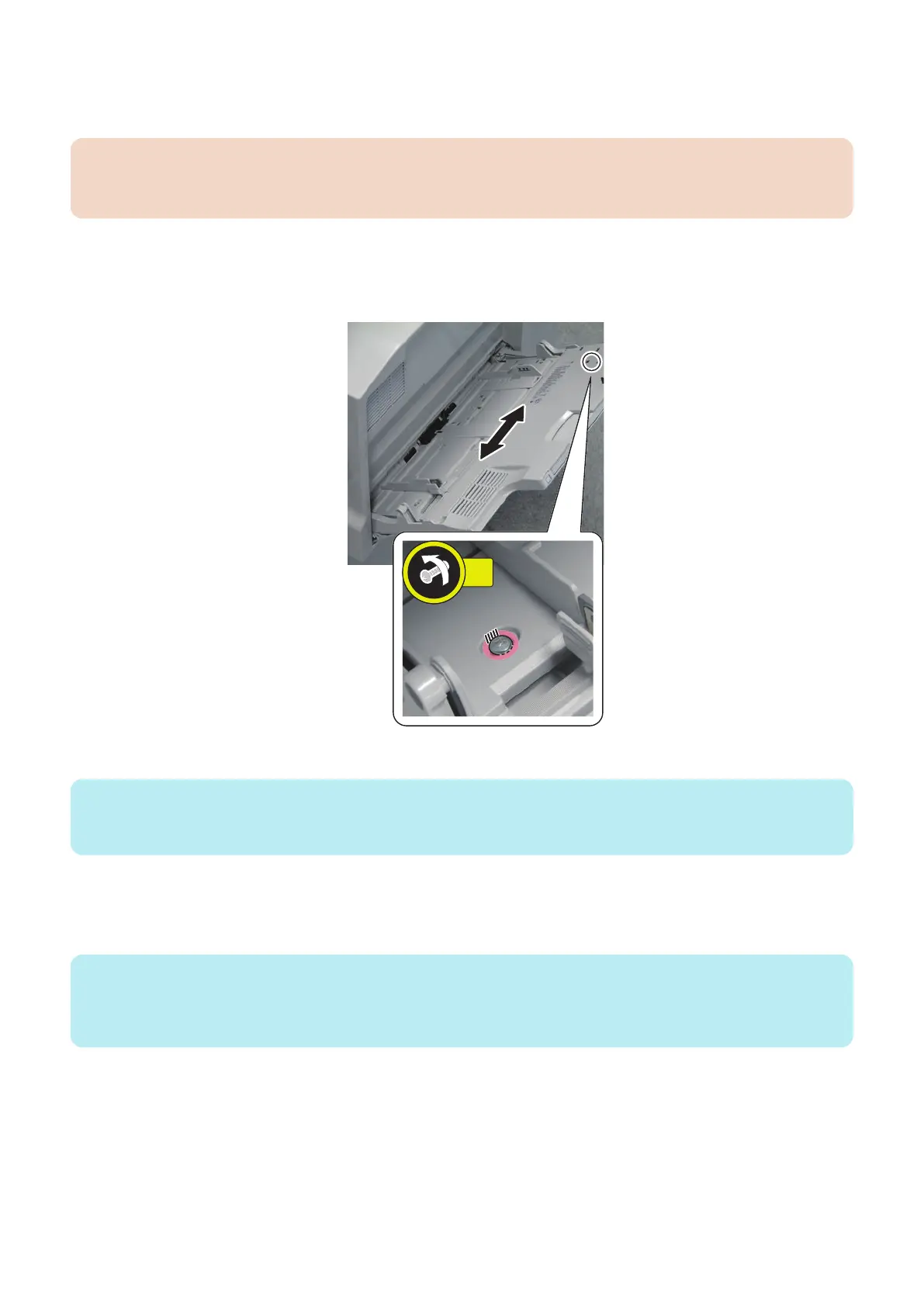
Adjustment Procedure
1. Loosen the screw and adjust the position of the Multi-purpose Tray upper by referring to the scale.
CAUTION:
When installed to the Multi-drawer Paper Deck, write down the shift amount by moving the Multi-purpose Tray upper to
front and rear.
• Rough indication: 1.0 mm per scale
• If the value is "+": move the Multi-purpose Tray upper to the rear.
• If the value is "-": move the Multi-purpose Tray upper to the front.
Example: If the value is "+ 30", move the Multipurpose Tray upper to the rear by 3 mm.
2. Tighten the screw loosened.
NOTE:
• When installing to the host machine, proceed to step 5.
• When Installing to the Multi-drawer Paper Deck, proceed to step 3.
3. Enter the service mode and reflect the shift amount to front and rear on the Multi-purpose Tray upper to the
adjustment value. (Only when installing to the Multi-drawer Paper Deck.)
COPIER > ADJUST > FEED-ADJ > MD-CENT
NOTE:
+: When shifted to the rear direction on the Multi-purpose Tray upper
- : When shifted to the front direction on the Multi-purpose Tray upper
• Adjustment range: -30 to 30 mm (0.1 mm per increment)
6. Troubleshooting
198













 To Next Page