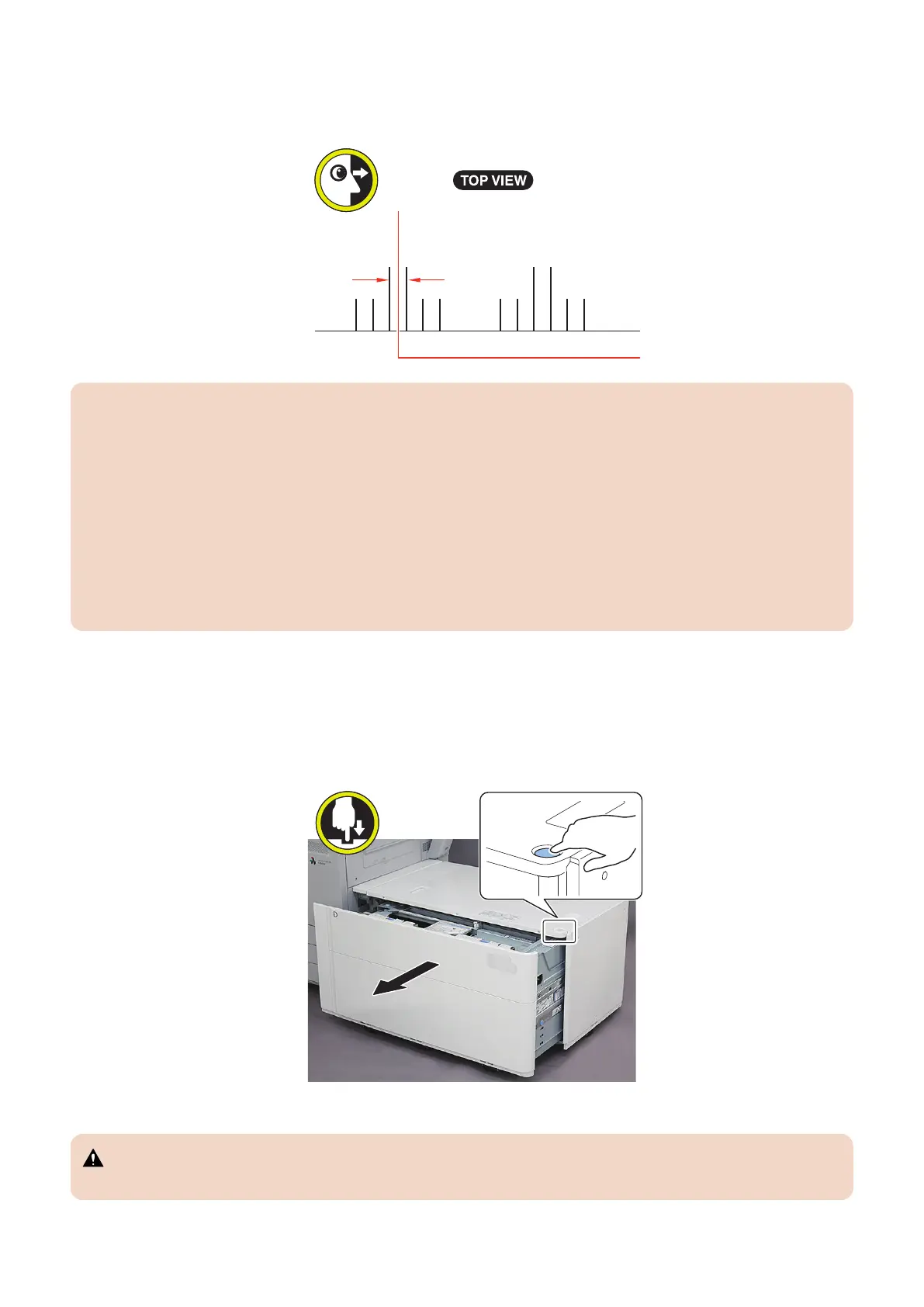
18. When the front edge of the stopped paper is not in the long line in the center of the guide engraving, refer to Steps
20 to 30 to adjust the front and rear positions of the Compartment.
• Rough indication: 1.0 mm per scale
CAUTION:
When the following Service Mode values are changed when the Stack Bypass is installed:
• COPIER > ADJUST > FEED-ADJ > MD-CENT
: Adjustment of the through-path alignment center reference position
+ : When shifted to the rear direction on the Multipurpose Tray upper
- : When shifted to the front direction on the Multipurpose Tray upper
Adjustment range: -30 to 30 mm (0.1 mm per increment)
When adjusting the position of the front and back of the Compartment, increase or decrease the movement amount
according to the changed value.
19. Remove the stopped paper and connect this equipment to the Multi-drawer Paper Deck.
20. <Adjusting the Position of the Compartment Toward the Front and Rear>
When the compartment position is not adjusted, perform Step 31 onwards.
Open the Compartment.
21. Open the Compartment until it stops while releasing stoppers with pressing left and right latches.
CAUTION:
Be careful not to get your fingers caught.
6. Troubleshooting
207













 To Next Page