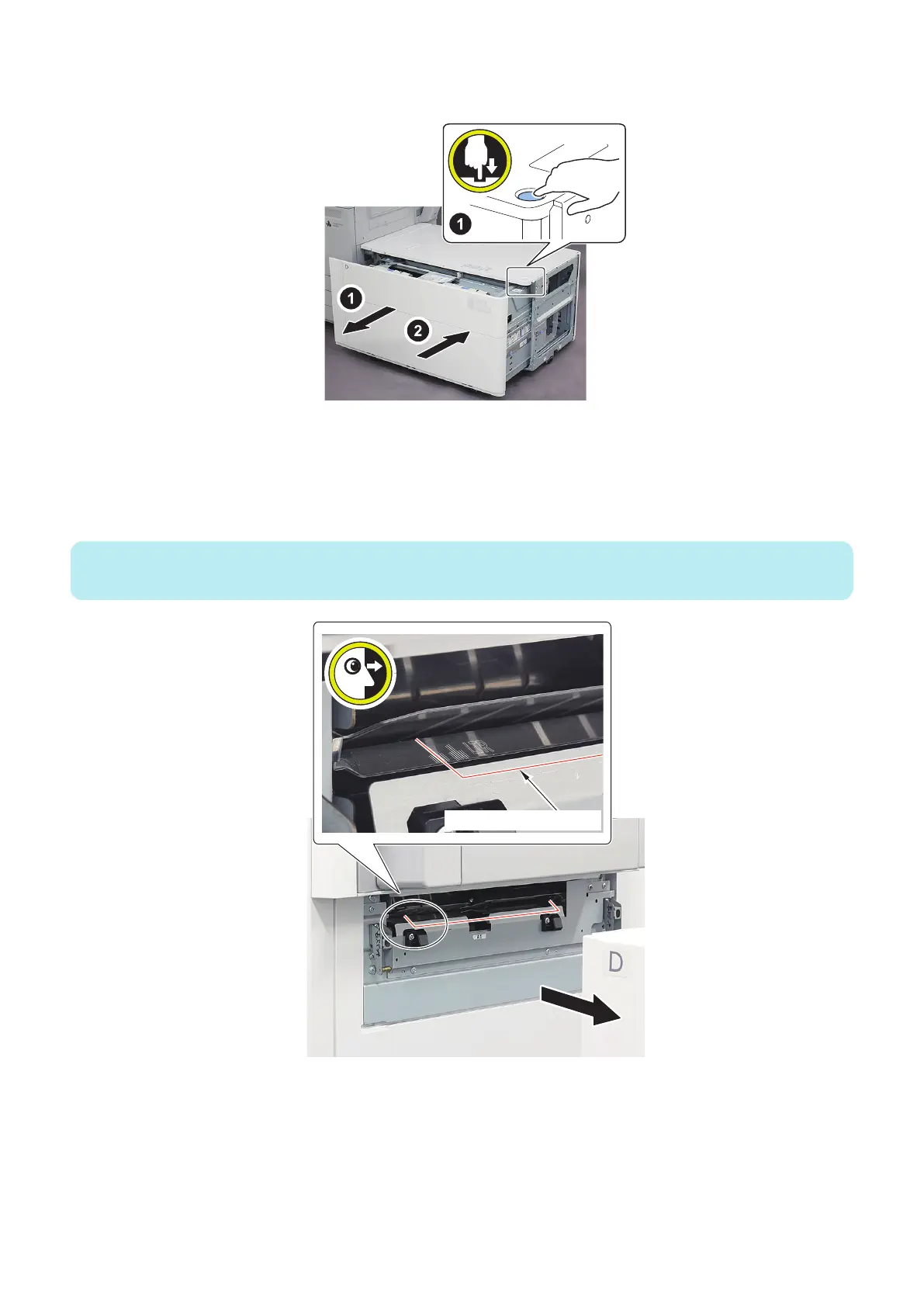
15. Open the Compartment again, and close the Compartment after confirming that the stacked sheets are not
disturbed.
16. When the following Service Mode is executed, the paper is conveyed and the trailing edge stops at the position
shown in the figure below.
• COPIER> FUNCTION> CST> MD-DK-RG
: Adjusting position of POD Deck Lite
17. Separate this equipment from the Multi-drawer Paper Deck and check the paper stop position.
NOTE:
When the Stack Bypass installed, open the Multi Door Unit.
A4
LTR
Trailing Edge of the Paper
6. Troubleshooting
206













 To Next Page