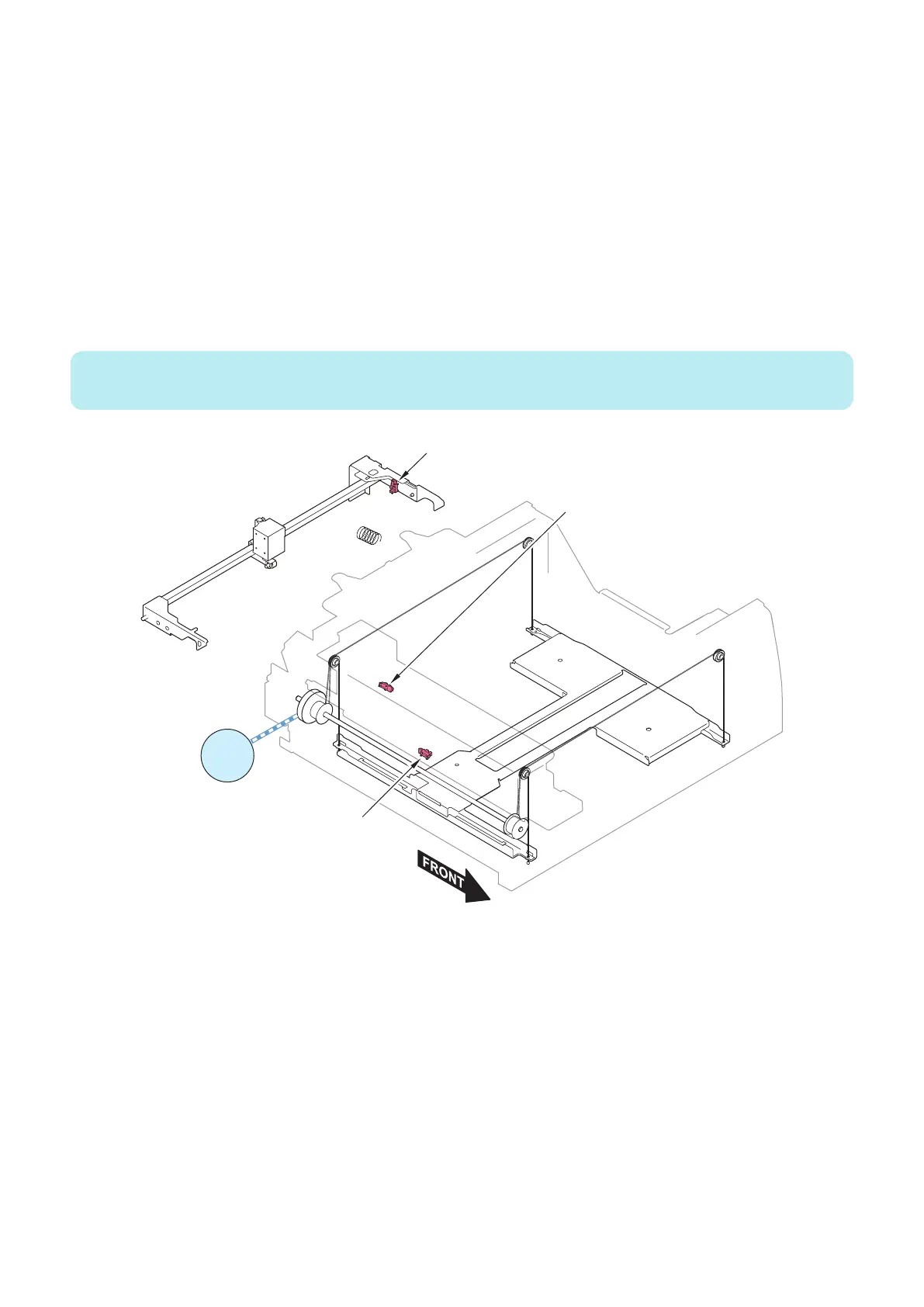
■ Lifter Control
The lifter of this equipment is connected to the drive shaft via a lifter wire, and is driven by the Deck Lifter Motor (M101/M201/
M301). The equipment changes the direction of motor rotation to move up or down the lifter.
● Ascension Control
The deck is closed by pushing it into the Paper Deck by hand. When the Deck Open/Close Sensor (S102/S202/S302) detects
the closing deck, the lifter starts ascending.
Then, the lifter stops when the Paper Surface Sensor (S106/S206/S306) attached to the Deck Pickup Roller detects the top
surface of paper loaded on the lifter.
● Descension Control
When the Deck Open Switch is pressed, the lifter starts descending. It stops when detected by the Relay Paper Sensor (S110/
S210/S310).
NOTE:
Lifter control is performed in the same manner for all decks.
Deck Lifter Motor
M101
M201
M301
Paper Surface Sensor
(S106/ S206/ S306)
Deck Open/Close Sensor
(S102/ S202/ S302)
Relay Paper Sensor
(S110/ S210/ S310)
■ Lifter Failure Detection Control
Three types of failure detection control are performed during ascension/descension of the lifter.
The Deck in which a failure has been detected cannot be used because of occurrence of an alarm; however, other Decks can
be used continuously.
● Upper Limit Detection
In the case where the ascending lifter cannot be stopped due to a failure such as a failure in the Paper Surface Sensor (S106/
S206/S306), the Deck may be broken.
In order to prevent excess upward movement of the lifter, the Lifter Upper Limit Sensor (S109/S208/S308) detects the upper limit
of the lifter position.
● Lower Limit Detection
In the case where the descending lifter cannot be stopped due to a failure such as a failure in the Lifter Lower Limit Sensor (S111/
S211/S311), the Deck may be broken.
2. Technology
32













 To Next Page