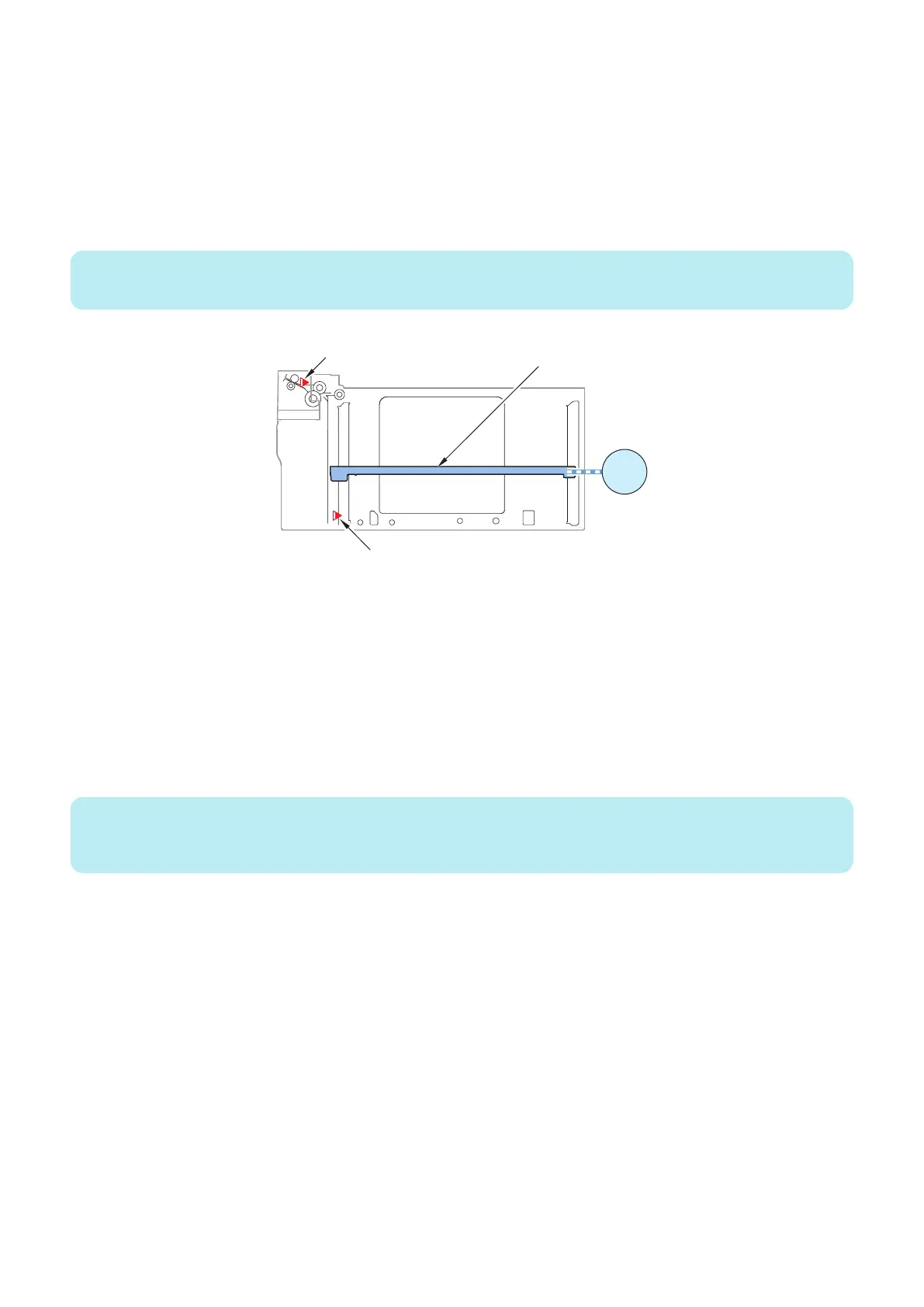
■ Remaining Paper Level Detection Control
The remaining paper level is detected by counting Deck Lifter Motor (M101/ M201/M301) pulses based on which the distance of
lifter travel from the Lifter Lower Limit Sensor (S111/S211/S311) to the Paper Surface Sensor (S106/S206/S306) is calculated
to indicate the paper level.
The pulse count is reset when the Relay Paper Sensor (S104/S204/S304) changes from ON to OFF during paper feed. This is
to correct detection error caused by wire elongation.
When paper runs out in the current pickup inlet, the auto-cassette change function automatically switches the pickup inlet to one
where the same-size paper is set. The switch timing depends on the host machine.
NOTE:
Remaining paper level detection control is performed in the same manner for all decks.
Paper Surface Sensor
(S106/ S206/ S306)
M101
M201
M301
Lifter Lower Limit Sensor
(S111/ S211/ S311)
Lifter
■ Switching between Paper Sizes
The paper size is detected by Deck Size Detection PCB (PCB101/PCB201/PCB301), Paper Length Detection Sensor 1 (S112/
S213/S313), Paper Length Detection Sensor 2 (S113/S214/S314) automatically.
But set paper size from a user mode so that there is the paper size that distinction is not possible.
Example:
1. In the user mode of the host machine, select [Setting/Registration] > [Preferences] > [Paper Setting] > [A5R/STMTR Paper
Selection].
2. Select the paper size of the deck. (Select the A5R or STMTR, and then press OK key).
3. Match a deck with paper size (A5R or STMTR).
NOTE:
• The paper size can be switched in the same manner for all decks.
• Perform the paper size setting of B5 and EXEC equally.
2. Technology
34













 To Next Page