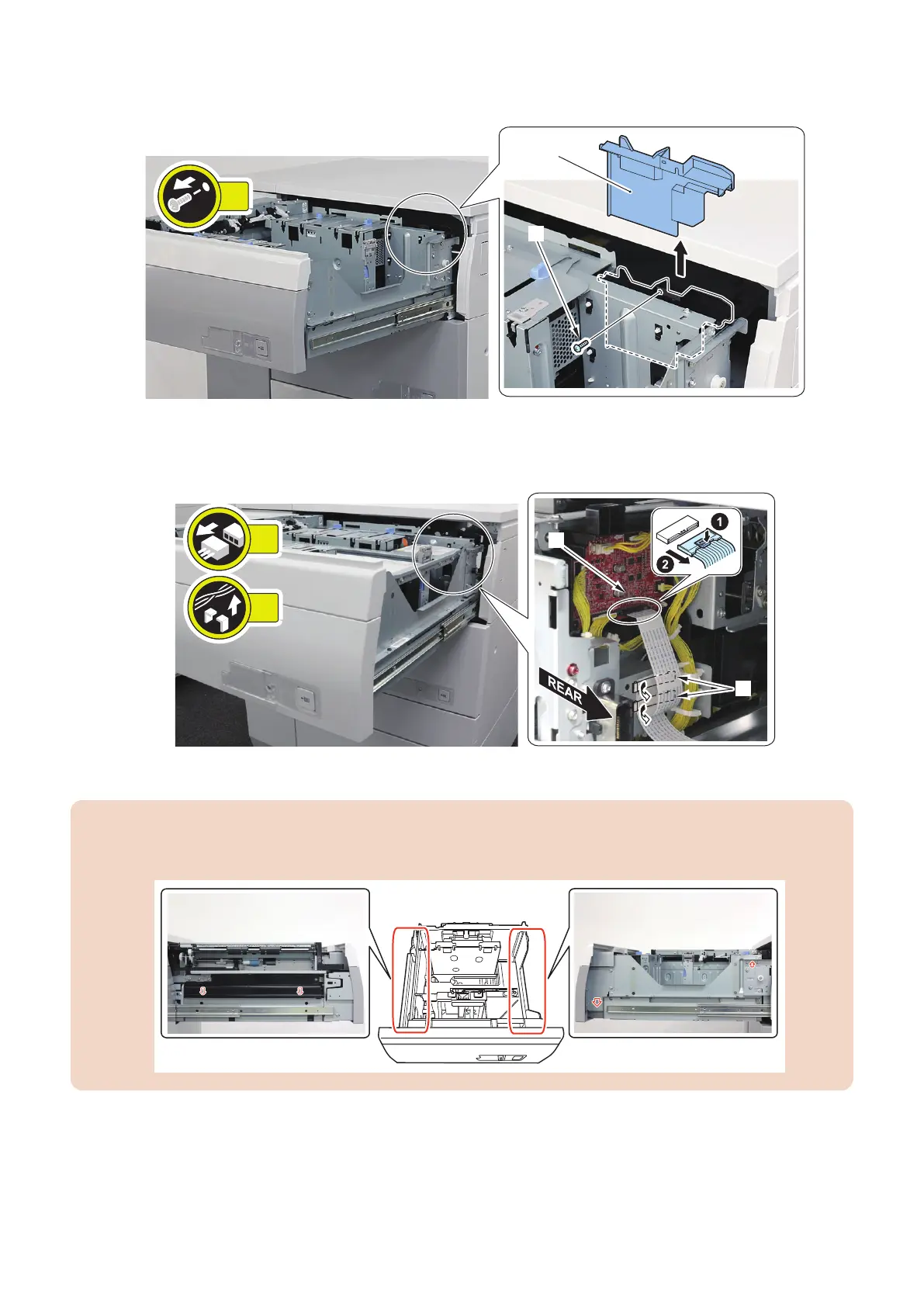
3. Remove the PCB Cover [1].
• 1 Screw [2]
4. Remove the Connector [1] and the Cable Clamps [2].
• 1 Connector [1]
• 2 Cable Clamps [2]
5. Remove the Deck Unit [1].
CAUTION:
• The Deck Unit is very heavy. Be careful not to fall the Deck Unit when removing it.
• When removing the deck, be sure to hold parts pointed by photographs in the figure below.
4. Parts Replacement and Cleaning
90













 To Next Page