Paper Drawer
1647-02E
MF735Cdw / MF733Cdw / MF731Cdw
MF634Cdw / MF632Cdw
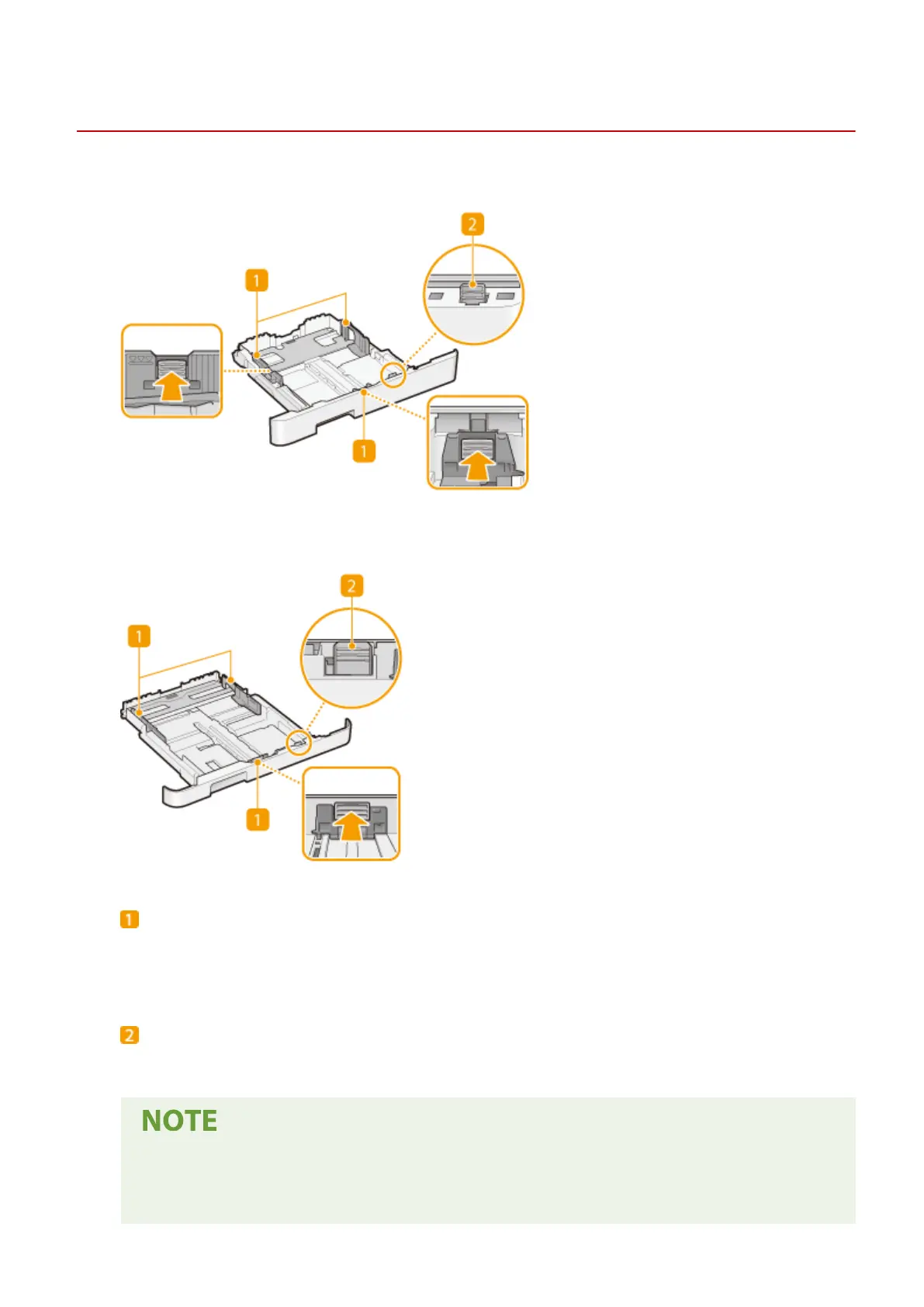
Paper guides
Adjust the paper guides to exactly the size of the loaded paper to ensure that paper is fed straight into the
machine. Press the lock release levers that are marked with arrows in the illustrations to release the locks
and slide the paper guides.
Lock release lever (for extending the paper drawer)
When loading Legal size paper, the paper drawer needs to be extended. Press this lever to release the lock
and extend the length of the paper drawer.
When Legal size paper is loaded
● The front side of the paper drawer is not ush with the machine when the extended paper drawer is
inserted. Place the legal dust cover over the open part of the paper drawer.
Basic Operations
112









 To Next Page