Canceling Sending Documents
1647-06J
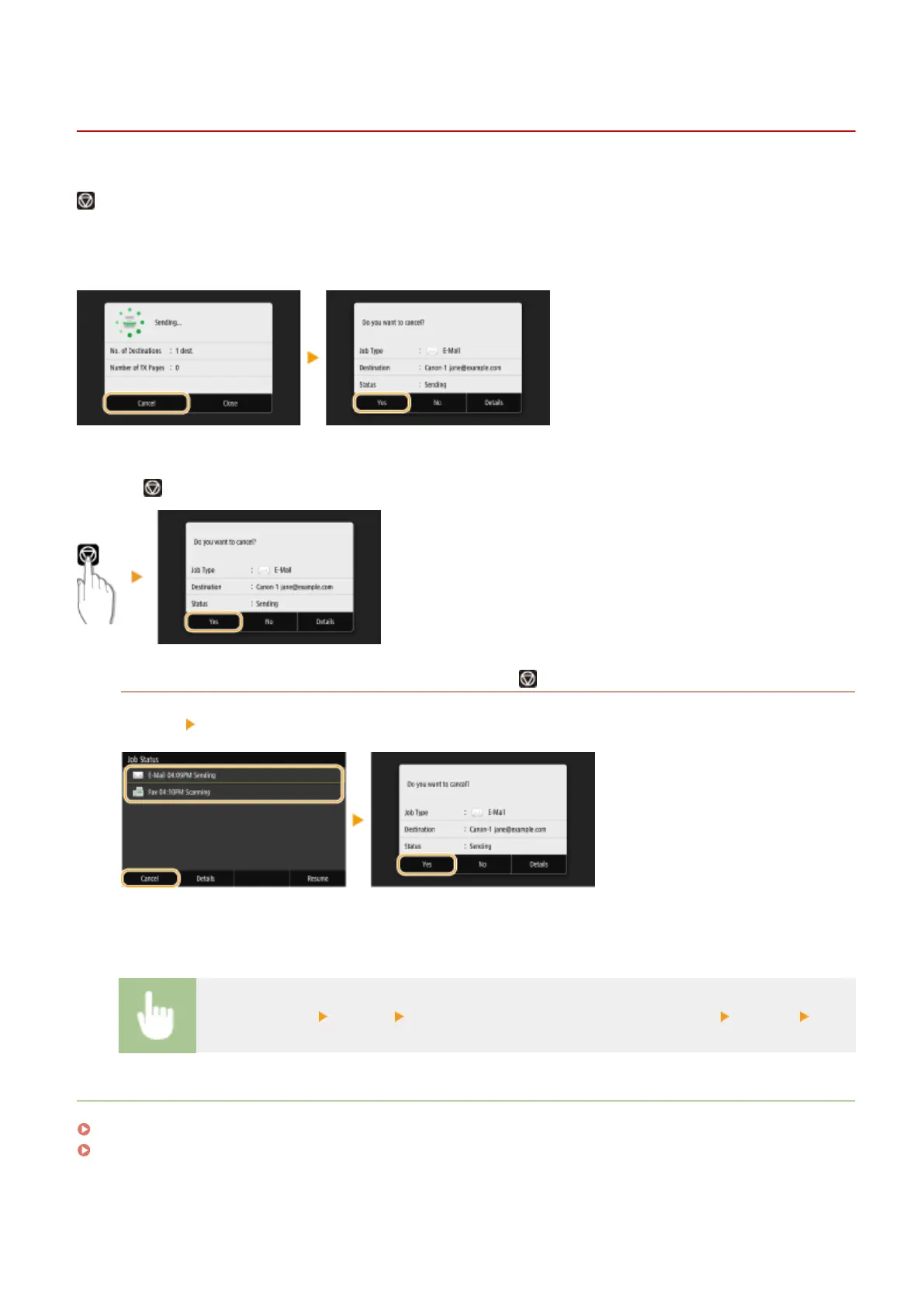
If you want to cancel sending documents immediately after selecting <Start>, select <Cancel> on the display or press
. You can also cancel sending documents after checking the sending status.
◼ Select <Cancel> to cancel
◼
Press to cancel
If the screen displays a list of documents when is pressed
Originals have been scanned and are waiting to be processed. Select the document to cancel, and select
<Cancel> <Yes>.
◼ Check the transmission status before canceling
<Status Monitor> <TX Job> Select the document in the <TX Job Status> tab <Cancel> <Yes>
LINKS
Basic Operations for Scanning Originals(P. 284)
Checking Status and Log for Scanned Originals(P. 301)
Scanning
300









 To Next Page