<Start>
Use this button to start scanning.
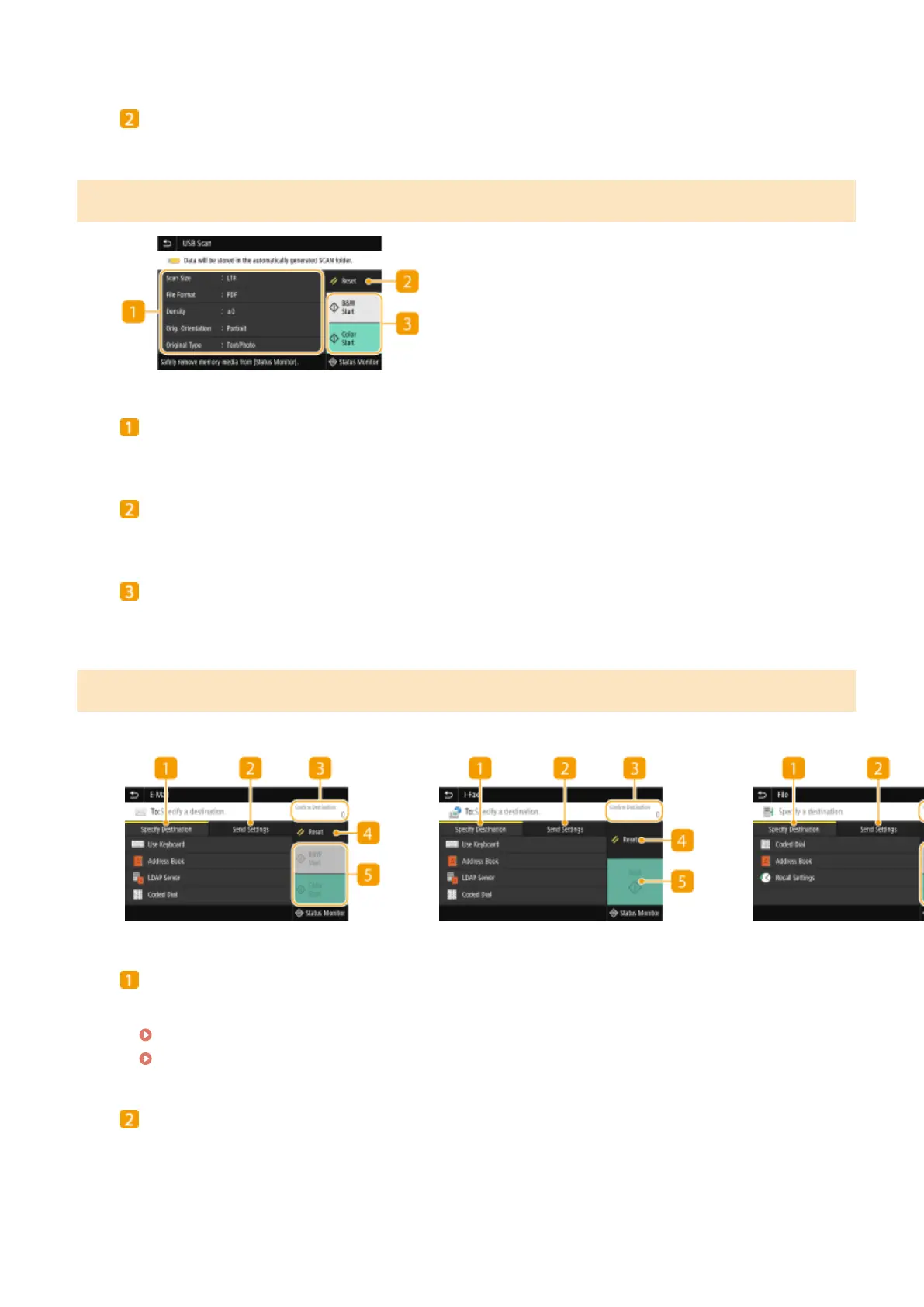
Basic Features Screen for USB Scanning
Send Settings
The original is scanned based on the settings specied here.
<Reset>
You can collectively restore the default settings.
<Start>
Use this button to start scanning. Selecting <B&W> starts black and white scanning. Selecting <Color> starts
color scanning.
Basic Features Screen for E-Mail Sending/I-Fax Sending/File Saving
E-Mail Sending
I-Fax Sending
File Saving
<Specify Destination> tab
Select this tab to search for a destination in the Address Book or an LDAP server, enter a coded dial, or
specify a destination using the recall settings.
Sending Data by E-Mail/Saving Data to a Shared Folder or FTP Server(P. 291)
Recalling Previously Used Settings for Sending/Saving (Recall Settings)(P. 313)
<Send Settings> tab
Select this tab to specify the scanning settings.
Scanning
282









 To Next Page