Registering Frequently Used Settings
1647-03C
If you register your frequently used settings as "favorite settings," you can quickly call up the same settings every time
you make copies, send a fax, or scan. In addition, if you register complicated settings as "favorite settings," you can
quickly call them up for ease of operation. You can also assign registered setting combinations to a shortcut button
displayed in the Home screen. This section describes how to register frequently used settings and how to call them up
when making a copy.
Registering Settings(P. 174)
Recalling Registered Settings(P. 175)
● You can also register a fax or scan destination in the frequently used settings, however, it cannot be
changed once it is registered. To change a destination, delete the settings and then register them again.
Registering Settings
1
Select <Copy> in the Home screen. Home Screen(P. 122)
2
Change the values for the settings you want to register. Basic Copy
Operations(P. 195)
3
Select <Other Settings> <Favorite Settings>.
4
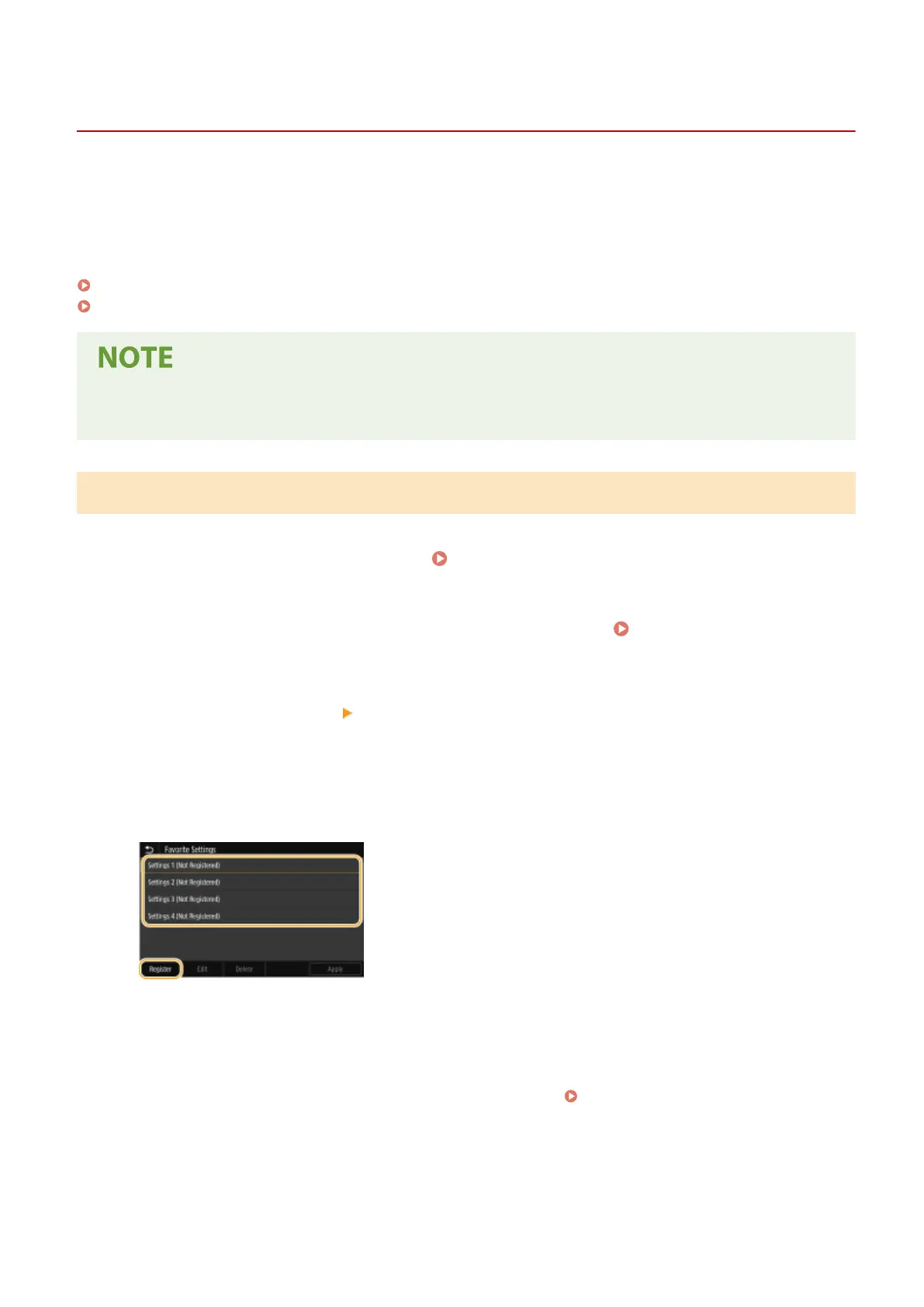
Select unregistered settings, and select <Register>.
● To change the content of a registered setting, select that setting and select <Edit>.
5
Check the details of the settings to be registered, and select <Register>.
● To change the value of a setting to be registered, select the setting.
● To rename the setting, select <Name>. On how to enter text, see Entering Text(P. 131) .
Basic Operations
174









 To Next Page