Setting the System Manager ID and PIN
1647-07U
Set the system manager account, "System Manager ID." You can also set a PIN for the System Manager ID. If the
System Manager ID is specied, you can access items that require administrator privileges, for example, <Network>
and <Management Settings>, only when the System Manager ID and PIN have been entered correctly. The System
Manager ID settings information is critical to the security of the machine, so make sure that only Administrators know
the System Manager ID and PIN.
1
Select <Menu> in the Home screen. Home Screen(P. 122)
2
Select <Management Settings>.
If the System Manager ID has already been set
● If the login screen appears, enter the correct ID and PIN. Logging in to the Machine(P. 133)
3
Select <User Management> <System Manager Information Settings>.
4
Select <System Manager ID and PIN>.
5
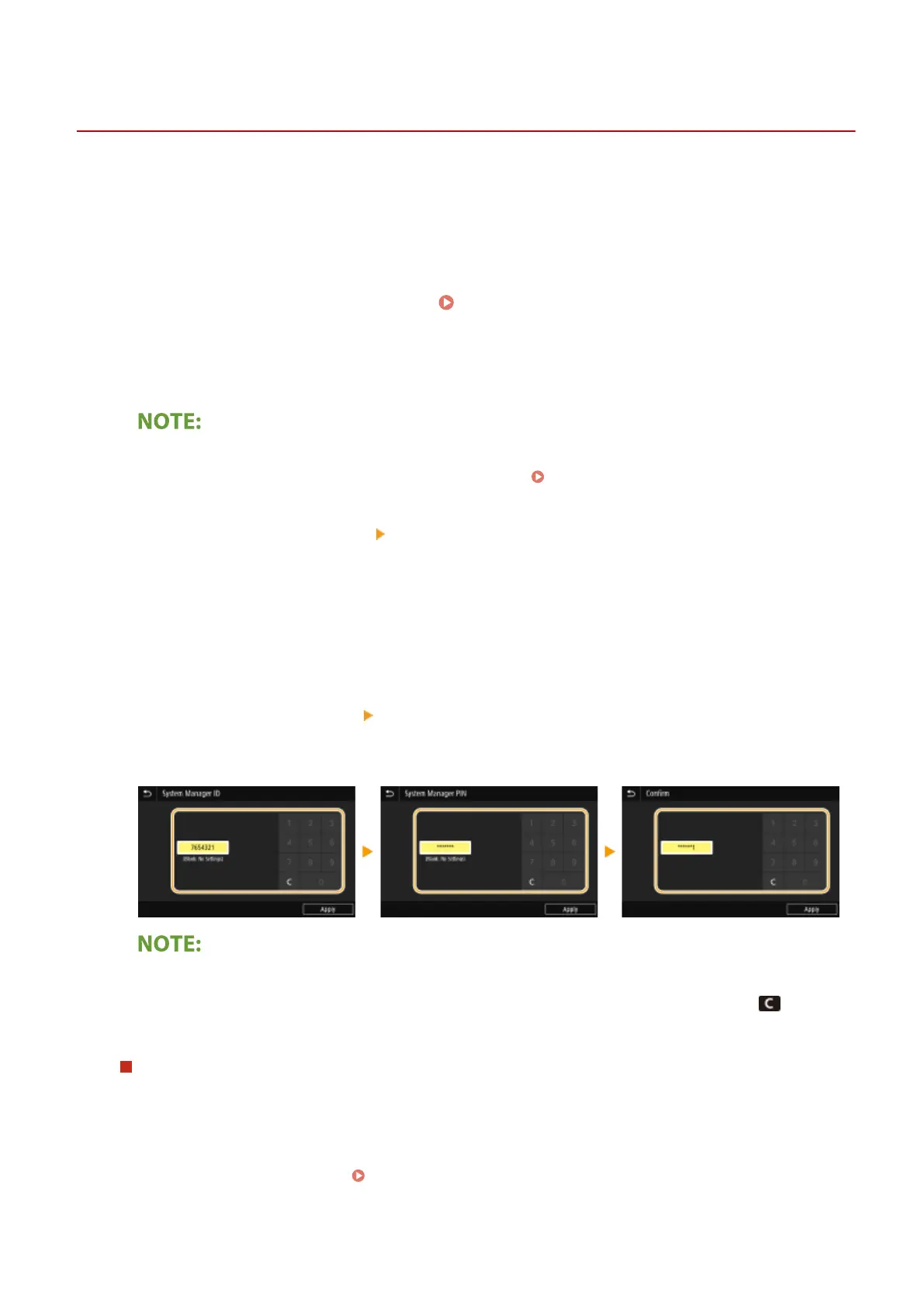
Specify the System Manager ID and PIN.
● Specify the <System Manager ID> <System Manager PIN>.
● Enter the number in each item, and select <Apply>.
● The Conrm screen is displayed. Enter the PIN once again to conrm.
● You cannot register an ID or PIN that consists only of zeros, such as "00" or "0000000."
● To cancel the System Manager ID and PIN settings, clear the information you entered in and select
<Apply> with the elds blank.
Setting the System Manager Name
1
Select <System Manager Name>.
2
Enter the System Manager Name, and select <Apply>.
● On how to enter text, see Entering Text(P. 131) .
Managing the Machine
354









 To Next Page