Adjusting Values for Text Color Reproducibility in Color
Documents
1647-0C7
If copy results of black or blackish text are not satisfactory, you can improve the color reproducibility with this
adjustment.
● The settings are applied to color copies when <Original Type> is set to <Text/Photo/Map> or <Text> (
Selecting the Type of Original for Copying(P. 204) ).
1
Select <Menu> in the Home screen. Home Screen(P. 122)
2
Select <Adjustment/Maintenance> <Adjust Image Quality>.
3
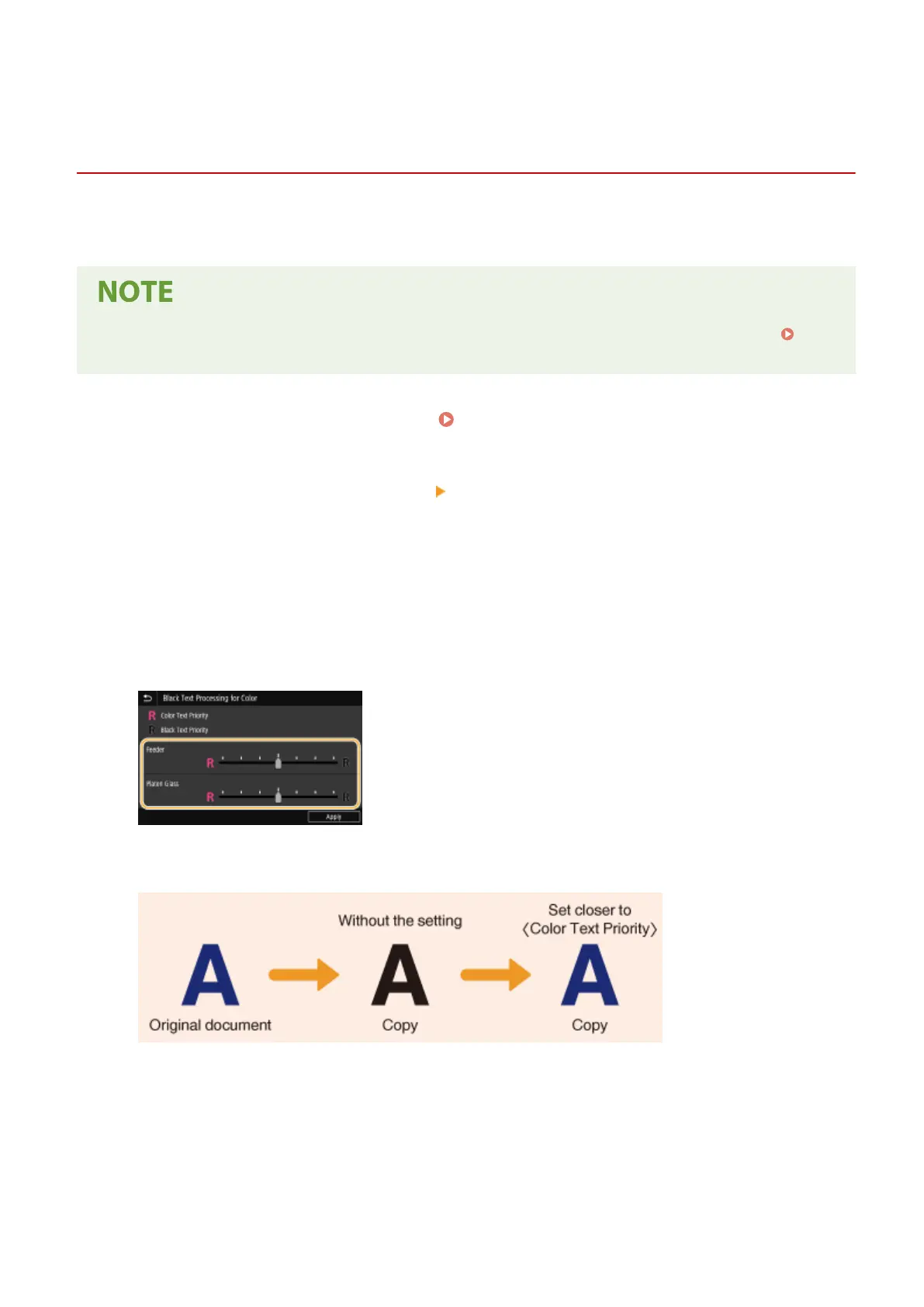
Select <Black Text Processing for Color>.
4
Adjust the value.
● This adjustment value can be set independently in the feeder and platen glass.
<Color Text Priority>
Makes black or blackish text in a copy match more closely with the original.
<Black Text Priority>
Enhances the clarity of black text.
Maintenance
600








 To Next Page