Adjusting Print Position
1647-0C5
If a document is printed off-center or out of the printable range, adjust the print position. You can adjust the print
position for each paper source. You can adjust the print position in the range -0.20" to +0.20" (-5.0 to +5.0 mm) in
increments of 0.01" (0.1 mm).
Checking the Direction and Distance to Adjust
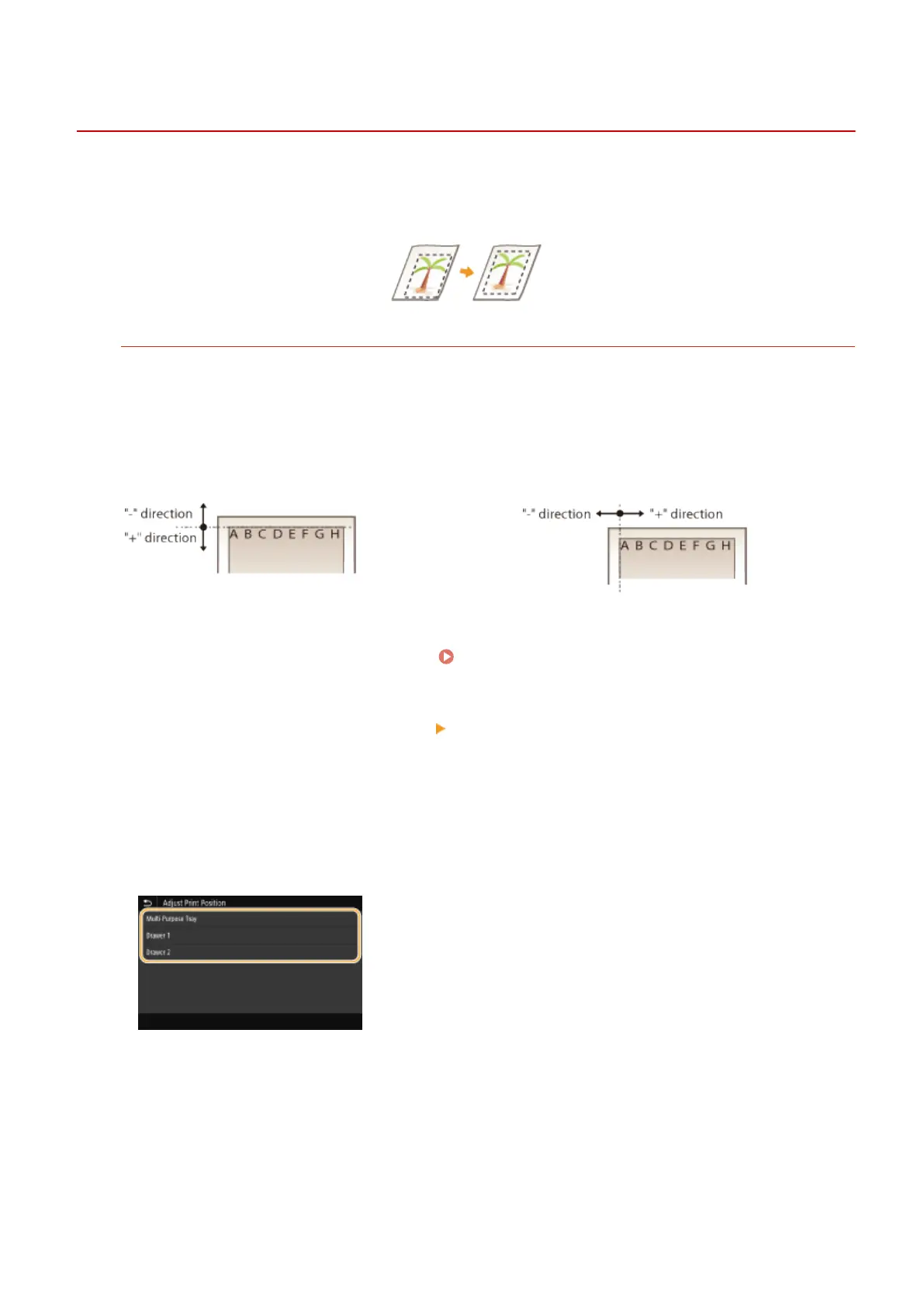
When you adjust the print position, specify the direction using "+" and "-" and the distance using "mm." For
<Adjust Vertically (Front Side)>/<Adjust Vertically (Back Side)>, specify a value with a "+" sign to shift the print
position in the up-to-down direction. For <Adjust Horizontally (Front Side)>/<Adjust Horizontally (Back Side)>,
specify a value with a "+" sign to shift the print position in the left-to-right direction. To shift in the reverse
direction, specify a value with a "-" sign.
<Adjust Vertically (Front Side)>/<Adjust Vertically
(Back Side)>
<Adjust Horizontally (Front Side)>/<Adjust
Horizontally (Back Side)>
1
Select <Menu> in the Home screen. Home Screen(P. 122)
2
Select <Adjustment/Maintenance> <Adjust Image Quality>.
3
Select <Adjust Print Position>.
4
Select the paper source.
5
Select the combination of adjustment direction and printing side.
Maintenance
602









 To Next Page