Paper Sources
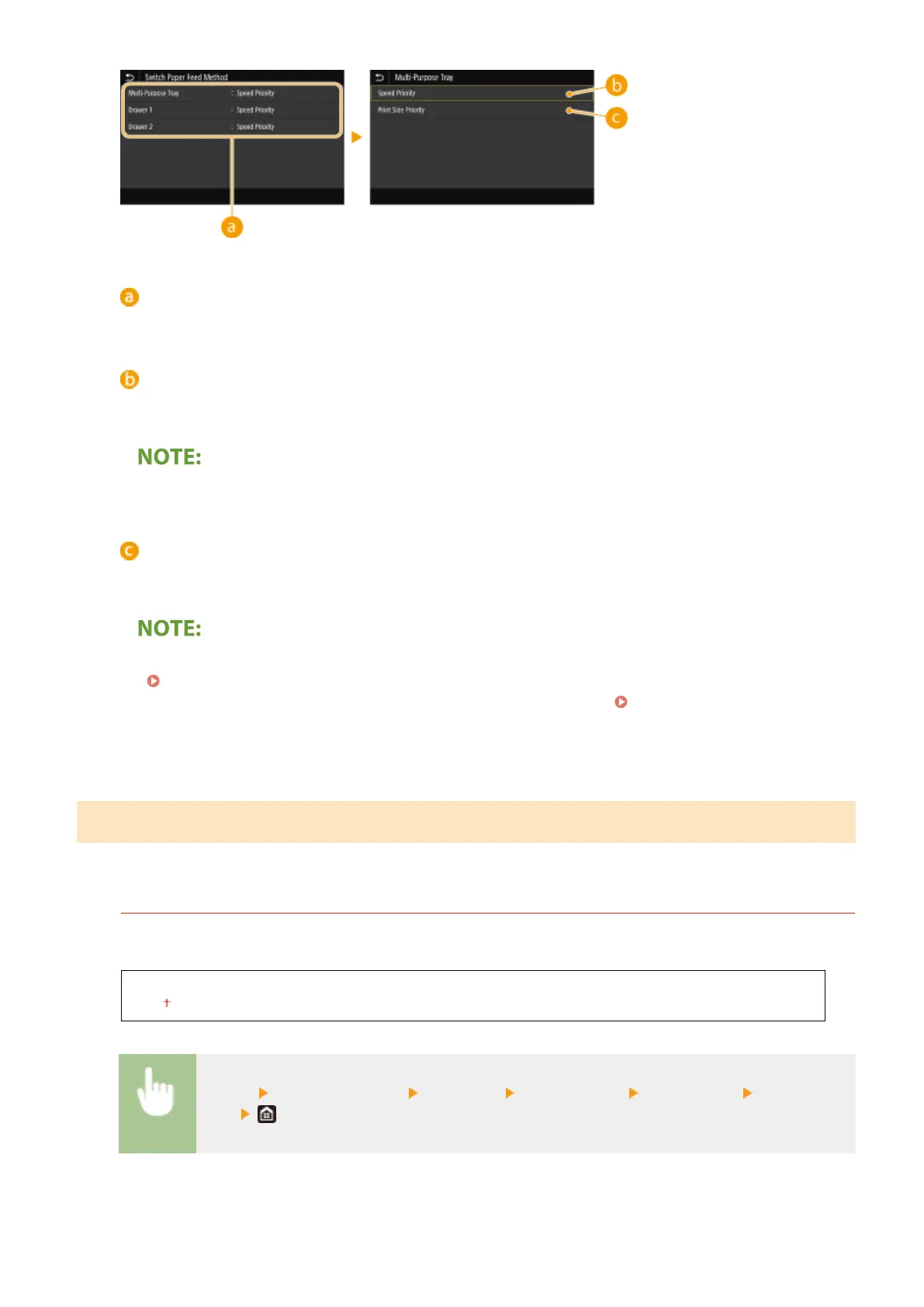
Select the paper source that you want to change the setting for.
<Speed Priority>
When using paper that has been preprinted with a logo, you need to change how it is facing when you
perform 1-sided and 2-sided printing.
● We recommend selecting <Speed Priority> if you do not need to consider which side to print on.
<Print Side Priority>
To print on a specic side of paper, you do not need to ip over paper in the paper source whether 1- or 2-
sided printing is selected.
● If <Print Side Priority> is set for a paper source that is loaded with paper you cannot use for 2-sided printing
( Available Paper(P. 701) ), <Speed Priority> is applied to the paper source instead. In this case, you need
to load the paper in the same way as when <Speed Priority> is selected ( Loading Preprinted
Paper(P. 157) ).
● 1-sided printing speed may be slower when <Print Side Priority> is selected.
<Scan Settings>
Congure scan settings.
<Auto Online>
When scanning from the computer, use this to specify whether to automatically go online for remote scanning
(scan standby mode) without using the operation panel.
<Off>
<On>
<Menu> <Function Settings> <Common> <Scan Settings> <Auto Online> Select <Off> or
<On>
Setting Menu List
488









 To Next Page