Paper Jams in the Main Unit
1647-0EH
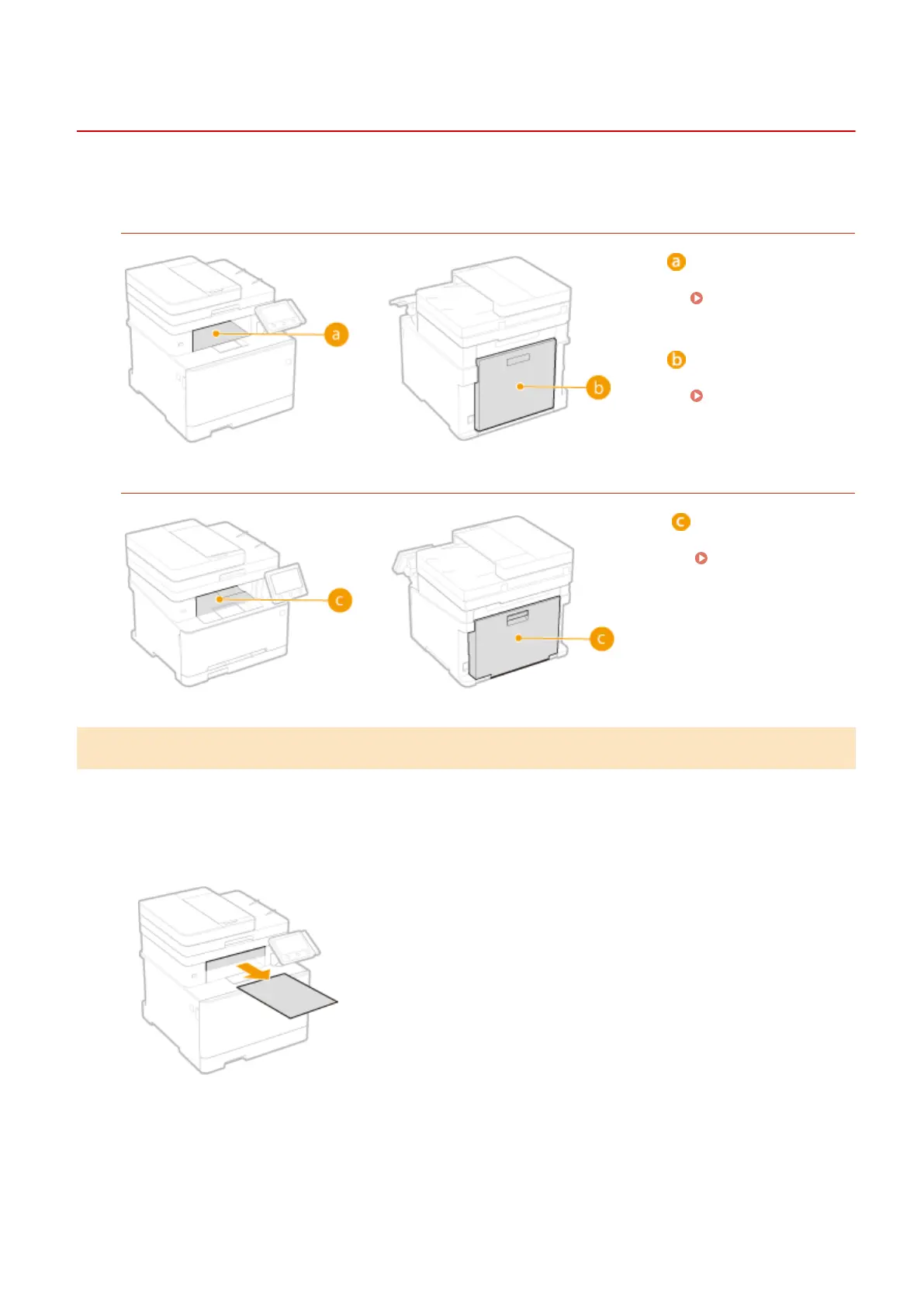
Remove the jammed paper according to the procedure that matches the location at which a paper jam occurred.
MF735Cdw / MF733Cdw / MF731Cdw
Output tray
Paper Jams in the
Output Area(P. 672)
Back side
Paper Jams in the
Back Side(P. 673)
MF634Cdw / MF632Cdw
Output tray/Back side
Paper Jams in the
Front and Back
Sides(P. 674)
Paper Jams in the Output Area
If the jammed paper cannot be removed easily, do not forcibly pull it out, but follow the procedure for a different
paper jam location indicated by the message.
1
Gently pull out the paper.
2
Select <Yes> when the <Is all of the jammed paper removed?> message is displayed
on the screen.
Troubleshooting
672









 To Next Page