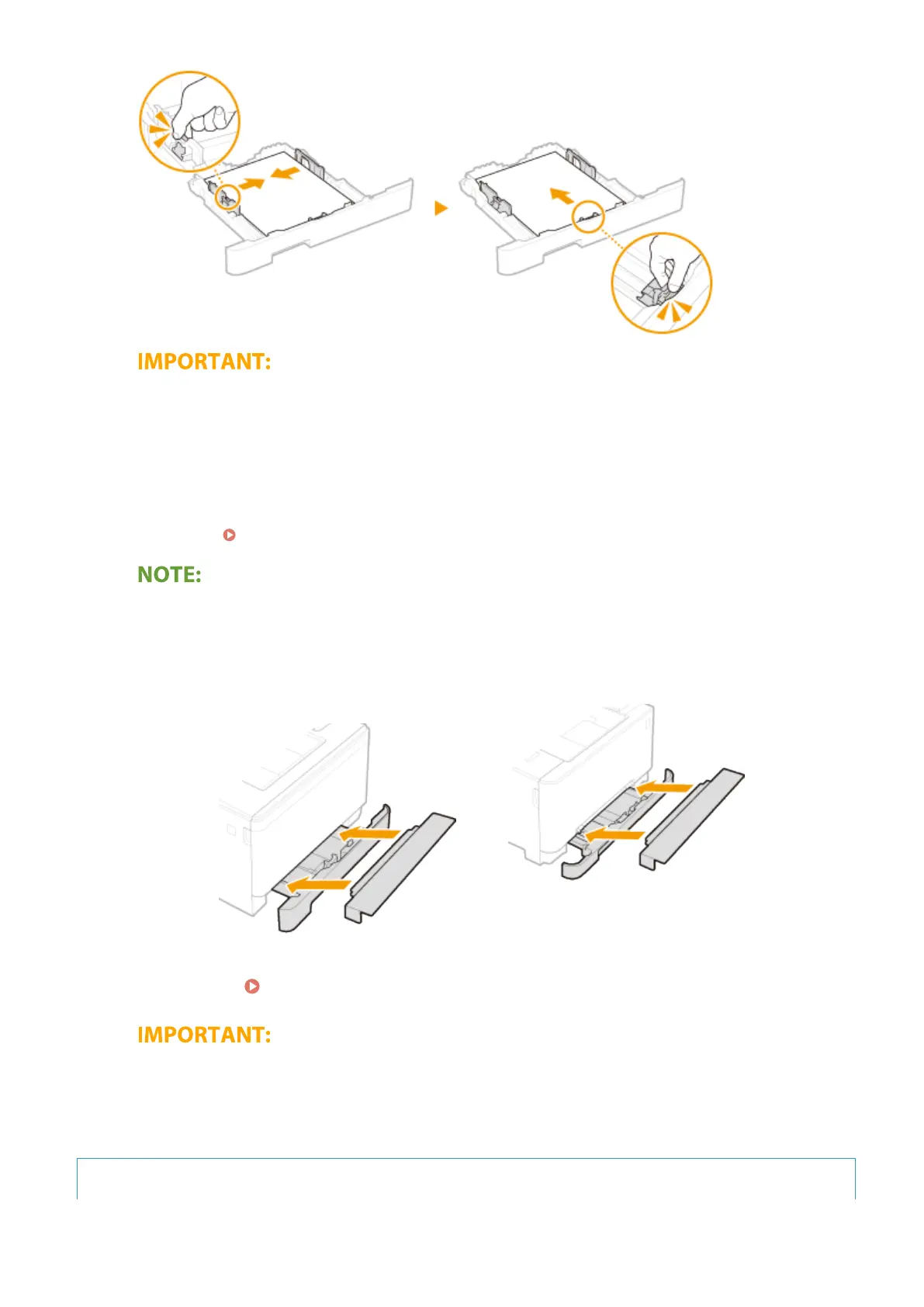
Align the paper guides securely against the edges of the paper
● Paper guides that are too loose or too tight can cause misfeeds or paper jams.
5
Insert the paper drawer into the machine.
● When you insert the paper drawer with <Notify to Check Paper Settings> set to <On>, a conrmation screen
is displayed. <Notify to Check Paper Settings>(P. 567)
When loading longer paper than A4 size
● The front side of the paper drawer is not ush with the machine when the extended paper drawer is
inserted. Place the legal dust cover over the open part of the paper drawer.
MF735Cdw / MF733Cdw / MF731Cdw
MF634Cdw / MF632Cdw
»
Continue to Specifying Paper Size and Type in the Paper Drawer(P. 160)
When changing the paper size or type
● The factory default settings for paper size and type are <LTR> and <Plain 2>, respectively. If you load a
different size or type of paper into the machine, make sure to change the settings. If you do not change
the settings, the machine cannot print properly.
Printing on the Back Side of Printed Paper (Manual 2-Sided Printing)
Basic Operations
147









 To Next Page