3
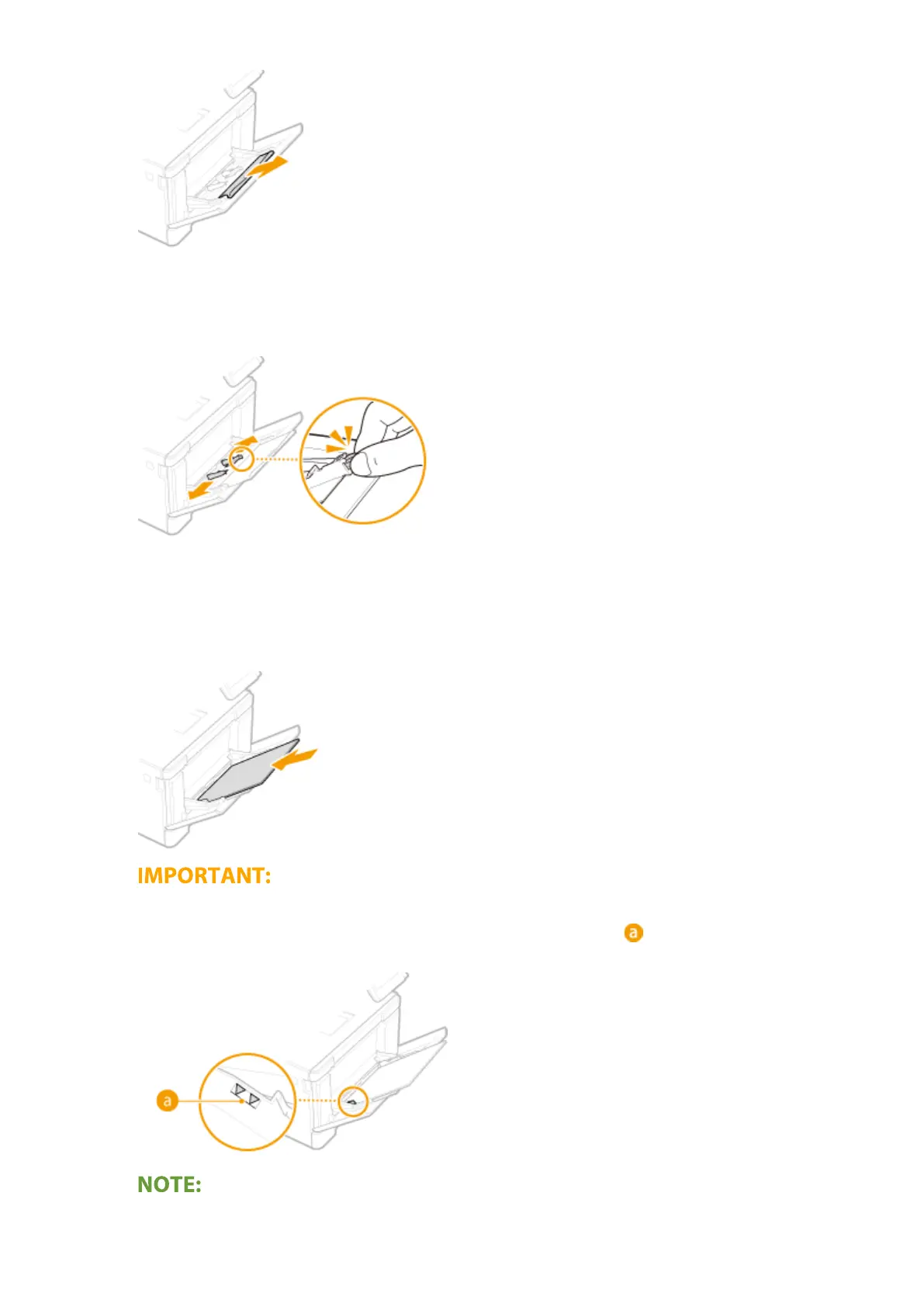
Spread the paper guides apart.
● Press the lock release lever to slide the paper guides outward.
4
Insert the paper into the multi-purpose tray until the paper stops.
● Load the paper with the print side face up.
● Fan the paper stack well, and tap it on a at surface to align the edges.
Do not exceed the load limit line when loading paper
● Make sure that the paper stack does not exceed the load limit line ( ). Loading too much paper can
cause paper jams.
Basic Operations
150









 To Next Page