3
Select the receiving method.
When selecting <Fax/Tel (Auto Switch)>
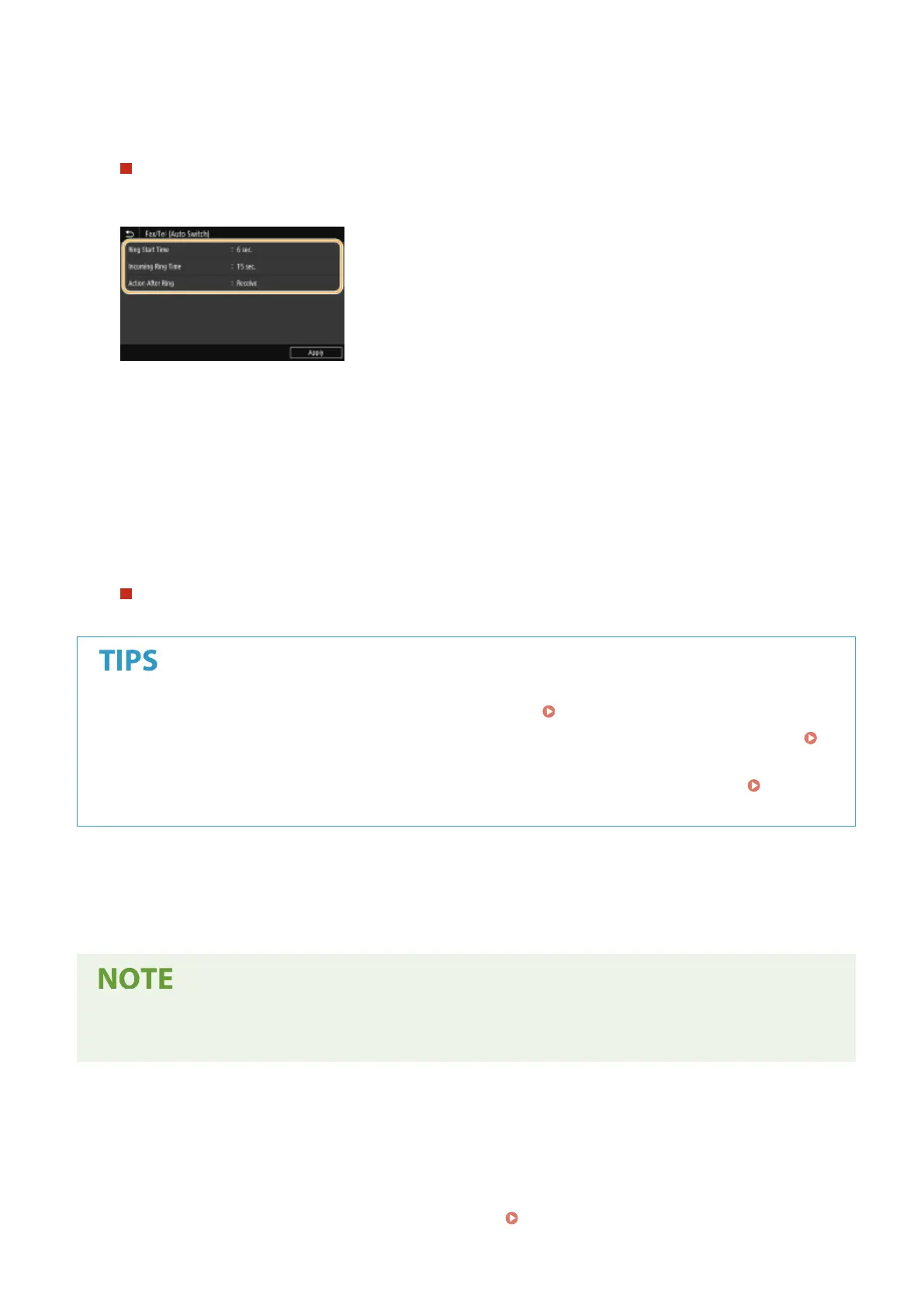
Specify the following three settings as necessary. When the setting is complete, select <Apply>.
<Ring Start Time>
Enables you to specify the duration during which the machine determines whether an incoming call is a fax or a
telephone call.
<Incoming Ring Time>
Enables you to specify the duration during which an incoming call rings for a telephone call.
<Action After Ring>
Enables you to specify how the machine operates if you do not pick up the handset while an incoming call is
ringing. Select <End> to disconnect the call or <Receive> to receive an incoming fax.
When selecting <DRPD>
Select the ring pattern that your telephone company assigned to your fax number.
● If you want to print received documents on both sides of paper: <Print on Both Sides>(P. 549)
● If you want to print information, such as reception date and time, at the bottom of received documents:
<Print RX Page Footer>(P. 552)
● If you want to continue printing even when the amount remaining in the toner cartridge is low: <Continue
Print. When Amount in Cart. Low>(P. 547)
◼ Using a Telephone to Receive Faxes (Remote Reception)
When you pick up the telephone and get a fax signal, you do not need to go to the machine to receive the fax. Just
enter a specic ID number with the telephone, and you can start receiving the fax.
● When the telephone is not directly connected with the machine, the remote reception function is not
available.
1
When an incoming call rings, pick up the telephone handset.
2
If you hear a beep, enter the ID number for Remote Reception with the telephone.
● For more information about setting the ID number, see <Remote RX>(P. 550) .
Faxing
228









 To Next Page