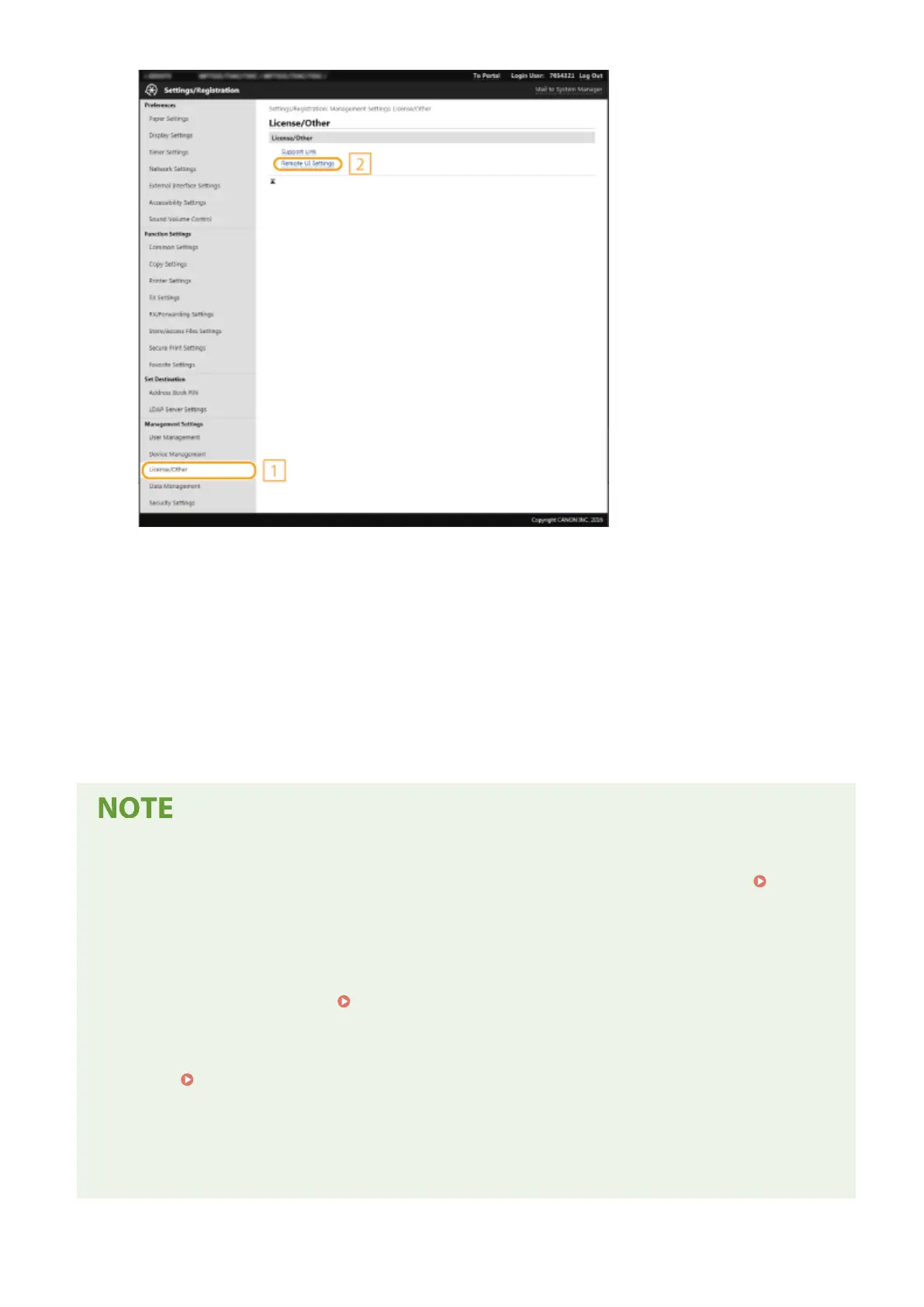
7
Click [Edit].
8
Select the [Use TLS] check box and click [OK].
9
Restart the machine.
● Turn OFF the machine, wait for at least 10 seconds, and turn it back ON.
Using the operation panel
● You can also enable or disable TLS encrypted communication from <Menu> in the Home screen.
<Remote
UI Settings>(P. 568)
Starting the Remote UI with TLS
● If you try to start the Remote UI when TLS is enabled, a security alert may be displayed regarding the
security certicate. In this case, check that the correct URL is entered in the address eld, and then proceed
to display the Remote UI screen. Starting Remote UI(P. 419)
Using TLS to encrypt e-mail/I-Fax communication
● If the SMTP server and the POP3 server support TLS, you can enable TLS for communication with these
servers (
Conguring E-Mail/I-Fax Communication Settings(P. 89) ). For more information about the
SMTP server and the POP3 server, contact your Internet service provider or Network Administrator.
Limiting the TLS version
● Select [Allowed Versions] on the [TLS Settings] page of Remote UI, and specify the upper limit and lower
limit.
Managing the Machine
381









 To Next Page