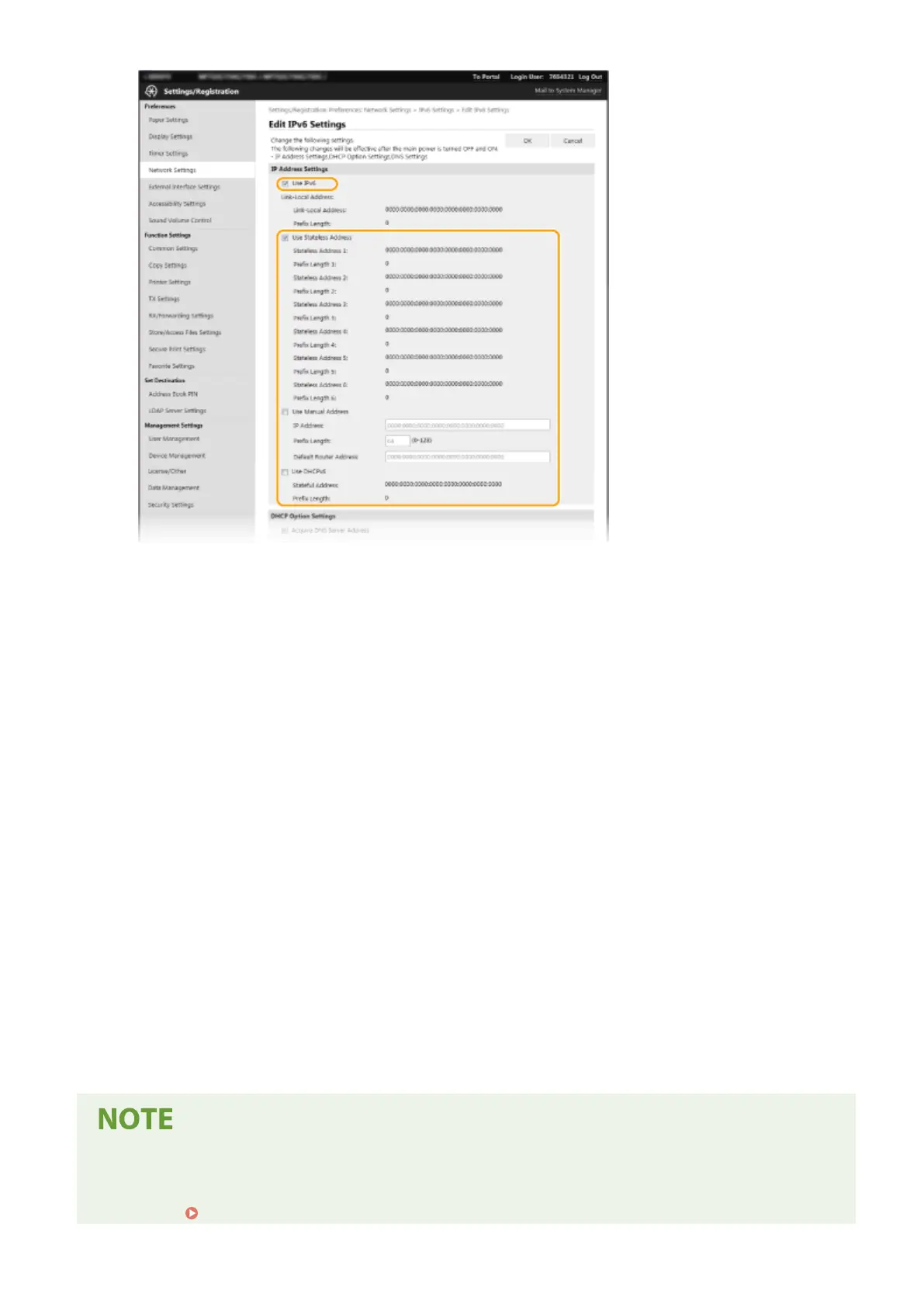
[Use IPv6]
Select the check box to enable IPv6 on the machine. When not using IPv6, clear the check box.
[Stateless Address 1]
Select the check box when using a stateless address. When not using a stateless address, clear the check box.
[Use Manual Address]
When you want to manually enter an IPv6 address, select the check box and enter the IP address, prex
length, and default router address in the corresponding text boxes.
[IP Address]
Enter an IPv6 address. Addresses that start with "ff" (or multicast address) cannot be entered.
[Prex Length]
Enter a number that indicates how many bits are available for the network address.
[Default Router Address]
Specify the IPv6 address of the default router as necessary. Addresses that start with "ff" (or multicast
address) cannot be entered.
[Use DHCPv6]
Select the check box when using a stateful address. When not using DHCPv6, clear the check box.
6
Click [OK].
7
Restart the machine.
● Turn OFF the machine, wait for at least 10 seconds, and turn it back ON.
Checking whether the settings are correct
● Make sure that the Remote UI screen can be displayed with your computer by using the IPv6 address of the
machine.
Starting Remote UI(P. 419)
Setting Up
35









 To Next Page