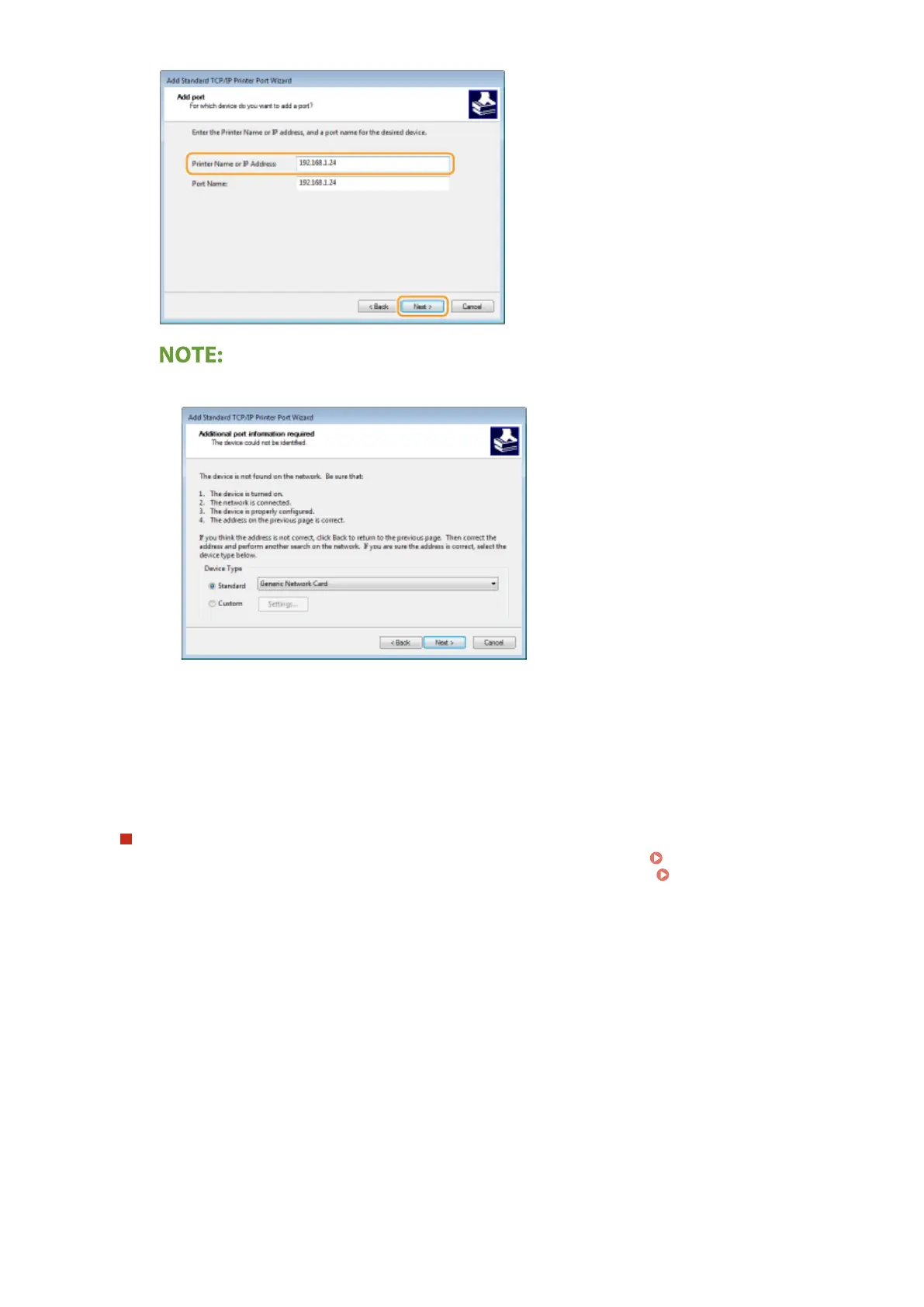
● When the next screen is displayed, follow the instructions on the screen.
*
When you select the [Device Type], select [Canon Network Printing Device with P9100] under [Standard].
5
Click [Finish].
6
Click [Close].
Changing the port type or number
If the printing protocol (LPD or RAW) has been changed on the machine side ( Conguring Printing
Protocols and WSD Functions(P. 40) ) or the port number has been changed ( Changing Port
Numbers(P. 377) ), the corresponding settings on the computer must also be congured. This operation is
not needed for WSD ports.
MFNP port
1
Click [Congure Port].
2
Under [Protocol Type], select [RAW] or [LPR], and change the [Port Number].
3
Click [OK].
Standard TCP/IP port
1
Click [Congure Port].
2
Under [Protocol], select [Raw] or [LPR].
Setting Up
45









 To Next Page