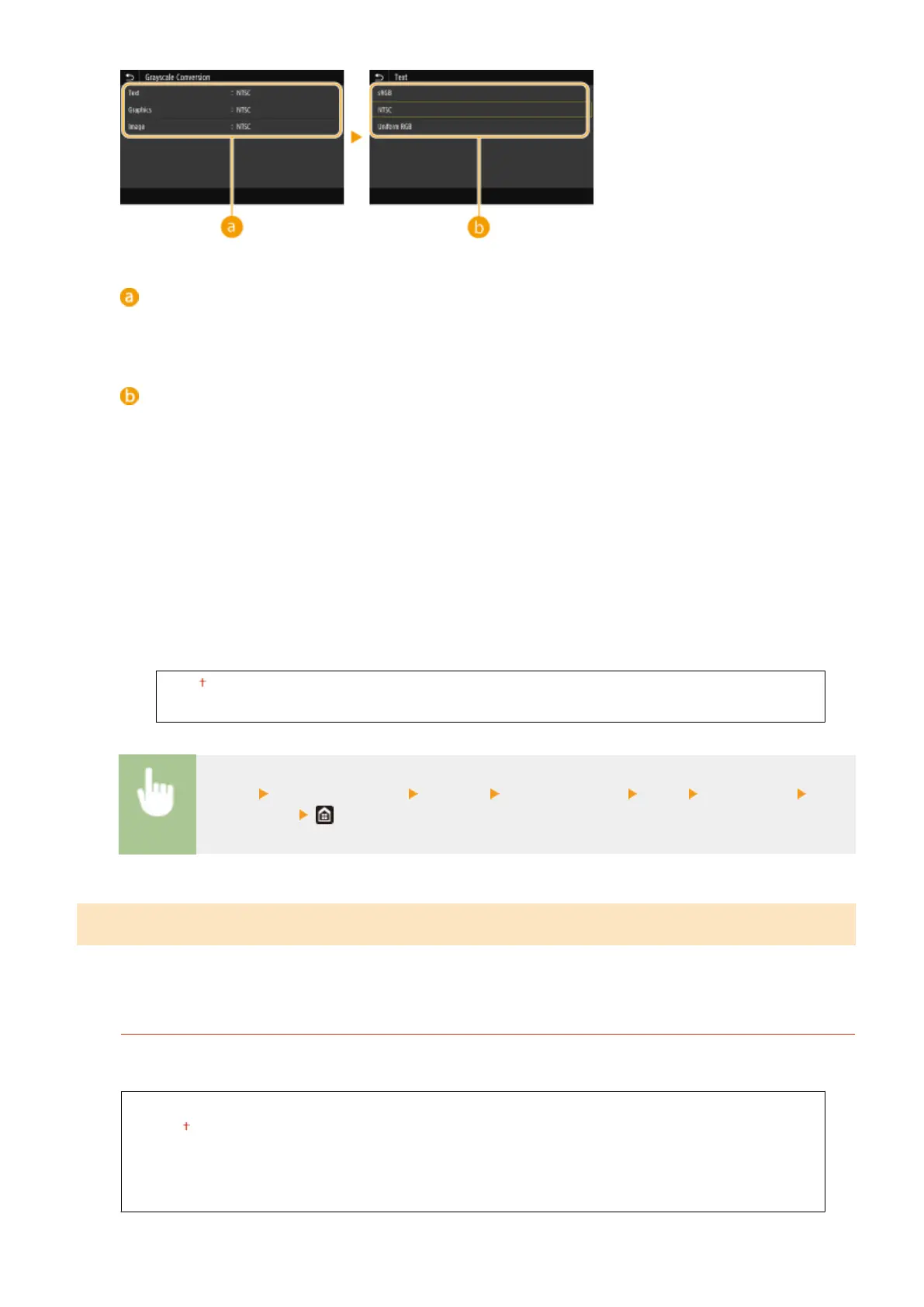
Type of image
Select the object for which to change the setting. <Text> represents letters and characters, <Graphics>
represents lines and gures, and <Image> represents photos and images.
Type of grayscale conversion
<sRGB>
Prints in black and white with emphasis on color differences so that a smooth gradation is achieved.
<NTSC>
Prints in black and white so that the resulting image looks like a black and white television picture (of the
NTSC system).
<Uniform RGB>
Prints in black and white so that R, G, and B are uniformly converted to the same gray level by using only
brightness as the reference.
<Paper Save>
Specify whether to disable a blank page in print data from being output.
<Off>
<On>
<Menu> <Function Settings> <Printer> <Printer Settings> <XPS> <Paper Save> Select
<Off> or <On>
<PDL Selection (Plug and Play)>
Select a page description language so that the machine is detected as a printer that is compatible with that language
when it is connected to a computer by using Plug and Play.
<Network>
*3
Select a page description language so that the machine is detected as a printer that is compatible with that
language when it is detected over the network.
<FAX>
*1
<UFR II>
<UFR II (V4)>
<PCL6>
*1
<PS>
*1
Setting Menu List
534









 To Next Page